
TL;DR
- ChatGPT now suggests Plugins inside the conversation when a Prompt describes a job a Plugin can do. The user doesn't need to search the Plugin directory or know your name.
- Suggestions appear as a short list with a one-click Install. Getting into that list, and near the top of it, decides who gets the customer.
- This is a new organic discovery surface and distribution channel. It can be measured and improved through Agent Tool Optimisation (ATO).
- You can start tracking whether ChatGPT suggests your Plugin, or a competitor's, for the Prompts that matter to you today.
What booking options cover family suites, villas and resort stays with live availability?
 Matching the PromptComparing relevant travel Plugin capabilitiesChatGPT found plugins that could be helpful
 Booking.comFind all best stays and moreInstall
 ExpediaPlan travel, flights & hotelsInstall
 TripadvisorBook top-rated hotelsInstall
OpenAI just made Plugin discovery organic.
At DevDay 2026 on September 29, OpenAI shared that 1.2 billion people now use ChatGPT every week, and announced that ChatGPT will now help those users discover Plugins inside the conversation.
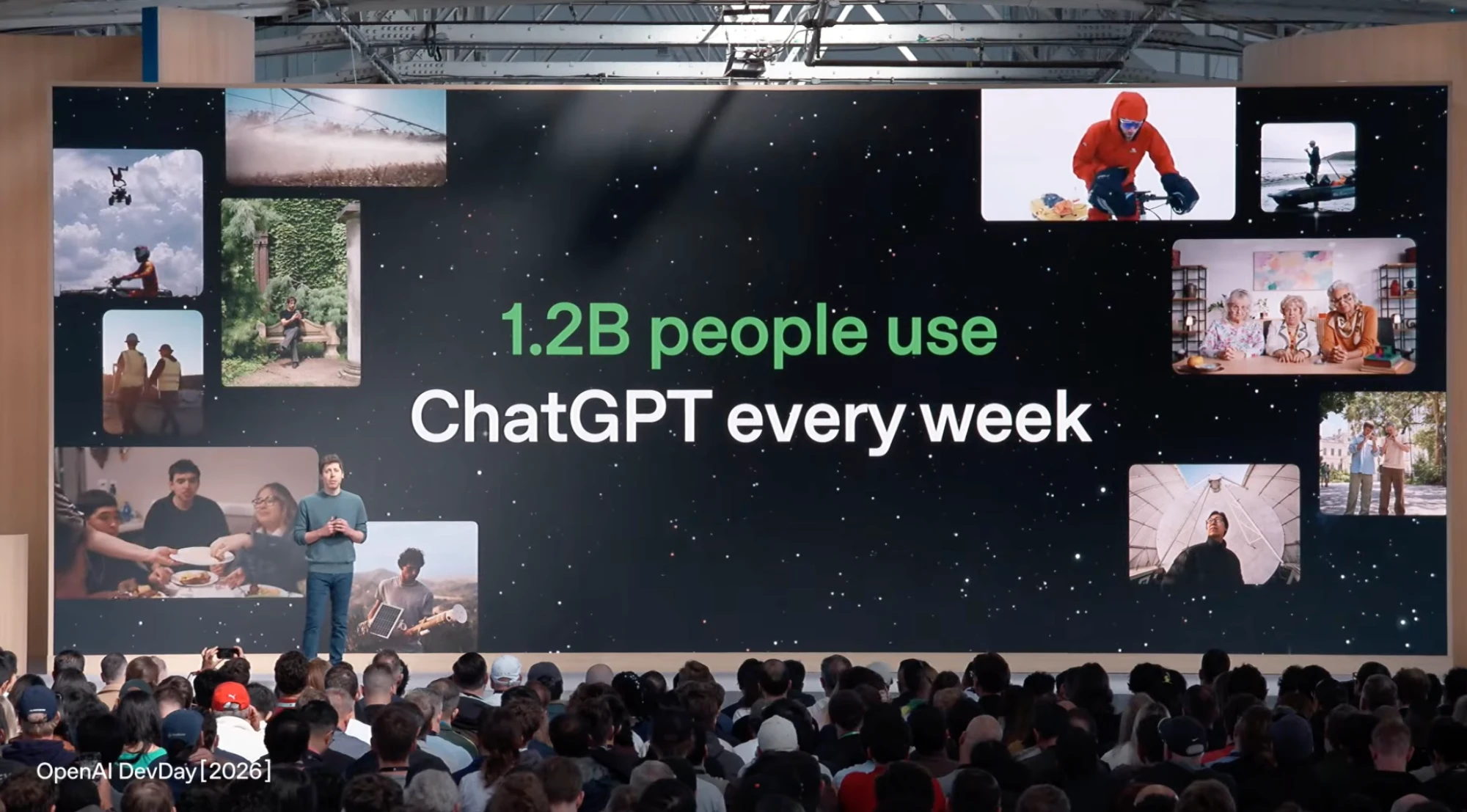
Until now, the only way to find and distribute a Plugin was the ChatGPT Plugin directory. Users had to go looking: browse a category, search by name, or already know your product existed. Now ChatGPT surfaces Plugins organically, suggesting them in its reply when a Prompt describes a job a Plugin can do.
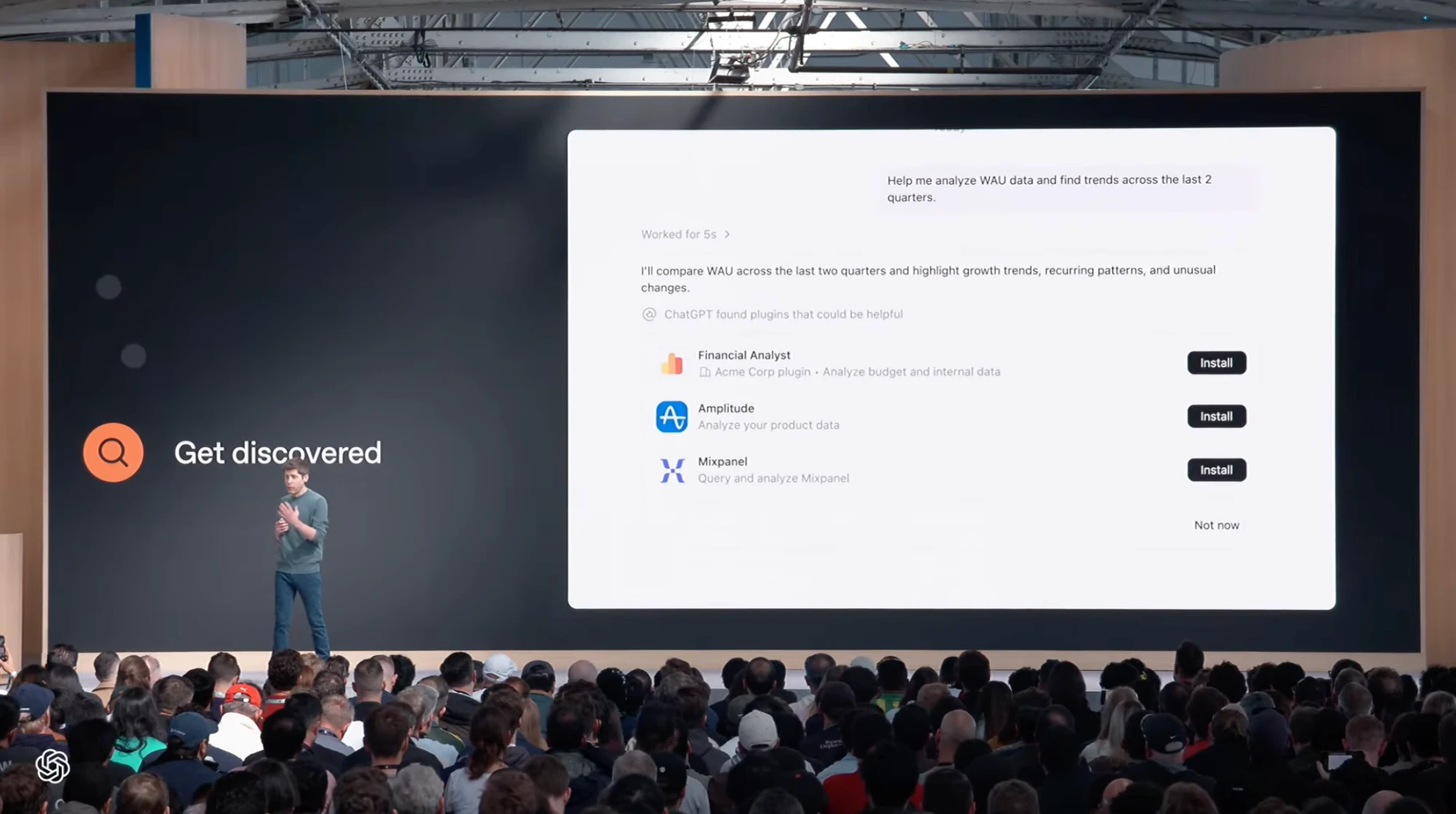
For the full set of announcements, read OpenAI's DevDay 2026 recap.
ChatGPT now recommends Plugins before the user goes looking.
When a Prompt describes a task a Plugin can complete, ChatGPT can now show a “found plugins that could be helpful” tray directly in its reply, with an Install button beside each suggestion.
This is the first time a Plugin can be discovered organically: by matching what the user is trying to do, not what they typed into a search box.
- The user describes the job. “What booking connectors cover family suites, villas, and resort stays with live availability?” No brand is named.
- ChatGPT works for a few seconds. It searches travel booking options and considers which Plugins could complete the request.
- Three Plugins appear in the reply. Booking.com, Expedia and Tripadvisor, each with a one-line description and a one-click add.
- The answer names them again. The written reply explains what each Plugin covers and links straight through, starting with “Explore Booking.com”.
The recommendation is the new result.
Search gave users ten blue links. The Plugin directory gave them a category page. ChatGPT now goes straight from the Prompt to the Plugins that can complete the task. Your Plugin doesn't need to rank on a page anymore. It needs to win the recommendation.
The user goes looking.
- User must already know a Plugin exists
- Search by name or browse a category
- Discovery happens outside the task
- One ranking per category, the same for everyone
ChatGPT brings the Plugin to them.
- User describes the outcome they want
- ChatGPT matches intent to Plugin capabilities
- Discovery happens inside the task
- A different shortlist for every Prompt
-
01 · Your user asks
Plan our launch so owners update their own workstreams and risks get flagged.
The user describes the outcome. They don't need to know which Plugin can deliver it.
-
02 · ChatGPT compares
 CodaInstall
 AsanaInstall
 ClickUpInstall
ChatGPT weighs every Plugin that could plausibly do the job and picks a shortlist to show. ATO improves this decision.
-
03 · One gets installed
CodaInstalledAsanaInstallClickUpInstall
The user installs the strongest match and completes the task in the same conversation. The others lose that customer.
Five parts of the tray decide whether you get installed.
Being shown is step one. The tray gives the user a few seconds and a handful of words to choose. Here's what's doing the work.
- The trigger. The tray only appears when ChatGPT judges that a Plugin would complete the task better than a text answer. No trigger, no tray. Your Prompts need to describe work, not questions.
- Slot order. The first slot is read first. Position inside the tray is the new rank, and it can change with the wording of the Prompt.
- Name and icon. Recognition breaks ties. When capabilities look similar, a known brand is the easy click, so smaller Plugins have to win on specificity.
- The one-line description. The only copy the user reads before deciding. Compare “Create, search, update docs” (features) with “Turn chats into actions” (an outcome). Neither mentions launch plans or risk flags.
- Install / Not now. The conversion event. Then look at the reply: ChatGPT names the Plugins again in its answer and explains the setup. Getting mentioned there reinforces the pick.
ChatGPT found plugins that could be helpful1Coda 3Create, search, update docs 4Install5AsanaTurn chats into actionsInstallClickUpRun your projects from ChatGPTInstallYou don't win the Plugin tray with AEO. You win it with ATO.
The Plugin tray creates a new discovery layer: a high-intent surface where relevant companies are found, compared and chosen at the moment a user is ready to act.
ChatGPT doesn't start with every Plugin available. For each Prompt, it retrieves the tools it believes could help, decides which make it into the tray, and sets the order they appear in. That is a different contest from being cited in an answer, so it needs a different discipline.
Answer Engine Optimisation (AEO) improves how accurately a company is represented, cited and recommended when an AI system answers a question. It works on the content and sources answer engines retrieve and trust. It doesn't change whether an agent finds, ranks or picks a callable tool.
Agent Tool Optimisation (ATO) improves whether a product's callable tools are found, picked and positioned when an AI agent decides how to complete a user's request. It works on the names, descriptions, schemas, metadata and documentation agents use to choose between tools. The term was coined by AgentDiscoverability.com.
AEO wins the citation.
Helps information get found, trusted and cited in an answer.
ATO wins the invocation.
Helps a callable Plugin get discovered, selected, installed and used.
- 1UnderstoodChatGPT can tell what your Plugin does and which tasks it completes.
- 2MatchedYour capabilities fit the Prompt better than nearby alternatives.
- 3SurfacedYou earn a slot in the tray shown inside the conversation.
- 4InstalledNew since launch: the user picks you over the other slots.
AEO vs ATO at a glance
Both matter. They win different moments.
| AEO | ATO | |
|---|---|---|
| The user's moment | Asking a question | Trying to get a job done |
| What you win | A citation or mention in the answer | A slot in the Plugin tray, then the install and the call |
| What you optimise | Web content, sources, reviews, entity data | Plugin name and description, tool names, tool descriptions, schemas, metadata |
| Who decides | The answer engine, choosing sources to quote | The agent, choosing tools to use |
| How it's measured | Mentions, citations, share of voice | Share of suggestion, slot position, installs |
Measure. Diagnose. Improve. Verify.
Optimising for ChatGPT discovery is a measured cycle, not a one-off rewrite. Run the Prompts your Plugin should win, find where visibility is lost, make focused improvements, then measure the same Prompts again.
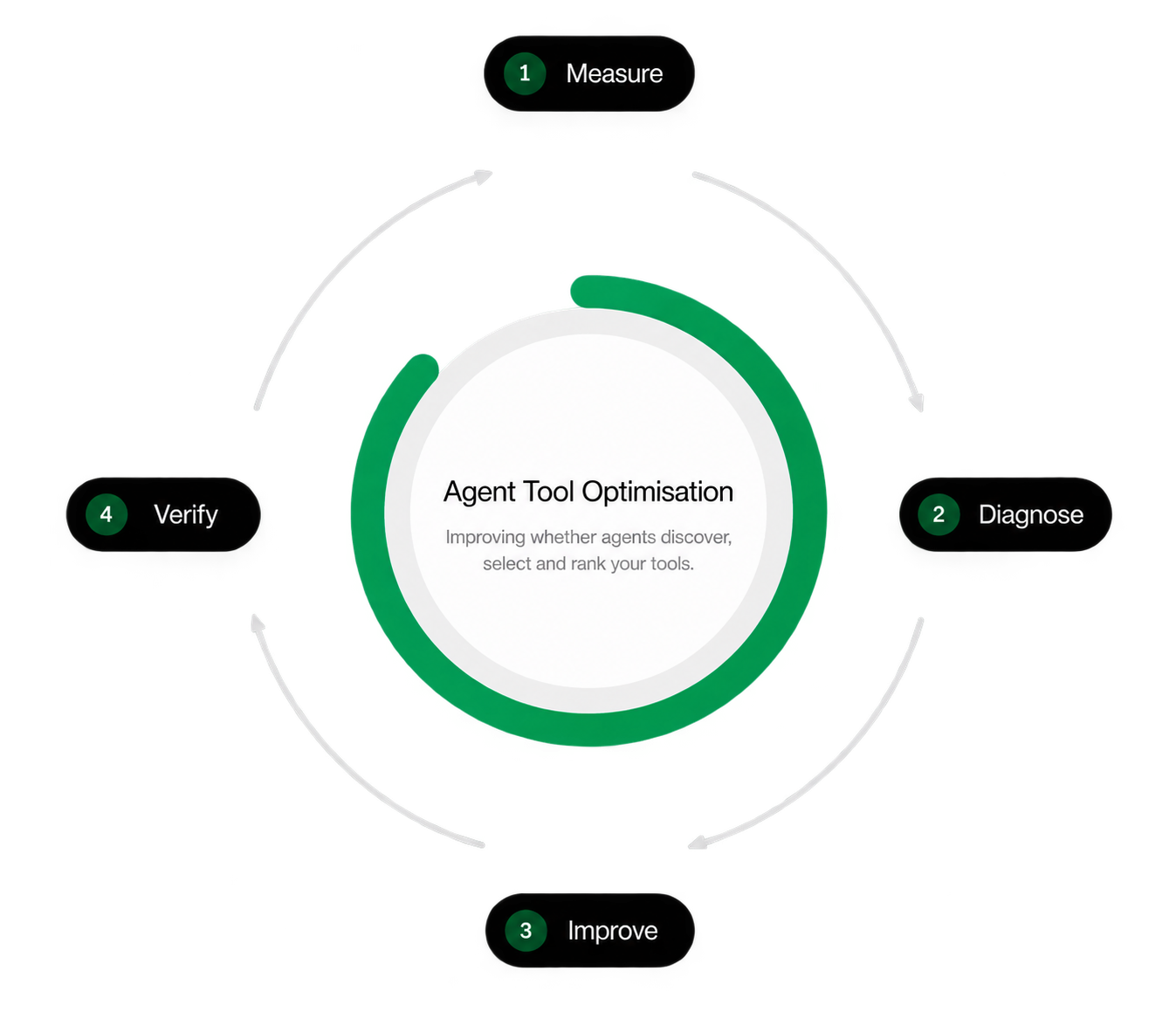
Run your priority Prompts repeatedly and track share of suggestion, slot position, and which competitors appear.
Find where visibility is lost: no tray at all, not in the tray, or in the tray but outranked by another Plugin.
Make focused changes to the signals ChatGPT reads: your Plugin name and description, tool names, tool descriptions, schemas and metadata.
Run the same Prompts again and confirm the outcome improved. Keep what worked, then repeat.
Continuous, not one-off. Suggestions shift as ChatGPT, your competitors and your own Plugin change. Each new measurement shows whether your Plugin is getting easier to find and choose.
Organic discovery is already changing how brands get found.
See how some brands are already getting their Plugins and Connectors organically discovered.
Start tracking your ChatGPT Plugin's organic discovery today.
- Your Plugin tracked in ChatGPT
- Competitors in your slot
- Share of suggestion for your Prompts
- Recommended MCP changes to improve discovery