
- Brand
- Unknown
- Category
- Pending
- Primary Subcategory
- Pending
Integration details
Description
Read and update the tables in your ADoor workspaces from a conversation. Look up contacts, create spaces and tables, maintain a shared project tracker, inspect table structures, and see which connection changed a record. Each connection has its own permissions. When you connect, you pick a workspace and how much access to give: Allow everything, Regular data handling (read and write in one space, no account changes), or Cautious (read only in one space). Table and field restrictions still apply, and you can narrow a connection anytime in ADoor. Ask for more access through a link you approve in ADoor. An ADoor account is required.
- Integration type
- Plugin
- Verification status
- Not applicable
- Platform
- ChatGPT
- Category
- Pending
- Primary Subcategory
- Pending
- Secondary Subcategories
- None listed
- Brand
- Unknown
- Access
- Account required
- First tracked
- 2026-10-22
- Tool count
- 37
- Geography
- US
The broad Category that contains the Primary Subcategory.
The Primary Subcategory used for this profile’s headline score.
Other Subcategories where the Integration is listed.
 Agent Discoverability
 ChatGPT Plugin Discovery Score
Your score is coming
ChatGPT now suggests Plugins on its own when they match a user's request.Your Plugin Discovery Score measures how often yours appears, and it will show here as soon as it’s ready.
What discovery looks like
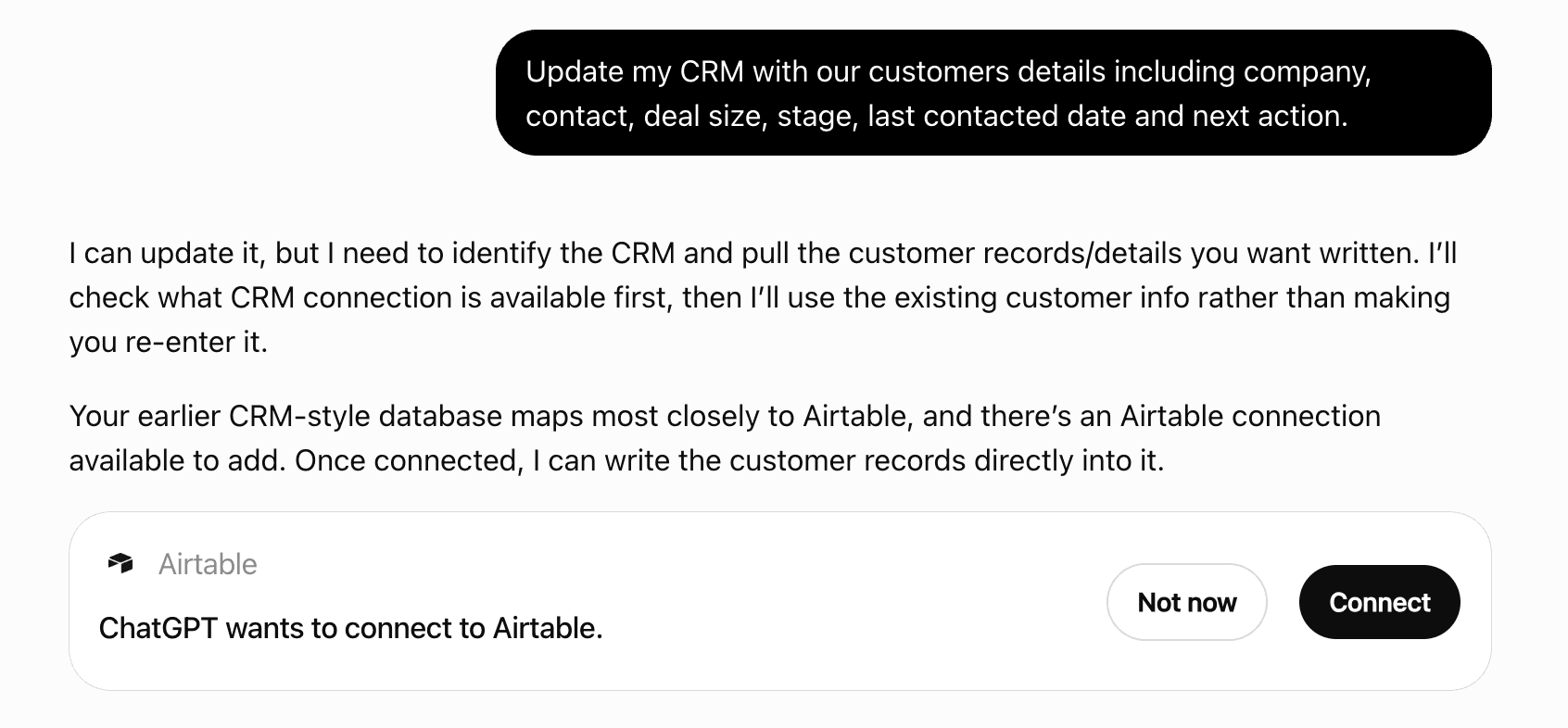
Get alerts for ADoor
Get updates when ADoor’s Discoverability Score or category rank changes.
Competitive lineup
37 tools agents can invoke
Accept one invitation addressed to this account's verified email and join that workspace. Needs account_workspaces. The inviter's live grant is the ceiling. No invitation token is read or returned. No email is sent.
accept_invitation
Add a foreign key between two tables in this workspace. Needs create-table access in both spaces. Pass createColumn true to add a nullable source field. A table this connection cannot see is not found.
add_reference
Archive a space. The space, its tables, and its rows stay readable, and writes, schema changes, imports, and table moves are refused until it is restored. An archived space does not count toward the space plan limit and can be restored with spaces.unarchive. Archiving a space that is already archived changes nothing and says so. The default space and the ADoor system space cannot be archived. This needs manage_spaces and workspace-wide data scope, the same rule as creating a space. Nothing is deleted.
spaces_archive
Create a child connection in this workspace. Needs manage_connections. role is app, agent, server, or sandbox. The new secret is not returned. The result has url for the signed-in account to open. scope workspace stays in this workspace. scope account can open the person's workspaces, still limited to their role.
create_connection
Create a space in a workspace this connection can open, with an optional stable short name. Pass workspace as an id or slug the same way query and execute do. Omit it to use the current workspace. A space groups related tables. The default space starts named General. This tool is always listed. It needs the manage_spaces capability on that workspace and does not need workspace-wide read. A missing capability returns an error that says to call request_access with capabilities ["manage_spaces"]. That approval is enough. Creating a space records read and write on that new space id only. It does not grant any other space. Allow everything can create the space in a workspace this user can act in. Cautious and regular access stay in the one space on their grant and cannot create a space. A connection that is not an account connection cannot switch workspace. When full access is at the space limit and the only user space is the default space, the call returns that space and does not create another.
spaces_create
Create a personal or team workspace owned by the authorizing account. One workspace per project, team, or app. Sharing and permissions belong to that workspace. Pass workspace as an id or slug this connection can open, the same way spaces_create does. That selects the account connection acting in that workspace. The new workspace is not created inside it. Pass account as the authorizing account id. Omit it to use the signed-in account. A different account creates nothing. There is no organization. This tool is always listed. It needs account_workspaces. A missing capability returns an error that says to call request_access with the account_workspaces capability. When context.fullAccess is true, this connection can create the workspace itself.
workspaces_create
Decline one invitation addressed to this account's verified email. Needs account_workspaces. A missing invitation, or one addressed to someone else, is not found and does not name another workspace.
decline_invitation
Calls the ADoor API. Documentation: https://adoor.halmoslabs.com/docs/reference/mcp/. Runs PostgreSQL against this connection's own ADoor database. This is not a shell and it does not run code outside that database. MCP execute does not accept SELECT or COPY TO. query reads rows and exports. HTTP and the CLI accept SELECT in execute, paged at 1000 rows with truncated, nextCursor and rowCount. A page without ORDER BY can repeat or skip rows when other writes commit; ORDER BY a unique key. Accepted writes are INSERT, UPDATE, DELETE, managed CREATE TABLE, TRUNCATE or DROP TABLE of one user table, ADD COLUMN, DROP COLUMN, RENAME of a table or field, ALTER COLUMN TYPE, ADD UNIQUE or CHECK, DROP CONSTRAINT of a field rule, SET or DROP NOT NULL, SET or DROP a literal DEFAULT, a plain CREATE INDEX or DROP INDEX on plain columns, and COPY FROM an uploaded ADoor file. CREATE INDEX returns the index id. UNIQUE and CREATE INDEX reject a json field; use jsonb. CHECK accepts one field, literals, comparisons, BETWEEN, IN, AND, OR, NOT, IS NULL, char_length, and a literal match pattern of at most 256 characters. A table can have 8 unique rules, 16 checks, and 8 indexes. Adding a rule on existing rows fails with the number of rows that break it and no values, and requires unrestricted read of those fields. A single-column rule drops with the field. A multi-column unique rule blocks the drop. A type change is rejected while a check names the field. Regular access cannot DROP TABLE. SELECT adoor_file('import', 'name.csv') opens an upload. The default is all-or-nothing. dryRun true rolls that transaction back and commits nothing; it rejects schema changes, COPY, TRUNCATE, DROP, atomic: false, and an idempotencyKey. Pass atomic: false to commit each statement on its own. A failure then names the statements that already committed and says to resend only from the failed statement, or to reuse the same idempotencyKey. A single statement that reaches 30 seconds is STATEMENT_TIMEOUT. The script stops at 60 seconds with SCRIPT_TIMEOUT. A deadlock sets retryable and says to retry the same request. CREATE TABLE with no spaceId lands in the default space, which starts named General. A renamed default keeps its name. Writing there is fine when that space is the only user space, or when the plan cannot add another space. When another space is possible, make a dedicated space for the project and pass spaceId. When context.fullAccess is true, create the workspace and the space yourself, unless the workspace is already at its space limit and the only user space is the default: then use that space and do not create another. Otherwise call the workspace or space tool; if it returns an error, call request_access with the capability it names, then pass workspace with its slug and spaceId for an existing space. A table created in the default space includes hint. The result includes connection so the answer can be attributed to this connection's workspace. context returns the same summary as scope, including the spaces on this grant and the access level. If the user names a different workspace, don't use this connection. This description is the same for every connection. The server instructions name the account, workspace, and spaces.
execute
Export the whole workspace and retained history within this connection's access. This needs the export capability and unrestricted workspace read. Check scope: permission-limited snapshots omit restricted data and metadata and are not complete backups. Size limits fail the request instead of truncating it. HTTP and the CLI return the snapshot. MCP returns a download link and does not inline the snapshot. To export one table or a query, use COPY ... TO 'adoor://new' in query; that uses ordinary read permission on the tables the query touches.
export
Read retained history, newest first. Pass id to inspect one change, including its row images. You can read and inspect your own changes. Someone else's row images need the recover capability. Pass before and limit to list pages. limit is from 1 to 100 and defaults to 100. Read-only queries are omitted from the list. Pass reads true to include them. Those query events stay in the usage ledger either way. Inspecting one event by id still returns a query event. Pass table for that table's current name. The match is case-insensitive. An unknown table is an error. A name like space.table is an error; pass spaceId to limit one space. Each event includes tableId when the change belongs to one table, plus connectionId and actorLabel. actorLabel is the connection name, its access level (Allow everything, Regular, Cautious, or Limited), and the first 8 characters of the connection id. Events on a dropped table have canUndo false. The result sets truncated, nextCursor and rowCount. Events this connection cannot see are skipped before the page is filled. A page is shorter than limit only when no further visible event remains, and truncated is false only then. When more visible events remain, including after hidden ones, truncated is true and nextCursor is the before value for the next page. A page is ordered by event id. Connections see their own changes. You can undo your own changes. Row images and undo marks for someone else's changes need recover.
history
Stages bytes from the client file object for COPY. The file object has download_url and file_id. import accepts ChatGPT files from files.oaiusercontent.com only. A Claude, Grok, or Muse URL is refused with FILE_URL_NOT_ALLOWED and is not fetched. A Claude or Grok conversation export inside that ChatGPT file is normalized under the same ceilings: 32 MiB download, 64 MiB of normalized JSON, 100000 conversations, and 1000000 messages. A ChatGPT export, CSV, and any other unrecognized file are staged unchanged. The result has transfer_id, an adoor:// URI, bytes, and SHA-256. Recognized exports also have format, conversations, and messages. Rows are not inserted. COPY FROM the returned URI loads the staged bytes. A completed COPY deletes the staged bytes. Otherwise they expire after six hours. SELECT adoor_file('close', '<transfer_id>') deletes them immediately. Pass spaceId to stage the file for one space. An archived space is refused with SPACE_ARCHIVED before a transfer is opened and before transfer quota is used. When spaceId is omitted, that same refusal applies when every space this connection can insert into is archived. openWorldHint is true because the file is downloaded from a ChatGPT file on files.oaiusercontent.com. import accepts ChatGPT files only. A Claude, Grok, or Muse URL is refused with FILE_URL_NOT_ALLOWED. Rows are not inserted.
import
Invite a person to this workspace by email. Needs manage_members. role is owner, editor, or viewer. Omitting role and permissions invites a viewer. A permission that names a table is refused when that table does not exist. The result has url and no invitation token. A missing capability names request_access.
invite_member
Leave this workspace. No management capability is required. The last owner is refused.
leave_workspace
List pending access requests in this workspace that this connection can inspect or act on. Needs inspect_access or manage_connections. A permission that names a space or table this connection cannot see is returned as hidden, with its actions and without that name.
list_access_requests
List pending invitations addressed to this account's verified email. Needs account_workspaces. Each row names that workspace. Invitations for any other email are omitted.
list_invitations
List foreign-key references this connection can see. Pass spaceId to limit the list to one space. A hidden field hides the relationship. Nothing is changed.
list_references
Move a table into another space in this workspace. Needs manage_spaces. A table or space this connection cannot see is not found, and its name is not returned.
move_table
Calls the ADoor API. Documentation: https://adoor.halmoslabs.com/docs/reference/mcp/. Run native PostgreSQL SELECT statements, including joins, expressions, CTEs and aggregates, or COPY a table or query TO 'adoor://new'. COPY TO uses ordinary read permission on the tables the query touches, including a single table or a filtered subset, and returns a download. The summary says how many rows were exported. It does not require the export capability. Row permissions and strict field errors are enforced by the database. Every SELECT response returns at most 1000 rows and sets truncated, nextCursor and rowCount. MCP defaults to 100 when limit and a constant SQL LIMIT are both absent. HTTP, the CLI and the SDK default to 1000. The SDK and the CLI follow nextCursor. A constant SQL LIMIT of 1000 or less is kept and truncated is false. A larger SQL LIMIT is paged at 1000. A page without ORDER BY can repeat or skip rows when other writes commit; ORDER BY a unique key. Multiple statements return ordered results and stop on the first error; each runs independently with current permissions. Nothing was written. The result includes connection so the answer can be attributed to this connection's workspace. context returns the same summary as scope, including the spaces on this grant and the access level. If the user names a different workspace, don't use this connection. This description is the same for every connection. The server instructions name the account, workspace, and spaces.
query
Read this account's id, display name, and email. Needs account_profile. The display name is the only profile field that changes immediately.
get_account
Read the current plan and storage allowance. Needs manage_billing. No card data is returned.
get_billing
Read usage against the plan caps. Needs inspect_access. period is YYYY-MM. Omit it for the current period. No card data is returned.
get_usage
Remove a person from this workspace and revoke that identity. Needs manage_members.
remove_member
Remove a foreign-key reference and keep the field and the rows. Needs create-table access in both spaces. A reference this connection cannot see is not found.
remove_reference
Rename a space this connection can see. Needs manage_spaces. The short name stays. A space this connection cannot see is not found, and its name is not returned.
rename_space
Rename this workspace or change its personal or team label. Needs manage_workspace. A missing capability names request_access.
rename_workspace
Change this account's display name. Needs account_profile. That is the only profile field changed immediately. Email is not accepted here.
rename_account
Request expanded authority through a prefilled human approval link. Name the access to add. Existing permissions and capabilities are kept. A request with no permissions, no capabilities and no moreSpaces is rejected. A capability alone, or moreSpaces alone with permissions [], is valid. Approval can only widen access. Name a space only when you can already see it. For a space you cannot see, send moreSpaces with the per-space grant (table or *, actions, and optional field or row limits) and no space id. The approving person chooses which spaces to include and can narrow the added grant. query, execute, context, history, undo, export, and request_access are always listed. Workspace and space tools, including spaces_create, spaces_archive, and spaces_unarchive, are always listed too. Sharing, organizing, billing, and account changes are separate tools, one per operation. import is listed for ChatGPT only. A call without the grant returns an error that names request_access. Allow everything can do anything this user can, including account, member, space, workspace, and billing changes. Regular data handling can read, write, import, undo, and history in one space. It cannot drop tables or wipe undo history. It cannot read another space, and a field its grant leaves out stays denied. It refuses account settings, members, invites, billing, deleting workspaces, and creating a space, and the error names request_access. Cautious can read that one space. Another space or anything more uses this tool and a one-tap approval link. A capability is requested the same way and applies only after a person approves it. This request grants nothing. The result leads with url (kind approval). approvalUrl is the same link. addedPermissions and addedCapabilities name only what this call adds. permissions is the full grant approval would apply. A duplicate pending request keeps that link and the previous reason, and the message says the previous reason was kept. A repeated request that matches a denied request returns status denied and kind denied. That result is not pending, grants nothing, and next says to call request_access with a different reason. It returns currentGrant for the access already held, and it does not return permissions or capabilities. A different reason can open a new pending request, and that result says the previous request was denied.
request_access
Email a pending invitation again and replace its link. Needs manage_members. The previous link stops working. The result says whether the email went out. No invitation token is returned.
resend_invitation
Approve or deny someone else's pending access request. Needs manage_connections. This connection cannot approve its own request, an ancestor, or a descendant session. That case returns the approval link and changes nothing. Optional permissions and capabilities can only narrow the grant.
resolve_access_request
Restore an archived space. It counts toward the space plan limit again and accepts changes. Restoring a space past that limit is rejected and nothing changes. Unarchiving a space that is already active changes nothing and says so. This needs manage_spaces and workspace-wide data scope, the same rule as creating a space.
spaces_unarchive
Revoke a connection so it stops working. The same authority as connections.revoke applies. No token is returned.
revoke_connection
Revoke a pending invitation so its link stops working. Needs manage_members. No token is returned.
revoke_invitation
Drop retained history images so the history budget can accept new rows. This can't be undone. Omit table to drop the oldest images until the workspace fits. Name a table to drop that table's undo images. Live rows stay. The result is counts, never row values. Regular access cannot wipe undo history. The owner can trim the workspace. A connection can trim one table it can delete.
trim_history
You can undo your own changes. Reverse one retained change, or pass ids to reverse several made by this connection. Ownership is the connection. A later grant change does not move earlier events to another connection. The current grant still has to allow write access to the columns that change touched. It does not need read access to the whole table or to every column, and it does not need the recover capability when every event is this connection's. Another connection's changes, a human's changes, and a batch that mixes both need the recover capability. For a caller without recover, an event that is not this connection's looks the same as an event that does not exist. A mixed batch changes nothing and does not name those events. A later edit that would be overwritten is left unchanged and nothing is committed. Pass id from history, or ids. ids are reversed newest first.
undo
Replace a child connection's permissions and optional capabilities. Needs manage_connections. permissions is required. The change stays within the caller's authority.
update_connection
Change a member's role, permissions, or capabilities, or the grant on a pending invitation. Needs manage_members. Pass at least one of role, permissions, or capabilities. Updating a pending invitation keeps the same link, sends no email, and does not spend the mailbox limit. A permission that names a missing table is refused.
update_member
Which account and workspace am I connected as? Lists the signed-in account and every workspace this connection can open, with names and slugs. Pass workspace with a slug on any tool to switch workspace. When this connection cannot write, the message says to call request_access for insert or update. Read this connection, the current workspace, the spaces and tables it can see, its permissions, and the expiry clocks. Each table includes rules for unique and check constraints whose fields are all readable, and indexes with id and columns. A rule or index that names a hidden field is omitted. effectiveExpiresAt is the earliest of this connection's expiresAt, each ancestor connection's expiresAt, the access credential's expiresAt, and a browser sign-in session's expiresAt when this call has one. A permission grant has no clock. An OAuth access token lasts 1 hour and is refreshed. tablesTruncated, spacesTruncated, connectionsTruncated and peopleTruncated are false when the list is complete. A truncated list includes the first 1000 items and names the next step. omitted names a field this connection cannot see and the next step. connections and people are included only when this connection can see them. No secret is included. installations lists apps in this workspace when this connection can see them. sessions lists task sessions this connection can see. accessRequests lists pending requests this connection can act on in this workspace. deniedAccessRequests lists this connection's own denied requests. status is denied. They are not pending. The message says to call request_access with a different reason. receivedInvitations lists invitations addressed to this account. When the only user space is the default space, the message says writing there is fine. When the plan can add a space, it suggests a dedicated space. When full access is at the space limit, the message names that default space and says no new space was created. fullAccess is true when access is everything: this connection can do anything this user can, including account, member, space, workspace, and billing changes, and workspaces created later. accessGuidance names the tier. Regular data handling can read, write, import, undo, and history in one space. It cannot drop tables or wipe undo history. It cannot read another space, and a field its grant leaves out stays denied. It refuses account settings, members, invites, billing, deleting workspaces, and creating a space, and the error says to call request_access. Cautious can read that one space, and anything more uses request_access. Only the user can choose Allow everything on the consent screen. This connection cannot grant itself more access. scope names this connection's workspace, the spaces on its grant, and its access level (Allow everything, Regular, Cautious, or Limited). If the user names a different workspace, don't use this connection.
context
 Recommended guideHow to get your ChatGPT Plugin suggestedFollow the practical steps agents use to find, shortlist, and choose your Plugin.Read guide
ADoor ChatGPT Plugin FAQ
How the directory, categories and Discoverability Score work.
Read the methodologyHow do I improve ADoor's ChatGPT Plugin discoverability?
The levers are the listing surface agents actually read: names, descriptions, keywords, tool metadata, and registry health. Which lever matters depends on where discovery breaks, which is what continuous measurement shows.
Where is this profile measured?
This profile uses the geography attached to the latest public registry snapshot: US. Locale tags are intentionally omitted.