
- Brand
- Advanza
- Category
- Pending
- Primary Subcategory
- Pending
Integration details
Description
Connect ChatGPT and Codex to your Advanza workspace to find and manage contacts, companies and deals, review campaign performance, and prepare marketing content. An Advanza account and workspace membership are required. Access is scoped to the workspace selected during sign-in. Reversible workspace changes can run directly under the default policy. Deleting or merging records and spending credits require confirmation. Sending, publishing, workflow activation, and destructive batches above 100 records require approval by a person in Advanza or on the approval card. Workspace settings can require approval for every change. Available operations depend on your workspace permissions and connected services.
- Integration type
- Plugin
- Verification status
- Not applicable
- Platform
- ChatGPT
- Category
- Pending
- Primary Subcategory
- Pending
- Secondary Subcategories
- None listed
- Brand
- Advanza
- Access
- Account required
- First tracked
- 2026-10-17
- Tool count
- 115
- Geography
- US
The broad Category that contains the Primary Subcategory.
The Primary Subcategory used for this profile’s headline score.
Other Subcategories where the Integration is listed.
 Agent Discoverability
 ChatGPT Plugin Discovery Score
Your score is coming
ChatGPT now suggests Plugins on its own when they match a user's request.Your Plugin Discovery Score measures how often yours appears, and it will show here as soon as it’s ready.
What discovery looks like
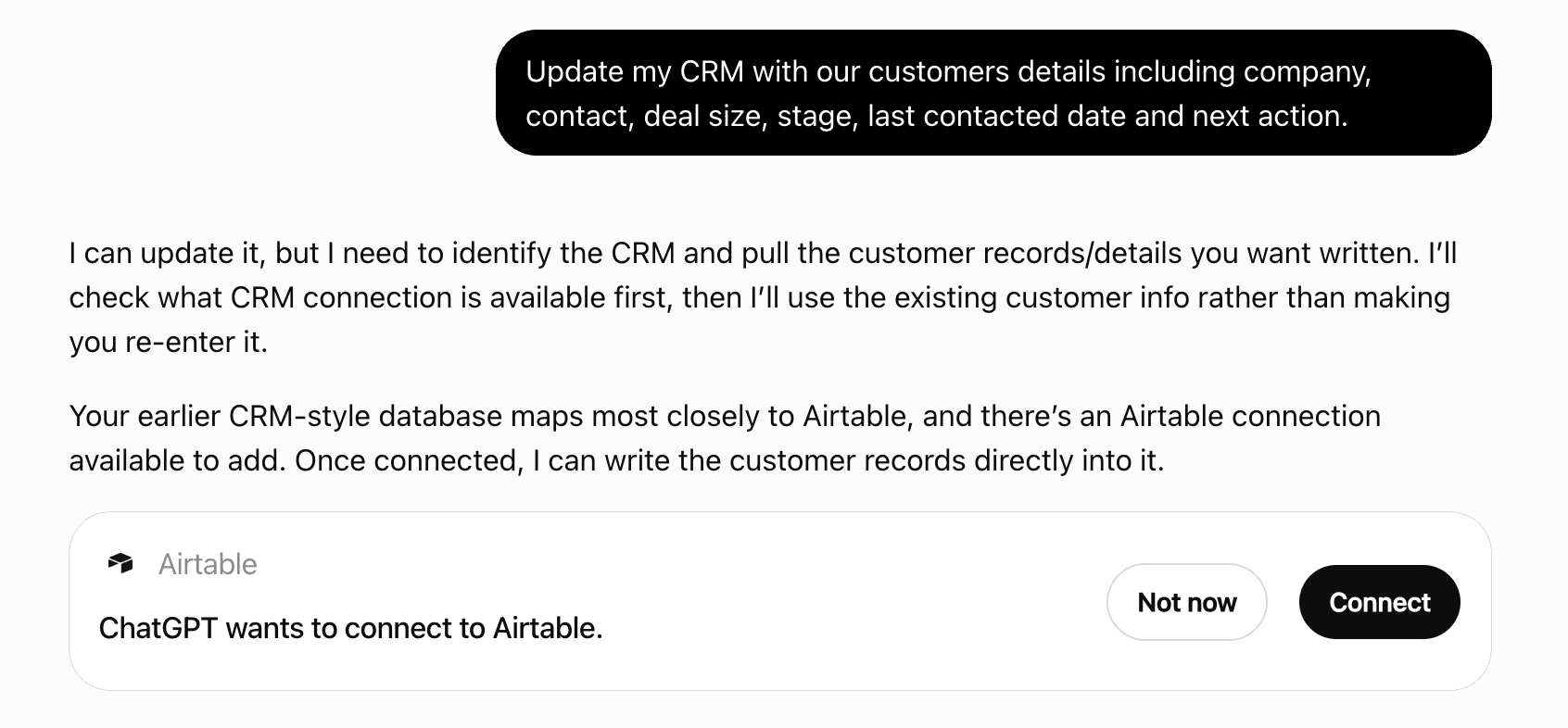
Get alerts for Advanza
Get updates when Advanza’s Discoverability Score or category rank changes.
Competitive lineup
115 tools agents can invoke
Logs many timeline activities in one call. A row whose externalId was already imported is skipped — or, with onExisting "update", updated in place (e.g. to correct a wrong date), and skipped only when it already holds every value. Up to 500 rows per call (split larger imports). Runs as a background job: Execute returns the full result when the job finishes within about 20 seconds, otherwise Accepted with a jobId — follow it with jobs.status, whose result lists every row with its status and id. Wait for a batch to finish before sending one that depends on it (activities naming contacts the first batch creates). If a job stops part-way (partially_completed), run the same input again as a new request with runAgain: true (a plain retry only replays the stopped result): rows already imported match their externalId and are skipped or updated, never duplicated. Sending a batch that is still running joins that run instead of starting a second. Text fields have the same maximum lengths as the single-record capability (see that capability's input schema, e.g. company description 500); a longer value fails its row, unless the call passes "truncate": true, which shortens free text (names, titles, addresses, descriptions) and says so in the row's warning. Emails, domains, URLs, phone numbers and codes are never shortened; externalId takes at most 200 characters and externalSource 50. Give every row "externalId" (the record's id in the source system) and the call an "externalSource" (e.g. "tripletex") so re-running the same import updates or skips instead of duplicating. Rows take custom field values as "custom": { key: value }, as the single-record capability does (custom-fields.list lists the keys). Preview first: it reports per row create / update / skip / possible_duplicate / error with a reason, plus counts and the deal total. A possible_duplicate row (a name match only — a name is not an identity) is skipped unless listed in "includeRows" (create a new record); imports never merge, so to change the existing record (matchedId), check it is the same one and update it directly. Execution reports every row; some rows may fail while the rest succeed. This operation normally executes immediately. To preview without changing anything, pass dryRun: true; then call again without it to run.
activities.bulk-log
Deletes one logged activity. System activities cannot be deleted. Soft delete, as in the product: the record disappears from every list. This operation may return approval_required. After a person approves it, retry this same tool with identical arguments. To preview without changing anything, pass dryRun: true; then call again without it to run.
activities.delete
Lists timeline activities (emails, calls, meetings, notes, tasks) for a contact, company or deal in the active tenant, newest first. This operation normally executes immediately.
activities.list
Finds activities by subject. Existing relations are optional; duplicate subjects return candidates rather than an automatic choice. This operation normally executes immediately.
activities.search
Changes an activity that was logged with the wrong date, subject, text, type or record. Omitted fields stay unchanged; an empty body clears it. System activities (page views, form submissions) cannot be edited. Preview lists the changes. To correct many activities from an import, re-send them through activities.bulk-log with onExisting "update". This operation normally executes immediately. To preview without changing anything, pass dryRun: true; then call again without it to run.
activities.update
Top email campaigns sent in a period, ranked by open rate, click rate or delivered count. This operation normally executes immediately.
analytics.email-campaigns-top
Email deliverability totals and rates for a period, optionally one campaign. This operation normally executes immediately.
analytics.email-performance
Without an id: top landing pages by visits. With an id: that page's visits, conversions, time series and referrer/UTM/device/country breakdowns. This operation normally executes immediately.
analytics.landing-page-performance
Open deals by stage, won/lost totals, win rate, average days-to-close and the largest open deals. This operation normally executes immediately.
analytics.pipeline-performance
Per-platform post/engagement totals for a period, plus up to 5 posts with synced analytics, highest engagement rate first. Rates are percentages with two decimals; overallEngagementRate is null when the platform reported no audience. engagements is likes + comments + shares + clicks; overallEngagementRate is total engagements over total audience (each post's reach, or its impressions where the platform reports no reach, as on X); prefer it to averageEngagementRate, the mean of per-post rates. A rate over an audience under 100 is lowSample: too few people to read as performance, and such posts rank last. This operation normally executes immediately.
analytics.social-performance
Workspace counts for a period: contacts, companies, open pipeline, win/loss, new contacts, sent emails, published posts/pages, form submissions. openDealsValue sums open deals per currency, the currencies with the most open deals first (amounts in different currencies are not compared), at most ten currencies; openDealsValueTruncated is true when more currencies exist than are listed. This operation normally executes immediately.
analytics.workspace-overview
Runs copy through the same checks the publish gate applies, before scheduling. This operation normally executes immediately.
brand.check-text
The working brand: identity, section fields, completeness, published revision, record counts. This operation normally executes immediately.
brand.get
The brand's offers, capped at 50, flagged active/expired/not-yet-valid. This operation normally executes immediately.
brand.list-offers
Brand revision history, newest first, capped at 20. This operation normally executes immediately.
brand.list-revisions
Publishes a brand revision; future generation reads this snapshot. This operation may require a person's strong approval in Advanza. After approval, retry this same tool with identical arguments. To preview without changing anything, pass dryRun: true; then call again without it to run.
brand.publish-revision
What a generation call would use for a channel/audience/style: resolved context and prompt text. This operation normally executes immediately.
brand.resolve-context
Copies an earlier revision onto the working brand as a draft. To make it live, submit it (brand.submit-revision) and publish that revision (brand.publish-revision). This operation normally executes immediately. To preview without changing anything, pass dryRun: true; then call again without it to run.
brand.rollback
Freezes the working brand into a new revision, in review until it is published with brand.publish-revision. This operation normally executes immediately. To preview without changing anything, pass dryRun: true; then call again without it to run.
brand.submit-revision
Partial update of the working brand: identity fields and per-section field edits. This operation normally executes immediately. To preview without changing anything, pass dryRun: true; then call again without it to run.
brand.update
Creates or updates a brand offer. This operation normally executes immediately. To preview without changing anything, pass dryRun: true; then call again without it to run.
brand.upsert-offer
Reads a campaign: header, counts (including approved and pending-approval posts), workflow, audience, and the 5 nearest upcoming items. include socialPosts lists each post with its approval and review status. This operation normally executes immediately.
campaigns.get
Lists campaigns, most recently updated first, with asset/social/email counts, how many posts are approved or still waiting for approval, and next scheduled time. Capped 50. This operation normally executes immediately.
campaigns.list
Approves social posts in a campaign, or withdraws their approval - the review a person does in the campaign view. The approval card shows each post's platform, account, internal name, media and text. It only records the review: nothing is scheduled or published, and the campaign is not launched. Schedule approved posts with social-posts.bulk-schedule (one approval for all) or social-posts.schedule. A scheduled or published post cannot have its approval withdrawn; unschedule it first. This operation normally executes immediately. To preview without changing anything, pass dryRun: true; then call again without it to run.
campaigns.set-post-approval
Merges many duplicate companies, each into the company it duplicates, in one approval. Each pair works as companies.merge: contacts, deals, activities, sub-companies, documents and import links move over and the duplicate is deleted. Up to 500 pairs per call; over 100 needs strong approval. Runs as a background job: Execute returns the full result when the job finishes within about 20 seconds, otherwise Accepted with a jobId — follow it with jobs.status, whose result lists every row with its status and id. Wait for a batch to finish before sending one that depends on it (activities naming contacts the first batch creates). If a job stops part-way (partially_completed), run the same input again as a new request with runAgain: true (a plain retry only replays the stopped result): rows already imported match their externalId and are skipped or updated, never duplicated. Sending a batch that is still running joins that run instead of starting a second. This operation may return approval_required. After a person approves it, retry this same tool with identical arguments. To preview without changing anything, pass dryRun: true; then call again without it to run.
companies.bulk-merge
Creates or updates many companies in one call. Matches on externalSource + externalId, then organisation number, then domain; a name match alone is a possible duplicate, never a merge. Up to 500 rows per call (split larger imports). Runs as a background job: Execute returns the full result when the job finishes within about 20 seconds, otherwise Accepted with a jobId — follow it with jobs.status, whose result lists every row with its status and id. Wait for a batch to finish before sending one that depends on it (activities naming contacts the first batch creates). If a job stops part-way (partially_completed), run the same input again as a new request with runAgain: true (a plain retry only replays the stopped result): rows already imported match their externalId and are skipped or updated, never duplicated. Sending a batch that is still running joins that run instead of starting a second. Text fields have the same maximum lengths as the single-record capability (see that capability's input schema, e.g. company description 500); a longer value fails its row, unless the call passes "truncate": true, which shortens free text (names, titles, addresses, descriptions) and says so in the row's warning. Emails, domains, URLs, phone numbers and codes are never shortened; externalId takes at most 200 characters and externalSource 50. Give every row "externalId" (the record's id in the source system) and the call an "externalSource" (e.g. "tripletex") so re-running the same import updates or skips instead of duplicating. Rows take custom field values as "custom": { key: value }, as the single-record capability does (custom-fields.list lists the keys). Preview first: it reports per row create / update / skip / possible_duplicate / error with a reason, plus counts and the deal total. A possible_duplicate row (a name match only — a name is not an identity) is skipped unless listed in "includeRows" (create a new record); imports never merge, so to change the existing record (matchedId), check it is the same one and update it directly. Execution reports every row; some rows may fail while the rest succeed. This operation normally executes immediately. To preview without changing anything, pass dryRun: true; then call again without it to run.
companies.bulk-upsert
Deletes one company; linked contacts and deals stay, unlinked. For a duplicate, use companies.merge. Soft delete, as in the product: the record disappears from every list. This operation may return approval_required. After a person approves it, retry this same tool with identical arguments. To preview without changing anything, pass dryRun: true; then call again without it to run.
companies.delete
Lists every company in the workspace, a page at a time, ordered by name — for when you need them all rather than a search match. This operation normally executes immediately.
companies.list
Finds companies by exact key, many at once: the externalId they were imported with, organisation number, domain, or exact name. Every key comes back with its matches (or none), so this is how to collect the ids of an import without searching. This operation normally executes immediately.
companies.lookup
Merges a duplicate company into the one to keep: its contacts, deals, activities and documents move over and the duplicate is deleted. This operation may return approval_required. After a person approves it, retry this same tool with identical arguments. To preview without changing anything, pass dryRun: true; then call again without it to run.
companies.merge
Matches companies by name or domain substring only. Cannot filter by industry, size, revenue, country or any other field, and cannot count the whole tenant. There is no segment-style filtering engine for companies — narrow the query text instead. This operation normally executes immediately.
companies.search
Adds existing contacts to a contact group. Preview reports which contacts would be added, are already members, or do not exist. This operation normally executes immediately. To preview without changing anything, pass dryRun: true; then call again without it to run.
contact-groups.add-members
Adds many contacts, by id or by email, to one contact group in one call. Contacts already in the group are skipped. Up to 500 per call; runs directly and returns every row's result. This operation normally executes immediately. To preview without changing anything, pass dryRun: true; then call again without it to run.
contact-groups.bulk-add-members
Creates a new, empty contact group in the active tenant. This operation normally executes immediately. To preview without changing anything, pass dryRun: true; then call again without it to run.
contact-groups.create
Lists contact groups in the active tenant. This operation normally executes immediately.
contact-groups.list
Sets the same fields on many contacts in one call — e.g. lifecycle stage or lead status. Contacts that already hold the values are skipped. Up to 500 per call. Runs as a background job: Execute returns the full result when the job finishes within about 20 seconds, otherwise Accepted with a jobId — follow it with jobs.status, whose result lists every row with its status and id. Wait for a batch to finish before sending one that depends on it (activities naming contacts the first batch creates). If a job stops part-way (partially_completed), run the same input again as a new request with runAgain: true (a plain retry only replays the stopped result): rows already imported match their externalId and are skipped or updated, never duplicated. Sending a batch that is still running joins that run instead of starting a second. This operation normally executes immediately. To preview without changing anything, pass dryRun: true; then call again without it to run.
contacts.bulk-update
Creates or updates many contacts (and optionally their companies and the groups they join) in one call. Contacts match on email; groups on name. Up to 500 rows per call (split larger imports). Runs as a background job: Execute returns the full result when the job finishes within about 20 seconds, otherwise Accepted with a jobId — follow it with jobs.status, whose result lists every row with its status and id. Wait for a batch to finish before sending one that depends on it (activities naming contacts the first batch creates). If a job stops part-way (partially_completed), run the same input again as a new request with runAgain: true (a plain retry only replays the stopped result): rows already imported match their externalId and are skipped or updated, never duplicated. Sending a batch that is still running joins that run instead of starting a second. Text fields have the same maximum lengths as the single-record capability (see that capability's input schema, e.g. company description 500); a longer value fails its row, unless the call passes "truncate": true, which shortens free text (names, titles, addresses, descriptions) and says so in the row's warning. Emails, domains, URLs, phone numbers and codes are never shortened; externalId takes at most 200 characters and externalSource 50. Give every row "externalId" (the record's id in the source system) and the call an "externalSource" (e.g. "tripletex") so re-running the same import updates or skips instead of duplicating. Rows take custom field values as "custom": { key: value }, as the single-record capability does (custom-fields.list lists the keys). Preview first: it reports per row create / update / skip / possible_duplicate / error with a reason, plus counts and the deal total. A possible_duplicate row (a name match only — a name is not an identity) is skipped unless listed in "includeRows" (create a new record); imports never merge, so to change the existing record (matchedId), check it is the same one and update it directly. Execution reports every row; some rows may fail while the rest succeed. This operation normally executes immediately. To preview without changing anything, pass dryRun: true; then call again without it to run.
contacts.bulk-upsert
Deletes one contact. Soft delete, as in the product: the record disappears from every list. This operation may return approval_required. After a person approves it, retry this same tool with identical arguments. To preview without changing anything, pass dryRun: true; then call again without it to run.
contacts.delete
Creates a manual campaign, the same as Manual Campaign in the product: a container for social posts, created as a draft. Nothing is published or scheduled. Link posts with social-posts.create-draft or social-posts.update-draft (campaignId). The preview shows every stored value, defaults included. This operation normally executes immediately. To preview without changing anything, pass dryRun: true; then call again without it to run.
campaigns.create
Creates a company in the active tenant. This operation normally executes immediately. To preview without changing anything, pass dryRun: true; then call again without it to run.
companies.create
Creates a contact in the active tenant. This operation normally executes immediately. To preview without changing anything, pass dryRun: true; then call again without it to run.
contacts.create
Creates a deal in the active tenant. This operation normally executes immediately. To preview without changing anything, pass dryRun: true; then call again without it to run.
deals.create
Creates an active form from structured field definitions, ready to embed on a landing page. Field ids are assigned by the server. The form takes submissions from anyone at its public URL as soon as it exists. This operation normally executes immediately. To preview without changing anything, pass dryRun: true; then call again without it to run.
forms.create
Sets a reminder on an activity or a deal. Fires through the normal notification path (bell, desktop, mobile); email is sent only when notifyByEmail is set, and even then only if the recipient hasn't muted it. Preview echoes the remindAt time and recurrence in words so a relative request ("the day before", "in a month") is checked before approval. This operation normally executes immediately. To preview without changing anything, pass dryRun: true; then call again without it to run.
reminders.create
Deletes many contacts, companies, deals and activities in one approval — e.g. to clean up an import that went wrong. Soft delete, as in the product. Records already gone are skipped, so the same call can be run again safely. Up to 500 rows per call; over 100 needs strong approval. Runs as a background job: Execute returns the full result when the job finishes within about 20 seconds, otherwise Accepted with a jobId — follow it with jobs.status, whose result lists every row with its status and id. Wait for a batch to finish before sending one that depends on it (activities naming contacts the first batch creates). If a job stops part-way (partially_completed), run the same input again as a new request with runAgain: true (a plain retry only replays the stopped result): rows already imported match their externalId and are skipped or updated, never duplicated. Sending a batch that is still running joins that run instead of starting a second. This operation may return approval_required. After a person approves it, retry this same tool with identical arguments. To preview without changing anything, pass dryRun: true; then call again without it to run.
crm.bulk-delete
Adds a custom field to every contact, company, deal or activity in the workspace — it appears in the product's forms too. Check custom-fields.list first: a field may already exist under another name. This operation normally executes immediately. To preview without changing anything, pass dryRun: true; then call again without it to run.
custom-fields.create
Lists the workspace's custom fields for contacts, companies, deals and activities: the key, type, options and whether it is required. The key is what "custom" takes on create, update and import. This operation normally executes immediately.
custom-fields.list
Sets the same fields on many deals in one call — e.g. moves 40 deals to a new stage. Deals that already hold the values are skipped. Up to 500 per call. Runs as a background job: Execute returns the full result when the job finishes within about 20 seconds, otherwise Accepted with a jobId — follow it with jobs.status, whose result lists every row with its status and id. Wait for a batch to finish before sending one that depends on it (activities naming contacts the first batch creates). If a job stops part-way (partially_completed), run the same input again as a new request with runAgain: true (a plain retry only replays the stopped result): rows already imported match their externalId and are skipped or updated, never duplicated. Sending a batch that is still running joins that run instead of starting a second. This operation normally executes immediately. To preview without changing anything, pass dryRun: true; then call again without it to run.
deals.bulk-update
Imports many deals — with the contacts and companies they belong to — in one call, e.g. from an accounting system. Deals match on externalId; contacts on email; companies on externalId, organisation number, then domain (a name match alone is flagged as a possible duplicate, not merged). Rows link to each other with ref / contactRef / companyRef. Up to 500 rows per call (split larger imports). Runs as a background job: Execute returns the full result when the job finishes within about 20 seconds, otherwise Accepted with a jobId — follow it with jobs.status, whose result lists every row with its status and id. Wait for a batch to finish before sending one that depends on it (activities naming contacts the first batch creates). If a job stops part-way (partially_completed), run the same input again as a new request with runAgain: true (a plain retry only replays the stopped result): rows already imported match their externalId and are skipped or updated, never duplicated. Sending a batch that is still running joins that run instead of starting a second. Text fields have the same maximum lengths as the single-record capability (see that capability's input schema, e.g. company description 500); a longer value fails its row, unless the call passes "truncate": true, which shortens free text (names, titles, addresses, descriptions) and says so in the row's warning. Emails, domains, URLs, phone numbers and codes are never shortened; externalId takes at most 200 characters and externalSource 50. Give every row "externalId" (the record's id in the source system) and the call an "externalSource" (e.g. "tripletex") so re-running the same import updates or skips instead of duplicating. Rows take custom field values as "custom": { key: value }, as the single-record capability does (custom-fields.list lists the keys). Preview first: it reports per row create / update / skip / possible_duplicate / error with a reason, plus counts and the deal total. A possible_duplicate row (a name match only — a name is not an identity) is skipped unless listed in "includeRows" (create a new record); imports never merge, so to change the existing record (matchedId), check it is the same one and update it directly. Execution reports every row; some rows may fail while the rest succeed. This operation normally executes immediately. To preview without changing anything, pass dryRun: true; then call again without it to run.
deals.bulk-upsert
Deletes one deal. Soft delete, as in the product: the record disappears from every list. This operation may return approval_required. After a person approves it, retry this same tool with identical arguments. To preview without changing anything, pass dryRun: true; then call again without it to run.
deals.delete
 Recommended guideHow to get your ChatGPT Plugin suggestedFollow the practical steps agents use to find, shortlist, and choose your Plugin.Read guide
Advanza ChatGPT Plugin FAQ
How the directory, categories and Discoverability Score work.
Read the methodologyHow do I improve Advanza's ChatGPT Plugin discoverability?
The levers are the listing surface agents actually read: names, descriptions, keywords, tool metadata, and registry health. Which lever matters depends on where discovery breaks, which is what continuous measurement shows.
Where is this profile measured?
This profile uses the geography attached to the latest public registry snapshot: US. Locale tags are intentionally omitted.