
- Brand
- Unknown
- Category
- Pending
- Primary Subcategory
- Pending
Integration details
Description
Create videos, podcasts, articles, guides, ebooks, slides, infographics and quizzes from your AutoContent projects and selected files. Review your request, choose Create, then preview, download or edit each result. Browse your assets and sources in the shared workspace. Eight focused skills guide the conversation. Requires a connected AutoContent account; options and host features depend on live availability.
- Integration type
- Plugin
- Verification status
- Not applicable
- Platform
- ChatGPT
- Category
- Pending
- Primary Subcategory
- Pending
- Secondary Subcategories
- None listed
- Brand
- Unknown
- Access
- Account required
- First tracked
- 2026-10-22
- Tool count
- 52
- Geography
- US
The broad Category that contains the Primary Subcategory.
The Primary Subcategory used for this profile’s headline score.
Other Subcategories where the Integration is listed.
 Agent Discoverability
 ChatGPT Plugin Discovery Score
Your score is coming
ChatGPT now suggests Plugins on its own when they match a user's request.Your Plugin Discovery Score measures how often yours appears, and it will show here as soon as it’s ready.
What discovery looks like
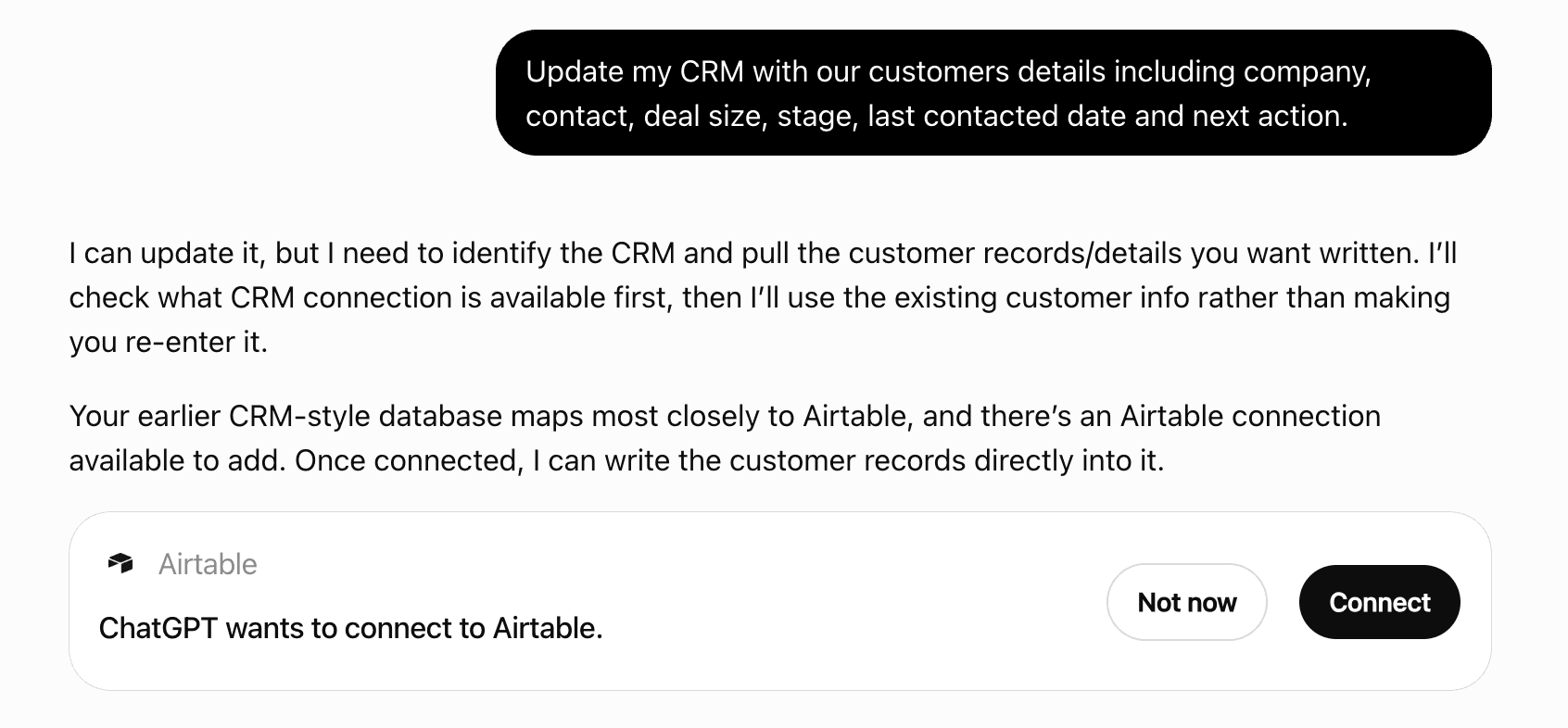
Get alerts for AutoContent API
Get updates when AutoContent API’s Discoverability Score or category rank changes.
Competitive lineup
52 tools agents can invoke
Accept one exact output proposal revision within a USD cap. Use explicit Project/resource IDs; external chat has no browser page context. Show the inline card. Keep the accompanying reply to one short sentence; do not repeat card details, internal IDs, or tool logs. Quotes require the user to click Create or explicitly approve the displayed maximum before paid work. Use the conversation for creative changes; preserve all other settings.
accept_output_plan
Add one URL, YouTube, text, Product Visual URL, or authorized ChatGPT file. Files support PDF, DOCX, TXT, Markdown, PNG, JPEG and WebP up to 20 MiB. File imports are request-only by default; set keep_as_project_asset:true only when the user wants it saved to the Project. Wait for ready before generation. No local paths or base64.
add_source
Archive a Content Loop. Use explicit Project/resource IDs; external chat has no browser page context.
archive_content_loop
Archive a Project and its Loops. Use explicit Project/resource IDs; external chat has no browser page context.
archive_project
Cancel remaining admissions and undispatched work. Use explicit Project/resource IDs; external chat has no browser page context.
cancel_output_plan
Cancel undispatched Generation work. Use explicit Project/resource IDs; external chat has no browser page context.
cancel_generation
Create a Source collection. Use explicit Project/resource IDs; external chat has no browser page context.
create_collection
Create one recurring multi-Asset Content Loop with explicit trend, topic, or knowledge input and both per-run and monthly service-USD caps. A stored narration_script is deliberately reused unchanged on every run. Standard models for all five Video Assets accept narration_script for exact caller-authored text. Put Voice and Avatar IDs inside each speaker, never at the Asset root; options.presentation_mode remains authoritative. Two speakers require a Voice each and, in Avatar mode, an Avatar each. duration_seconds is an approximate target: complete shorter narration ends the video without synthetic trailing padding. Exact preserves accepted text, punctuation, attribution, and order with no truncation, but is not ASR pronunciation or OCR certification. Narrated video options offer caption_style (social_bold, social_highlight, clean), caption_font (inter, montserrat, oswald), and caption_position (top, center, bottom). captions controls burned-in text; every style uses a transparent overlay without a full-width dark box, and the VTT Artifact remains available. When get_capabilities with asset_type launch_video or ad_video and include_models:true lists autocontent-motion-design-v1, that instrumental model accepts integer duration_seconds 15–60. Launch defaults to 60 seconds, 16:9, 1080p/30 fps with optional 4k/60 fps. Ads default to 15 seconds, 9:16, 1080p/30 fps and also support 1:1 or 16:9; Ads do not support 4k. Omit Voice, Avatar, narration_script, and caption styling; captions defaults to false. model_options.music_direction accepts at most 500 characters. Every create or Loop occurrence gets an original instrumental. Ordinary edits retain the exact score; changed duration/music direction or edit-only refresh_music:true requires a newly quoted score. The refresh directive applies once. Preview is a maximum reservation; settlement uses actual production cost within it. When capabilities list autocontent-recorded-demo-v1 for product_demo_video, launch_video, or ad_video, provide options.website_url (publicly reachable HTTPS) with optional options.recording_access_id saved in the Project access form and instructions describing the journey. AI records real browser actions and composes footage, typography, optional narration, and an original arranged score. Duration is 15–120 seconds, 1080p, with 16:9, 9:16, or 1:1. model_options accepts narration (default true) and music_direction (500 characters). Browse is the default interaction_mode; demo requires demo_environment_confirmed:true attesting to a test environment without real purchases, messages, or destructive effects. Never put credentials in generation payloads or prompts. Saved access supports Basic or ordinary form login; SSO, MFA, CAPTCHA and private networks are unsupported. Interrupted interactions are not replayed automatically. Compatible visual edits retain verified footage, speech and score. Changed source settings or model_options.refresh_recording:true request fresh media. Preview states retained/new media and the spending cap. When discovery lists autocontent-narrated-video-v1 for short_video or explainer_video, use it for illustrated explainers with narration, rich artwork and explanatory animation. It accepts existing duration, aspect ratio, 720p/1080p, captions, exact Voice and narration_script settings, with faceless presentation and no music. Charon is its economical stock narrator; preserve a requested Voice and use the preview quote. A small amount of H3 animation is selected by the director; unused resources are not charged. The same model can be retained in edits and Loops.
create_content_loop
Create a consent- and ownership-attested custom Avatar from a public MP4/QuickTime URL. Hosted MCP accepts no local path or base64 media.
create_custom_avatar
Create a consent- and ownership-attested custom Voice from a public MP3/WAV/M4A URL. Hosted MCP accepts no local path or base64 media.
create_custom_voice
Create a Project from one public website URL. Analysis starts asynchronously.
create_project
Delete an empty Source collection. Use explicit Project/resource IDs; external chat has no browser page context.
delete_collection
Revoke a Project-owned custom Avatar. Curated Avatars cannot be removed and video presentation is never downgraded.
delete_avatar
Revoke a Project-owned custom Voice. Curated Voices cannot be removed and no substitute is selected.
delete_voice
Create paid edits for 1–10 original Assets under max_cost_usd. Omitted fields retain accepted values; option objects and narration scripts replace whole objects, while narration_script:null returns to generated narration. Standard models for all five Video Assets accept narration_script for exact caller-authored text. Put Voice and Avatar IDs inside each speaker, never at the Asset root; options.presentation_mode remains authoritative. Two speakers require a Voice each and, in Avatar mode, an Avatar each. duration_seconds is an approximate target: complete shorter narration ends the video without synthetic trailing padding. Exact preserves accepted text, punctuation, attribution, and order with no truncation, but is not ASR pronunciation or OCR certification. Narrated video options offer caption_style (social_bold, social_highlight, clean), caption_font (inter, montserrat, oswald), and caption_position (top, center, bottom). captions controls burned-in text; every style uses a transparent overlay without a full-width dark box, and the VTT Artifact remains available. When get_capabilities with asset_type launch_video or ad_video and include_models:true lists autocontent-motion-design-v1, that instrumental model accepts integer duration_seconds 15–60. Launch defaults to 60 seconds, 16:9, 1080p/30 fps with optional 4k/60 fps. Ads default to 15 seconds, 9:16, 1080p/30 fps and also support 1:1 or 16:9; Ads do not support 4k. Omit Voice, Avatar, narration_script, and caption styling; captions defaults to false. model_options.music_direction accepts at most 500 characters. Every create or Loop occurrence gets an original instrumental. Ordinary edits retain the exact score; changed duration/music direction or edit-only refresh_music:true requires a newly quoted score. The refresh directive applies once. Preview is a maximum reservation; settlement uses actual production cost within it. When capabilities list autocontent-recorded-demo-v1 for product_demo_video, launch_video, or ad_video, provide options.website_url (publicly reachable HTTPS) with optional options.recording_access_id saved in the Project access form and instructions describing the journey. AI records real browser actions and composes footage, typography, optional narration, and an original arranged score. Duration is 15–120 seconds, 1080p, with 16:9, 9:16, or 1:1. model_options accepts narration (default true) and music_direction (500 characters). Browse is the default interaction_mode; demo requires demo_environment_confirmed:true attesting to a test environment without real purchases, messages, or destructive effects. Never put credentials in generation payloads or prompts. Saved access supports Basic or ordinary form login; SSO, MFA, CAPTCHA and private networks are unsupported. Interrupted interactions are not replayed automatically. Compatible visual edits retain verified footage, speech and score. Changed source settings or model_options.refresh_recording:true request fresh media. Preview states retained/new media and the spending cap. When discovery lists autocontent-narrated-video-v1 for short_video or explainer_video, use it for illustrated explainers with narration, rich artwork and explanatory animation. It accepts existing duration, aspect ratio, 720p/1080p, captions, exact Voice and narration_script settings, with faceless presentation and no music. Charon is its economical stock narrator; preserve a requested Voice and use the preview quote. A small amount of H3 animation is selected by the director; unused resources are not charged. The same model can be retained in edits and Loops. Show the inline card. Keep the accompanying reply to one short sentence; do not repeat card details, internal IDs, or tool logs. Quotes require the user to click Create or explicitly approve the displayed maximum before paid work. Use the conversation for creative changes; preserve all other settings.
edit_generation
Generate 1–10 distinct Assets. Selecting an Asset type is sufficient and instructions are optional. Asset IDs include article, lead_magnet, ebook, slides, infographic, quiz, podcast_episode, short_video, explainer_video, launch_video, product_demo_video, ad_video. attachment_source_ids may reference up to 20 ready, same-Project Sources for this request; Text Sources can ground any Asset, while Product Visuals can guide Lead Magnets, Product Demo Videos, and available Motion Design Ads and Launch Videos and do not replace text evidence. Import selected ChatGPT files using add_source and wait until they are ready first. This call can deduct up to max_cost_usd in service USD from promotion or funded PAYG balance; tax applies only to the separate funding purchase. Use preview_generation when the cap is unknown. A model is optional; model_options requires one. Standard models for all five Video Assets accept narration_script for exact caller-authored text. Put Voice and Avatar IDs inside each speaker, never at the Asset root; options.presentation_mode remains authoritative. Two speakers require a Voice each and, in Avatar mode, an Avatar each. duration_seconds is an approximate target: complete shorter narration ends the video without synthetic trailing padding. Exact preserves accepted text, punctuation, attribution, and order with no truncation, but is not ASR pronunciation or OCR certification. Narrated video options offer caption_style (social_bold, social_highlight, clean), caption_font (inter, montserrat, oswald), and caption_position (top, center, bottom). captions controls burned-in text; every style uses a transparent overlay without a full-width dark box, and the VTT Artifact remains available. When get_capabilities with asset_type launch_video or ad_video and include_models:true lists autocontent-motion-design-v1, that instrumental model accepts integer duration_seconds 15–60. Launch defaults to 60 seconds, 16:9, 1080p/30 fps with optional 4k/60 fps. Ads default to 15 seconds, 9:16, 1080p/30 fps and also support 1:1 or 16:9; Ads do not support 4k. Omit Voice, Avatar, narration_script, and caption styling; captions defaults to false. model_options.music_direction accepts at most 500 characters. Every create or Loop occurrence gets an original instrumental. Ordinary edits retain the exact score; changed duration/music direction or edit-only refresh_music:true requires a newly quoted score. The refresh directive applies once. Preview is a maximum reservation; settlement uses actual production cost within it. When capabilities list autocontent-recorded-demo-v1 for product_demo_video, launch_video, or ad_video, provide options.website_url (publicly reachable HTTPS) with optional options.recording_access_id saved in the Project access form and instructions describing the journey. AI records real browser actions and composes footage, typography, optional narration, and an original arranged score. Duration is 15–120 seconds, 1080p, with 16:9, 9:16, or 1:1. model_options accepts narration (default true) and music_direction (500 characters). Browse is the default interaction_mode; demo requires demo_environment_confirmed:true attesting to a test environment without real purchases, messages, or destructive effects. Never put credentials in generation payloads or prompts. Saved access supports Basic or ordinary form login; SSO, MFA, CAPTCHA and private networks are unsupported. Interrupted interactions are not replayed automatically. Compatible visual edits retain verified footage, speech and score. Changed source settings or model_options.refresh_recording:true request fresh media. Preview states retained/new media and the spending cap. When discovery lists autocontent-narrated-video-v1 for short_video or explainer_video, use it for illustrated explainers with narration, rich artwork and explanatory animation. It accepts existing duration, aspect ratio, 720p/1080p, captions, exact Voice and narration_script settings, with faceless presentation and no music. Charon is its economical stock narrator; preserve a requested Voice and use the preview quote. A small amount of H3 animation is selected by the director; unused resources are not charged. The same model can be retained in edits and Loops. Show the inline card. Keep the accompanying reply to one short sentence; do not repeat card details, internal IDs, or tool logs. Quotes require the user to click Create or explicitly approve the displayed maximum before paid work. Use the conversation for creative changes; preserve all other settings.
generate
Get Asset detail and Artifacts. Use explicit Project/resource IDs; external chat has no browser page context.
get_asset
Get Source ingestion status and revision. Use explicit Project/resource IDs; external chat has no browser page context.
get_source
Get a Content Loop. Use explicit Project/resource IDs; external chat has no browser page context.
get_content_loop
Get a Content Loop Run. Use explicit Project/resource IDs; external chat has no browser page context.
get_content_loop_run
Get canonical public Avatar state and exact compatibility tuples.
get_avatar
Discover the live catalog and strict option contracts, including supports_narration_script and narration_script_schema. Launch Asset IDs are article, lead_magnet, ebook, slides, infographic, quiz, podcast_episode, short_video, explainer_video, launch_video, product_demo_video, ad_video; the returned catalog is authoritative for extensions and model availability. Use asset_type launch_video or ad_video and include_models:true to discover Motion Design and its model-specific music-only option constraints.
get_capabilities
Get one Generation with resolved evidence, Asset states, artifacts, usage, and polling guidance. wait_seconds is bounded to 15 seconds.
get_generation
Get the editable inferred Project profile. wait_seconds may briefly wait up to 15 seconds for analysis.
get_project
Get the current Platform account. Use explicit Project/resource IDs; external chat has no browser page context.
get_account
Read authoritative promotion/PAYG availability, active reservations, period usage, concurrency, and Project/Loop/provider-operation limits. This tool cannot fund or mutate billing.
get_usage
Get canonical public Voice state and exact compatibility tuples.
get_voice
Record useful or not_useful outcome feedback for one Asset. This does not regenerate or change billing.
feedback_asset
List Content Loop Run history. Use explicit Project/resource IDs; external chat has no browser page context.
list_content_loop_runs
List Generations. Use explicit Project/resource IDs; external chat has no browser page context.
list_generations
List Source collections. Use explicit Project/resource IDs; external chat has no browser page context.
list_collections
List one Content Loop page including schedule, last outcome, current budget use, pause/block reason, and model warnings.
list_content_loops
List one server-filtered Project page. Omission excludes archived Projects; request status archived explicitly.
list_projects
List one Project Source page with optional collection and bounded title-substring filters.
list_sources
List the Project Asset library. Use explicit Project/resource IDs; external chat has no browser page context.
list_assets
Open the AutoContent workspace: project assets and sources, actual previews, generation or output-plan progress, and scoped edits. Omit selectors for the library. Optional project_id must own the selected resource. Opening never starts or retries paid work. Show the inline card. Keep the accompanying reply to one short sentence; do not repeat card details, internal IDs, or tool logs. Quotes require the user to click Create or explicitly approve the displayed maximum before paid work. Use the conversation for creative changes; preserve all other settings.
open_generation_panel
Validate a canonical Generation draft and return its current maximum service-USD reservation without provider work or usage. attachment_source_ids may reference up to 20 ready, same-Project Sources for this request. Text Sources can ground any Asset; Product Visuals can guide Lead Magnets, Product Demo Videos, and available Motion Design Ads and Launch Videos and do not replace text evidence. Import user-selected ChatGPT files through add_source, then wait for Source readiness. Standard models for all five Video Assets accept narration_script for exact caller-authored text. Put Voice and Avatar IDs inside each speaker, never at the Asset root; options.presentation_mode remains authoritative. Two speakers require a Voice each and, in Avatar mode, an Avatar each. duration_seconds is an approximate target: complete shorter narration ends the video without synthetic trailing padding. Exact preserves accepted text, punctuation, attribution, and order with no truncation, but is not ASR pronunciation or OCR certification. Narrated video options offer caption_style (social_bold, social_highlight, clean), caption_font (inter, montserrat, oswald), and caption_position (top, center, bottom). captions controls burned-in text; every style uses a transparent overlay without a full-width dark box, and the VTT Artifact remains available. When get_capabilities with asset_type launch_video or ad_video and include_models:true lists autocontent-motion-design-v1, that instrumental model accepts integer duration_seconds 15–60. Launch defaults to 60 seconds, 16:9, 1080p/30 fps with optional 4k/60 fps. Ads default to 15 seconds, 9:16, 1080p/30 fps and also support 1:1 or 16:9; Ads do not support 4k. Omit Voice, Avatar, narration_script, and caption styling; captions defaults to false. model_options.music_direction accepts at most 500 characters. Every create or Loop occurrence gets an original instrumental. Ordinary edits retain the exact score; changed duration/music direction or edit-only refresh_music:true requires a newly quoted score. The refresh directive applies once. Preview is a maximum reservation; settlement uses actual production cost within it. When capabilities list autocontent-recorded-demo-v1 for product_demo_video, launch_video, or ad_video, provide options.website_url (publicly reachable HTTPS) with optional options.recording_access_id saved in the Project access form and instructions describing the journey. AI records real browser actions and composes footage, typography, optional narration, and an original arranged score. Duration is 15–120 seconds, 1080p, with 16:9, 9:16, or 1:1. model_options accepts narration (default true) and music_direction (500 characters). Browse is the default interaction_mode; demo requires demo_environment_confirmed:true attesting to a test environment without real purchases, messages, or destructive effects. Never put credentials in generation payloads or prompts. Saved access supports Basic or ordinary form login; SSO, MFA, CAPTCHA and private networks are unsupported. Interrupted interactions are not replayed automatically. Compatible visual edits retain verified footage, speech and score. Changed source settings or model_options.refresh_recording:true request fresh media. Preview states retained/new media and the spending cap. When discovery lists autocontent-narrated-video-v1 for short_video or explainer_video, use it for illustrated explainers with narration, rich artwork and explanatory animation. It accepts existing duration, aspect ratio, 720p/1080p, captions, exact Voice and narration_script settings, with faceless presentation and no music. Charon is its economical stock narrator; preserve a requested Voice and use the preview quote. A small amount of H3 animation is selected by the director; unused resources are not charged. The same model can be retained in edits and Loops. Show the inline card. Keep the accompanying reply to one short sentence; do not repeat card details, internal IDs, or tool logs. Quotes require the user to click Create or explicitly approve the displayed maximum before paid work. Use the conversation for creative changes; preserve all other settings.
preview_generation
Validate and quote edits for 1–10 unique original Assets without dispatching work or changing the Generation input/context. Omit narration_script to retain it, provide a complete object to add/replace it, or use null to return to generated narration. Standard models for all five Video Assets accept narration_script for exact caller-authored text. Put Voice and Avatar IDs inside each speaker, never at the Asset root; options.presentation_mode remains authoritative. Two speakers require a Voice each and, in Avatar mode, an Avatar each. duration_seconds is an approximate target: complete shorter narration ends the video without synthetic trailing padding. Exact preserves accepted text, punctuation, attribution, and order with no truncation, but is not ASR pronunciation or OCR certification. Narrated video options offer caption_style (social_bold, social_highlight, clean), caption_font (inter, montserrat, oswald), and caption_position (top, center, bottom). captions controls burned-in text; every style uses a transparent overlay without a full-width dark box, and the VTT Artifact remains available. When get_capabilities with asset_type launch_video or ad_video and include_models:true lists autocontent-motion-design-v1, that instrumental model accepts integer duration_seconds 15–60. Launch defaults to 60 seconds, 16:9, 1080p/30 fps with optional 4k/60 fps. Ads default to 15 seconds, 9:16, 1080p/30 fps and also support 1:1 or 16:9; Ads do not support 4k. Omit Voice, Avatar, narration_script, and caption styling; captions defaults to false. model_options.music_direction accepts at most 500 characters. Every create or Loop occurrence gets an original instrumental. Ordinary edits retain the exact score; changed duration/music direction or edit-only refresh_music:true requires a newly quoted score. The refresh directive applies once. Preview is a maximum reservation; settlement uses actual production cost within it. When capabilities list autocontent-recorded-demo-v1 for product_demo_video, launch_video, or ad_video, provide options.website_url (publicly reachable HTTPS) with optional options.recording_access_id saved in the Project access form and instructions describing the journey. AI records real browser actions and composes footage, typography, optional narration, and an original arranged score. Duration is 15–120 seconds, 1080p, with 16:9, 9:16, or 1:1. model_options accepts narration (default true) and music_direction (500 characters). Browse is the default interaction_mode; demo requires demo_environment_confirmed:true attesting to a test environment without real purchases, messages, or destructive effects. Never put credentials in generation payloads or prompts. Saved access supports Basic or ordinary form login; SSO, MFA, CAPTCHA and private networks are unsupported. Interrupted interactions are not replayed automatically. Compatible visual edits retain verified footage, speech and score. Changed source settings or model_options.refresh_recording:true request fresh media. Preview states retained/new media and the spending cap. When discovery lists autocontent-narrated-video-v1 for short_video or explainer_video, use it for illustrated explainers with narration, rich artwork and explanatory animation. It accepts existing duration, aspect ratio, 720p/1080p, captions, exact Voice and narration_script settings, with faceless presentation and no music. Charon is its economical stock narrator; preserve a requested Voice and use the preview quote. A small amount of H3 animation is selected by the director; unused resources are not charged. The same model can be retained in edits and Loops. Show the inline card. Keep the accompanying reply to one short sentence; do not repeat card details, internal IDs, or tool logs. Quotes require the user to click Create or explicitly approve the displayed maximum before paid work. Use the conversation for creative changes; preserve all other settings.
preview_generation_edit
Read an exact published Project Source chunk without inference. Use explicit Project/resource IDs; external chat has no browser page context.
read_source_chunk
Read an output proposal and accepted Generations. Use explicit Project/resource IDs; external chat has no browser page context.
get_output_plan
Record Content Loop Run topic feedback. Use explicit Project/resource IDs; external chat has no browser page context.
feedback_content_loop_run
Refresh Project website analysis. Use explicit Project/resource IDs; external chat has no browser page context.
refresh_project
Refresh a remote Source. Use explicit Project/resource IDs; external chat has no browser page context.
refresh_source
Remove a Source from future Generations. Use explicit Project/resource IDs; external chat has no browser page context.
remove_source
Remove the current Project logo. Previously accepted Generations retain their frozen logo revision.
remove_project_logo
Rename a Source collection. Use explicit Project/resource IDs; external chat has no browser page context.
update_collection
Start one immediate Loop Run under the caller max_cost_usd and all stored Loop budget limits. It never changes the schedule or resumes a paused Loop.
run_content_loop
Search matching indexed Project Source text without inference. Use explicit Project/resource IDs; external chat has no browser page context.
search_knowledge
Create or replace the one Project logo from a public PNG/JPEG/WebP URL, freezing a new immutable revision.
set_project_logo
Update a Loop configuration or set status active/paused. Replacing assets replaces their complete narration_script configuration. Every call requires a fresh idempotency_key. Standard models for all five Video Assets accept narration_script for exact caller-authored text. Put Voice and Avatar IDs inside each speaker, never at the Asset root; options.presentation_mode remains authoritative. Two speakers require a Voice each and, in Avatar mode, an Avatar each. duration_seconds is an approximate target: complete shorter narration ends the video without synthetic trailing padding. Exact preserves accepted text, punctuation, attribution, and order with no truncation, but is not ASR pronunciation or OCR certification. Narrated video options offer caption_style (social_bold, social_highlight, clean), caption_font (inter, montserrat, oswald), and caption_position (top, center, bottom). captions controls burned-in text; every style uses a transparent overlay without a full-width dark box, and the VTT Artifact remains available. When get_capabilities with asset_type launch_video or ad_video and include_models:true lists autocontent-motion-design-v1, that instrumental model accepts integer duration_seconds 15–60. Launch defaults to 60 seconds, 16:9, 1080p/30 fps with optional 4k/60 fps. Ads default to 15 seconds, 9:16, 1080p/30 fps and also support 1:1 or 16:9; Ads do not support 4k. Omit Voice, Avatar, narration_script, and caption styling; captions defaults to false. model_options.music_direction accepts at most 500 characters. Every create or Loop occurrence gets an original instrumental. Ordinary edits retain the exact score; changed duration/music direction or edit-only refresh_music:true requires a newly quoted score. The refresh directive applies once. Preview is a maximum reservation; settlement uses actual production cost within it. When capabilities list autocontent-recorded-demo-v1 for product_demo_video, launch_video, or ad_video, provide options.website_url (publicly reachable HTTPS) with optional options.recording_access_id saved in the Project access form and instructions describing the journey. AI records real browser actions and composes footage, typography, optional narration, and an original arranged score. Duration is 15–120 seconds, 1080p, with 16:9, 9:16, or 1:1. model_options accepts narration (default true) and music_direction (500 characters). Browse is the default interaction_mode; demo requires demo_environment_confirmed:true attesting to a test environment without real purchases, messages, or destructive effects. Never put credentials in generation payloads or prompts. Saved access supports Basic or ordinary form login; SSO, MFA, CAPTCHA and private networks are unsupported. Interrupted interactions are not replayed automatically. Compatible visual edits retain verified footage, speech and score. Changed source settings or model_options.refresh_recording:true request fresh media. Preview states retained/new media and the spending cap. When discovery lists autocontent-narrated-video-v1 for short_video or explainer_video, use it for illustrated explainers with narration, rich artwork and explanatory animation. It accepts existing duration, aspect ratio, 720p/1080p, captions, exact Voice and narration_script settings, with faceless presentation and no music. Charon is its economical stock narrator; preserve a requested Voice and use the preview quote. A small amount of H3 animation is selected by the director; unused resources are not charged. The same model can be retained in edits and Loops.
update_content_loop
 Recommended guideHow to get your ChatGPT Plugin suggestedFollow the practical steps agents use to find, shortlist, and choose your Plugin.Read guide
AutoContent API ChatGPT Plugin FAQ
How the directory, categories and Discoverability Score work.
Read the methodologyHow do I improve AutoContent API's ChatGPT Plugin discoverability?
The levers are the listing surface agents actually read: names, descriptions, keywords, tool metadata, and registry health. Which lever matters depends on where discovery breaks, which is what continuous measurement shows.
Where is this profile measured?
This profile uses the geography attached to the latest public registry snapshot: US. Locale tags are intentionally omitted.