
- Brand
- Unknown
- Category
- Pending
- Primary Subcategory
- Pending
Integration details
Description
Binary helps hiring teams manage jobs and candidates in one workspace. Use it to import candidates, review applications against your own criteria, move candidates through hiring stages, add comments and interview feedback, create and publish jobs, and answer questions about hiring activity with analytics. Binary works only inside the workspace you connect, with the same access you have in the Binary app. Some features, such as scheduling interviews, exporting candidates, or setting up automatic AI review, are done in the Binary web app; the plugin points you to the right page and docs.
- Integration type
- Plugin
- Verification status
- Not applicable
- Platform
- ChatGPT
- Category
- Pending
- Primary Subcategory
- Pending
- Secondary Subcategories
- None listed
- Brand
- Unknown
- Access
- Account required
- First tracked
- 2026-10-22
- Tool count
- 53
- Geography
- US
The broad Category that contains the Primary Subcategory.
The Primary Subcategory used for this profile’s headline score.
Other Subcategories where the Integration is listed.
 Agent Discoverability
 ChatGPT Plugin Discovery Score
Your score is coming
ChatGPT now suggests Plugins on its own when they match a user's request.Your Plugin Discovery Score measures how often yours appears, and it will show here as soon as it’s ready.
What discovery looks like
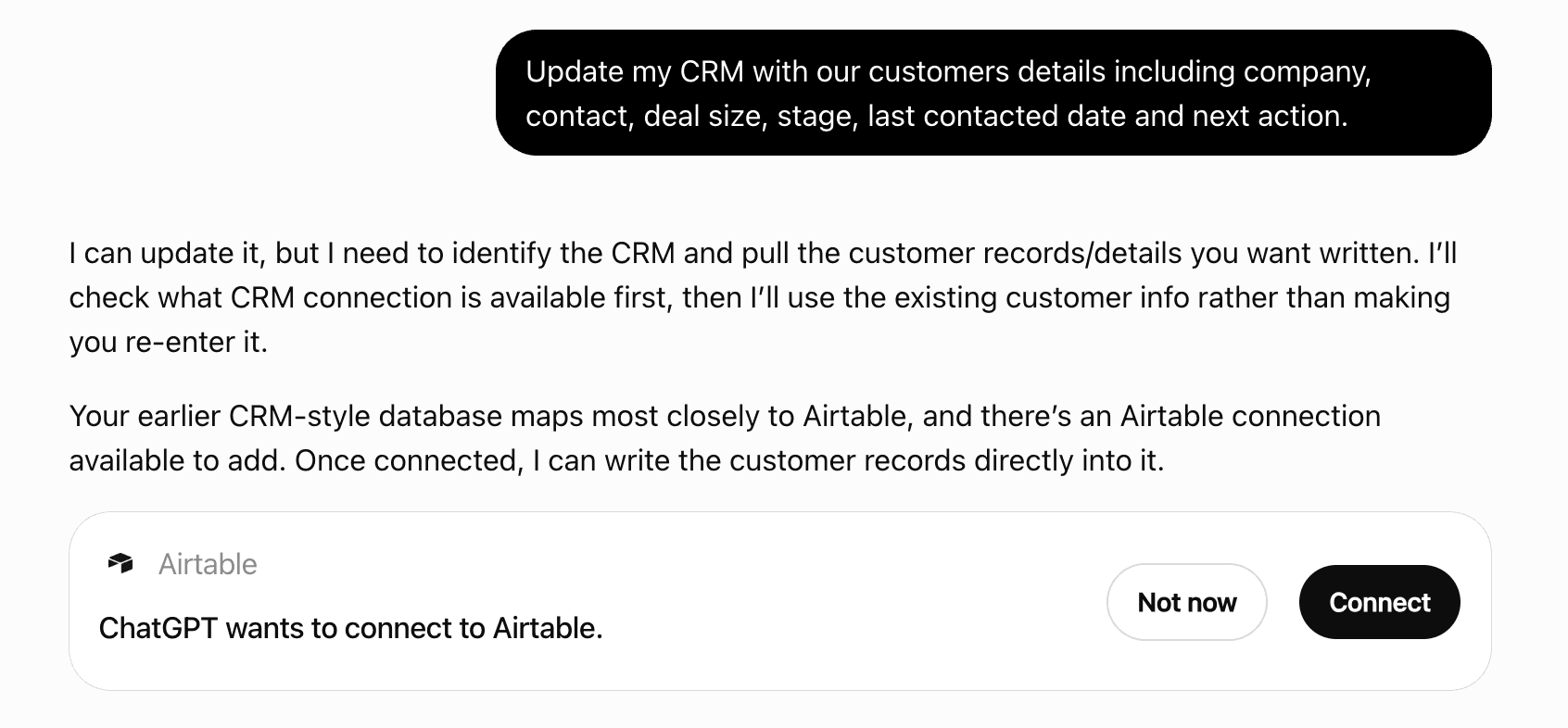
Get alerts for Binary
Get updates when Binary’s Discoverability Score or category rank changes.
Competitive lineup
53 tools agents can invoke
Add ONE candidate to a job, for example when importing from an inbox, a spreadsheet, or another tool. name is required; email is optional but needed to message the candidate later. values maps a column (id or exact name from describe_job_candidates) to a value, checked against the column type. If a key matches no column, nothing is added by default: the result is created: false with missing_columns (name and inferred type). Ask the user whether to add those as new columns or add the candidate without them, then call again with missing_columns "create" (new number, short_text or long_text columns, listed in columns_created) or "skip" (listed in columns_skipped). When importing many candidates, compare the fields with describe_job_candidates first and ask once for the whole import. If the email is already on the job nothing is created and existing_candidate_ids are returned, unless allow_duplicate: true. Optional stage, labels (must exist on the job), a first comment, and source added (default) or imported. Either way Binary shows the candidate as "Added by" whoever connected this agent; say it that way to the user, never "source: imported". The candidate is not emailed. For a file or video column (e.g. a resume) upload first with upload_file and pass {"upload_id": "..."} as its value. Confirm with the user before adding; call once per candidate. For an import of several candidates, follow get_workflow_guide import_candidates.
add_candidate
Add a comment to ONE candidate, visible to the members of the job, never to the candidate (for messaging a candidate, see the product docs). Plain text; line breaks are kept. Optional mentions: emails of workspace members to notify. The comment is authored by the user. Returns the comment_id, which edit_comment needs. Confirm with the user before calling it.
add_comment
Add interview feedback on ONE candidate as the user, e.g. a scorecard written from call notes or a transcript. Call get_feedback_template first and answer its questions by question_id. title and rating are required; notes and answers follow the template (rating questions take a rating word, text questions take plain text). Link it to an interview with interview_id when there is one. Works like the app: the candidate's average rating updates, and the interview's organiser is notified when you are an interviewer on it. One feedback per member per interview; use edit_feedback to change it. Only write what the notes support. Show the user the feedback and confirm before calling it.
add_feedback
Add a field to a job's candidates, for example to hold your own review result. Only the team sees it: it never appears on the application form. Types: short_text, long_text, number, date, single_select, multi_select, dropdown (select types need options). The name must not match an existing field. Returns the new field with its id, which you then use in update_candidate and search_candidates. A field you fill holds the candidates you reviewed; people who apply afterwards stay empty until it runs again. To keep new applicants covered, offer a scheduled re-run of the review on candidates whose field is still empty — a routine in Claude, a scheduled task in Codex. This is a write: confirm with the user before calling it.
add_field
Email an interviewer asking them to connect their Google Calendar, as the app's "Nudge" in the scheduling form does. Only offer it while setting up an interview with a candidate, when create_booking_link or check_interviewer_availability says an interviewer's calendar isn't connected; never on its own, and never for the user's own calendar (they connect it themselves at the link in that message). candidate_id is the candidate the interview is for. If the person already has it connected, nothing is sent. An email not yet in Binary is added to the workspace, as in the app. Sends an email: confirm with the user first. reason picks the wording: booking_link (default) or availability.
ask_to_connect_calendar
Do one action on many candidates of ONE job in a single call. Today the only action is change_stage (e.g. shortlisting everyone a review picked out); more will be added. Candidate ids come from search_candidates and must all be on that job; anyone already in the stage is skipped and one failure doesn't stop the rest. Works like the app's bulk action, so the stage history records the change as the user. It never messages candidates; for how the user sends one, see the product docs. Call it with dry_run true first, show the user the list, then apply. For a handful of candidates change_stage is fine. Stage counts read before this call are now out of date; call describe_job_candidates again before quoting totals.
bulk_action
Cancel a booking link the candidate hasn't used yet, as the app's delete on a booking link card does: the link stops letting them book. Nothing is sent to the candidate, so tell the user if the candidate should know. A link the candidate already booked is now an interview: use cancel_interview. Booking link ids come from get_candidates with include ["interviews"], under booking_links. Confirm with the user before calling it.
cancel_booking_link
Cancel a scheduled interview, as the app's delete does: the Google Calendar event is removed, Google tells the candidate and interviewers, and the interview leaves the candidate's record. Feedback already given stays. It can't be undone; ALWAYS ask the user to confirm which interview (title, candidate, time) before calling it. Interview ids come from get_candidates with include ["interviews"].
cancel_interview
Change whether a job takes applications: published (open), paused or closed. Only a published job accepts applications through its public link and can appear on the careers page or LinkedIn. Candidates can still be added to a paused or closed job. A draft job can only be published, which also shows it on the careers page. Confirm with the user before calling it.
change_job_status
Move ONE candidate to a stage of their job (stage names come from describe_job_candidates; matching is case-insensitive). Works exactly like moving the candidate in the app: the stage history records the change as the user. Returns previous_stage and stage; changed is false if the candidate was already there. This is a write that the candidate may see reflected in their application status: confirm with the user before calling it, and call once per candidate. It does not send the candidate a message; for how the user sends one, see the product docs. Stage counts read before this call are now out of date; call describe_job_candidates again before quoting totals.
change_stage
Check when interviewers are free before scheduling with ONE candidate, for a set time or a booking link. For each interviewer: whether their Google Calendar is connected, their working hours, and their busy times from Google over the next days (up to 7, from from_date, default today). When every interviewer's calendar is connected it also returns open_slots: times of duration_minutes (default 60) inside everyone's working hours when all are free, which are the times a booking link would offer. Every time is ISO 8601 with its UTC offset, in the timezone you give (also returned as timezone), so it can be shown or converted as is. from_date can be at most 60 days ahead. Use it to suggest times to the user, then schedule_interview at the one they pick, or create_booking_link. Changes nothing.
check_interviewer_availability
Create a booking link for ONE candidate to pick their own interview slot, as the app's Create booking link does. The candidate sees times within every interviewer's working hours when all are free, over the next 60 days; booking creates the interview and sends the invites. Nothing is sent to the candidate now: tell the user to share booking_url themselves or send it from the candidate's conversation in the Binary app. Every interviewer must already be in Binary with their Google Calendar connected (check with check_interviewer_availability), and so must the user. Lengths: 15, 30, 45 or 60 minutes (default 60). meeting_type is the app's Online or In-person choice: google_meet adds a Google Meet link to the invite and takes no location; in_person needs the address in location and adds no Meet link. Ask the user which one; left out, it is in_person when location is given, else google_meet. The invite can carry a link only interviewers can open (feedback_link, on by default, as in the app): it shows them the candidate's details and a feedback form (feedback_template_id, default the job's default template), and, only if show_past_feedback is true, other interviewers' feedback on this candidate. In your confirmation, name the feedback form and say whether past interview feedback is shown (off by default), so the user can change either. When the job has more than one form (get_feedback_template lists them as available_templates), ask which to use, with the default pre-selected; with only one, don't ask. Counts toward the monthly interview limit on Free and Starter. Confirm the interviewers and length with the user before calling it.
create_booking_link
Create a new job. Every job asks for name and email; add questions for anything else you need, typed to fit (a resume is a file question, a LinkedIn profile a linkedin question), since they become the job's columns. Check search_jobs first in case the role already exists. By default the job is a DRAFT: nobody outside the workspace can see it, and it cannot hold candidates — say so and ask before publishing. Pass accept_candidates_now: true only to add or import candidates straight away, which publishes the job so it can hold them: its public link then accepts applications, though it stays off the careers page and LinkedIn until asked. Returns the job_id, its columns for add_candidate, and links. Confirm the job name and questions with the user before calling it. For an import, follow get_workflow_guide import_candidates.
create_job
Delete one or more candidates of ONE job, the same as deleting them in the app: they disappear from the job, along with their conversation and any assignment links sent to them. Candidate ids come from search_candidates and must all be on that job; if any isn't, nothing is deleted. You must be a member of the job. ALWAYS ask the user to confirm before calling this — even when they asked for the deletion — by listing each candidate by name and job and waiting for an explicit yes; deleting can't be undone from here. Returns the deleted candidates by name.
delete_candidates
Read the workspace's public careers page: its company description, the link candidates visit, every job listed on it, and which of those are pinned to the top. Call this before editing the page, and for the company description when writing a job description.
describe_careers_page
Describe a job's hiring form: the public page candidates fill in. Returns its name, description (the editor's HTML), questions (question_id, text, type, required, options) in the order they are asked, the job's settings (closing date, email verification, repeat applications, the messages candidates see), its stages and the public link. This is the form, not the candidate table: use describe_job_candidates to read or filter candidates.
describe_hiring_form
Describe what one job tracks about its candidates: its stages, labels, and fields (id, name, type, bucket, options), plus AI review criteria and candidate counts per stage. Call this once per job before filtering search_candidates on fields (its columns parameter); field ids and select options are specific to each job. These are the job's candidate fields, not the application form shown to applicants. Vocabulary: a job has candidates; each candidate is one person on that job; a field is an attribute (bucket = name_email | form_answer | stage | labels | platform_stamp | custom); a value is what a candidate holds in a field.
describe_job_candidates
Replace the text of a comment. Only comments written by the member this connection acts as can be edited (get_candidates with include=["comments"] marks them mine: true). mentions replaces the mentioned members if given (members of the candidate's job); omit it to keep the existing ones. Confirm with the user before calling it.
edit_comment
Change feedback written by the member this connection acts as (get_candidates with include ["feedback"] marks it mine: true). Pass only what changes: title, rating, notes, or answers by question_id (null clears an answer); everything else is kept. The candidate's average rating updates. Confirm with the user before calling it.
edit_feedback
Get one candidate's LinkedIn profile (headline, experience, education, skills, ...). Every tool reports the same linkedin block with a status: no_linkedin_url, not_found_on_linkedin, not_fetched or fetched. Fetch profiles whenever they help the task. If a candidate has no profile (no URL, or not found), answer from their resume and form answers instead, without asking. If the call is refused with limit_reached, stop the batch and follow what it says. A fetch takes a few seconds.
get_linkedin_profile
List the records behind a number from run_analytics_query: WHO applied, which interviews lack feedback, who hasn't submitted an assignment. Pass the SAME single-metric query (one SELECT item, keep its WHERE / TIME / job scope). For a grouped result, pick one cell with drill_into (e.g. {"job": "<job_id>"} or {"period": "2026-06-01"}). Returns entity (candidate | interview | feedback | assignment) and exactly one list, capped at 50 (total, returned, truncated). Candidate rows honour field protection; read one in full with get_candidates. To list the candidates behind one member's reviews, drill avg(time_to_first_review) GROUP BY recruiter with drill_into {"recruiter": ...}; reviewed can't be drilled by recruiter. Guide: resource binary://analytics/ql-guide.
get_analytics_details
Returns the analytics query language guide (grammar, measures, dimensions, time presets, scope rules, examples). Read it once before the first run_analytics_query in a conversation if you cannot read the resource binary://analytics/ql-guide.
get_analytics_guide
Read the full record of up to 50 candidates by id: every column value (keyed by column id; names via describe_job_candidates), AI review verdicts with reasons, last comment, assignments summary, a download link per file and per video, video transcripts when they exist, and a linkedin block (its status). Resumes and other files come as a download_url, not their contents: download the file to read it — a plain GET with no auth header, via curl or your file tools; a resume comes back as a PDF or DOCX. If you can't download or open files here, tell the user before judging anyone on their resume, rather than working from the form answers alone. A link works for about five hours, so read it when you get it and ask again for a fresh one; don't paste it anywhere the candidate's file shouldn't go, since anyone holding it can open the file until it expires. Add sections with include: comments, feedback, interviews, assignments, stage_history, conversation. LinkedIn profile data itself is returned by get_linkedin_profile. Candidates you cannot access are listed in not_found. Dates are named as in search_candidates (applied_on, added_on, referred_on, moved_on in source); for time in the current stage include stage_history (each entry has its date), never the arrival date.
get_candidates
Get the feedback form to fill for ONE candidate before add_feedback: the fixed fields (title, rating, notes), the template's questions (question_id, question, type rating | short_text | long_text, required) and the rating scale strong_no, no, yes, strong_yes. Feedback is a member's interview write-up on a candidate. The template is the interview's when interview_id is given (interview ids: get_candidates with include ["interviews"]), else the job's default, else the basic one; pass template_id to choose. available_templates lists the job's feedback forms (default marked), as the app's scheduling form offers them: use it to let the user pick one when scheduling. your_existing_feedback_id means you already gave feedback for that interview: use edit_feedback.
get_feedback_template
Returns the Binary workspace and member this connection is acting as, and their role: admin (sees every job in the workspace), member (sees the jobs they are on) or referrer. Also returns the workspace's plan. Call this when unsure which workspace you are connected to.
get_me
Get the step-by-step workflow for a bigger task and follow it: import_candidates (adding candidates from resumes, a spreadsheet, an inbox or another ATS, including creating a job for them), review_candidates (reviewing, ranking or shortlisting candidates, or filling columns from their applications), analyze_hiring (reports and hiring questions). Call it before starting one of these, even when the user asked in plain words.
get_workflow_guide
The workspace's plan and this month's usage: dollars used, total and remaining, when it resets, the plan's free usage credits, any extra usage bought on top (and any scheduled change to it), and roughly how many emails, AI reviews and LinkedIn lookups the remaining balance still covers. Usage is real US dollars, shared by the whole workspace. Use it only when the user asks about their usage or plan, or after a call returns limit_reached; don't check it before doing work. Say "free usage credits" and "extra usage", never "add-on". To upgrade the plan or add extra usage, send the user to upgrade_url: the billing screen for a workspace admin, the plans page for anyone else (only an admin can change billing).
get_workspace_usage
How to write a job description or an assignment's description: the exact HTML the Binary editor uses (so it renders with proper spacing) and how a job description is structured. Read it once before writing or rewriting one with create_job, update_hiring_form or manage_assignments. Changes nothing.
get_writing_guide
A job's take-home assignments: each one's name, description (the editor's HTML) and the fields a candidate fills. Use it before manage_assignments. Sending an assignment to candidates is done in the Binary app, not here. Which candidates got which assignment is on each candidate (get_candidates with include ["assignments"]). Changes nothing.
list_assignments
List every page of Binary's product documentation, one line each: "slug — title: description". Use it to browse when search_docs finds nothing; read a page with read_doc.
list_docs
A job's feedback forms (templates interviewers fill after an interview): the built-in Basic one and the job's own, which one is the default, and each form's extra questions (every form also asks for a title, an overall rating and notes). Use it before manage_feedback_templates. Changes nothing.
list_feedback_templates
The people the app suggests as interviewers for a candidate's job, each marked job_member, workspace_member (in the workspace, not on this job) or past_outside_interviewer, with whether their Google Calendar is connected. Use it to pick interviewers for schedule_interview or create_booking_link (booking links need connected calendars). Anyone else can still be invited to schedule_interview by email. Changes nothing.
list_interviewers
List, add or remove the members of a job: the people who can open its candidates, get its notifications, and be tagged in comments. Adding gives someone access to every candidate on the job and, in production, emails them that it was shared; an email with no Binary account gets one and joins the workspace. The job's creator cannot be removed. Use it when a mention or a feedback request is refused because someone is not on the job. Confirm the names with the user before adding or removing.
manage_job_members
List a job's stages or change them: add a stage, rename one, reorder them, or remove one. Use it to match another ATS's pipeline before importing. New, Shortlisted and Archived are built in: they cannot be renamed or removed. A stage that still has candidates cannot be removed; move them first with change_stage. Confirm with the user before changing stages, since everyone on the job sees them.
manage_stages
Move ONE candidate from their job to another job in this workspace. Same as moving in the app: column values are matched to the destination job's columns (unmatched values become new columns there), labels, comments, conversation, interview feedback, scheduled interviews, scheduling links and assignments move with the candidate; the stage resets to the destination's first stage. The candidate's source becomes moved (from which job, by whom). If the email is already on the destination job nothing moves and existing_candidate_ids are returned, unless allow_duplicate: true. You must be a member of both jobs. This is not reversible by moving back (stage history is reset): confirm with the user first, once per candidate.
move_candidate
Read one page of Binary's product documentation as markdown, by the slug from search_docs or list_docs (e.g. "candidates/export"). Pages describe the web app as users see it, including known issues. Use them to explain steps the user does in the web app themselves (these tools can't click through the app), and share the page url.
read_doc
Remove a custom field from a job and delete its values on every candidate. Only fields in the custom bucket can be removed; built-in fields and live application-form questions are refused. Irreversible: confirm with the user before calling it.
remove_field
Ask members of the candidate's job to write feedback on ONE candidate. Each member gets an email from the member this connection acts as, with a link to the candidate. Only members of that job can be asked; an error lists who can. Candidates are never emailed. Useful after checking who owes feedback (get_candidates with include ["interviews", "feedback"], or analytics). This sends email: confirm the names with the user before calling it.
request_feedback
Answer a hiring-metrics question with a QL query (SQL-like): counts, rates, durations, trends, per-job / per-recruiter / per-stage breakdowns, conversion funnels. READ THE GUIDE FIRST: resource binary://analytics/ql-guide (or the get_analytics_guide tool) has the grammar, measures, time presets and scope rules; queries outside it are rejected with a message saying what to fix. Example: SELECT job, count(submissions) FROM jobs GROUP BY job ORDER BY 2 DESC LIMIT 5 TIME this_quarter. Without job_id it covers the whole workspace (for a non-admin, the jobs they can access). Returns columns, column_units, rows; averages, min, max, median and percentiles are null when nothing matched (no data), counts are 0. To list the candidates behind a number, use get_analytics_details with the same query.
run_analytics_query
Schedule an interview with ONE candidate at a set time, exactly as the app's Schedule now does: a Google Calendar event with a Google Meet link is created on the user's calendar and Google emails the invite to the candidate and every interviewer straight away. Before calling, confirm with the user the candidate, date, time AND timezone, length and interviewers, and tell them the candidate will get the invite. To find a time everyone is free, call check_interviewer_availability first; to let the candidate pick, use create_booking_link instead. The invite can carry a link only interviewers can open (feedback_link, on by default, as in the app): it shows them the candidate's details and a feedback form (feedback_template_id, default the job's default template), and, only if show_past_feedback is true, other interviewers' feedback on this candidate. In your confirmation, name the feedback form and say whether past interview feedback is shown (off by default), so the user can change either. When the job has more than one form (get_feedback_template lists them as available_templates), ask which to use, with the default pre-selected; with only one, don't ask. Interviewers are emails; an email new to the workspace is added to it, as in the app. Needs the candidate's email and the user's Google Calendar connected; if it isn't, the error says so with the link to connect it: pass that on. Free and Starter plans have a monthly interview limit; if refused with limit_reached, follow what it says. Returns the interview id, start and end as ISO 8601 with the UTC offset of its timezone (plus timezone), and the Meet and calendar links.
schedule_interview
Find candidates by name or email, or by filters. Returns concise rows (candidate_id, name, email, job, stage, labels, source, created_at, rating, flags) with cursor paging; use get_candidates to read the full record of the ones you pick. query is the app's own search and matches names and emails only (query_matches in the result says if answers and fetched LinkedIn profiles were searched too). It cannot look for a company, college, skill, place or anything else a candidate wrote or did, and resumes are never searched: a query like "Flipkart" that finds nothing does NOT mean no candidate worked there. When asked for that, don't report that nobody matches: tell the user search can't look for it, and offer to go through the job's candidates instead, reading them in batches with get_candidates and checking each one (see get_workflow_guide find_candidates). A job's own fields can be filtered by value with the field filters below. Two modes: WITHOUT job_id it searches the whole workspace (query plus stage, labels, source, responded, has_comments, has_feedback, rating, created, jobs). WITH job_id it also accepts typed column filters from describe_job_candidates. Filters are ANDed; values inside one list are ORed. Column operators by type: text (short_text, long_text, link, phone, email): contains, equals, empty, not_empty; single_select/dropdown: in, not_in, empty; multi_select: contains_any, contains_all, empty; number: eq, ne, gt, gte, lt, lte, between (value=[low,high]); date: before, after, between (value=[from,to]), last_days, empty; file/video: present, absent (empty/not_empty also work); boolean stamps: equals. Address a column by id (preferred) or its exact name. Errors list the valid stages, labels or columns. Choice values are matched exactly against candidates' answers, including options removed from the form since; a value nobody gave returns no candidates. ai_review (job mode) filters on the job's AI review verdicts, the same way the app's AI review filter does: only a yes counts as matched (no and maybe both don't), and only candidates the AI review has graded are included. mode all = matched every chosen criterion, any = at least one, none = none of them, not_all = failed at least one, count = matched between min_matched and max_matched. criteria are ids or exact names from describe_job_candidates' ai_review_criteria; omit for all. To tell no from maybe, read the verdicts with detail=full. detail=full adds every value, AI review verdicts with reasons, file/video download links (see get_candidates for how long they last), and the linkedin block, at a smaller page size. Sort is by created_at only. Dates: source carries the date named for how the candidate arrived — applied_on (applied through the hiring form), added_on (added or imported by a member), referred_on, and moved_on for a candidate moved from another job; created_at is when they first entered Binary. No row says when a candidate entered their current stage: for time in stage or "in this stage since when", read the candidate's stage_history (get_candidates with include stage_history), not these dates.
search_candidates
Search Binary's product documentation to learn how to use Binary: how the web app works, where things are, what a feature does, plans and limits. Use it for "how do I ..." questions, and whenever the user wants something no tool here can do (e.g. export a CSV, connect Google Calendar, set up AI review): find the page and tell them how to do it in the Binary web app, with the link, instead of saying it can't be done. Returns slug, title, description and url per page; read one with read_doc. Not for candidate or job data (use the candidate tools).
search_docs
Find jobs in this workspace, to get the job_id that the candidate tools need. query matches job names and tolerates typos ("backend engg" finds "Backend Engineer"); omit it to list jobs, newest first. Optional status filter. Returns job_id, name, status, closing_date, candidate count, creator, and a link. Only jobs the member can access are returned. Next step: describe_job_candidates with the job_id.
search_jobs
Find workspace members by name or email. Returns member_ref, name, email and role (admin, member or referrer). Use the member_ref to filter or drill analytics by a recruiter (WHERE recruiter = "<member_ref>"). Your own member_ref is in get_me.
search_members
Set the user's own working hours in this workspace: the hours booking links offer them for interviews, as in the app's availability settings. Give only the days to change, by name, each a list of {start, end} times like 09:00 and 17:30, or [] for a day off; other days keep their hours. timezone (IANA) is needed the first time. Returns the whole week. Only the user's own hours can be set; confirm the change first.
set_my_working_hours
Fill, change, or clear values on ONE candidate. values maps a field id (from describe_job_candidates) to a value; null clears. Editable: application-form answers and custom fields, plus name. Values are checked against the field type: number, date (YYYY-MM-DD or ISO), single_select/dropdown (one option), multi_select (list of options), text, file/video ({"upload_id": "..."} from upload_file; null clears). Not editable here: email, stage (use change_stage), labels (use update_labels), platform stamps, AI review. The edit is attributed to the user. Confirm with the user before calling it; for many candidates, call once per candidate.
update_candidate
Edit the workspace's public careers page: its company description, which jobs are pinned to the top (at most 2, and only jobs already listed on the page), and the workspace name. Pass only what should change. This is live and public the moment it is called, and the workspace name also changes everywhere inside the product, so show the user the exact text and get their confirmation first. Workspace admins only. To add or remove a job from the page, use update_job_visibility.
update_careers_page
Change a job's hiring form: its name, description, and questions one at a time (add, edit, remove, reorder). Question ids come from describe_hiring_form; everything you don't mention is left as it is. Name and email are always asked and cannot be removed. A removed question disappears from the form but its existing answers stay on the candidates. On a live job this changes what applicants see right away: show the user the change and confirm first.
update_hiring_form
Change a scheduled interview: reschedule it, change its length, interviewers, title, description or location, or the interviewer link's settings. Give only what changes; everything else stays. interviewers, when given, is the full new list. Works like the app's edit: the Google Calendar event is updated and Google emails the change to the candidate and interviewers. Whether the invite has the interviewer link can't be changed after scheduling. Interview ids come from get_candidates with include ["interviews"]. Confirm the change with the user before calling it.
update_interview
Change a job's settings: the closing date (after it passes the job stops accepting applications), whether someone may apply more than once, whether their email is verified, and the messages candidates see after applying or when the job is closed, where the job is (locations) and which widgets its public page shows. Only what you pass changes; widgets and locations each replace the whole list, so include what should stay (describe_hiring_form shows the current ones). Candidates see these straight away on a live job: confirm with the user first. Use change_job_status to open or close the job now, and update_job_visibility for the careers page and LinkedIn.
update_job_settings
 Recommended guideHow to get your ChatGPT Plugin suggestedFollow the practical steps agents use to find, shortlist, and choose your Plugin.Read guide
Binary ChatGPT Plugin FAQ
How the directory, categories and Discoverability Score work.
Read the methodologyHow do I improve Binary's ChatGPT Plugin discoverability?
The levers are the listing surface agents actually read: names, descriptions, keywords, tool metadata, and registry health. Which lever matters depends on where discovery breaks, which is what continuous measurement shows.
Where is this profile measured?
This profile uses the geography attached to the latest public registry snapshot: US. Locale tags are intentionally omitted.