
- Brand
- Unknown
- Category
- Pending
- Primary Subcategory
- Pending
Integration details
Description
Run your small business from the conversation: create and send invoices, chase overdue payments, log expenses and receipts, manage customers, deals, proposals and eSign contracts, take card payments through payment links, edit and publish your business website, and pull revenue reports, dashboards and plain-language insights from your own Bookipi account.
- Integration type
- Plugin
- Verification status
- Not applicable
- Platform
- ChatGPT
- Category
- Pending
- Primary Subcategory
- Pending
- Secondary Subcategories
- None listed
- Brand
- Unknown
- Access
- Account required
- First tracked
- 2026-10-15
- Tool count
- 71
- Geography
- US
The broad Category that contains the Primary Subcategory.
The Primary Subcategory used for this profile’s headline score.
Other Subcategories where the Integration is listed.
 Agent Discoverability
 ChatGPT Plugin Discovery Score
Your score is coming
ChatGPT now suggests Plugins on its own when they match a user's request.Your Plugin Discovery Score measures how often yours appears, and it will show here as soon as it’s ready.
What discovery looks like
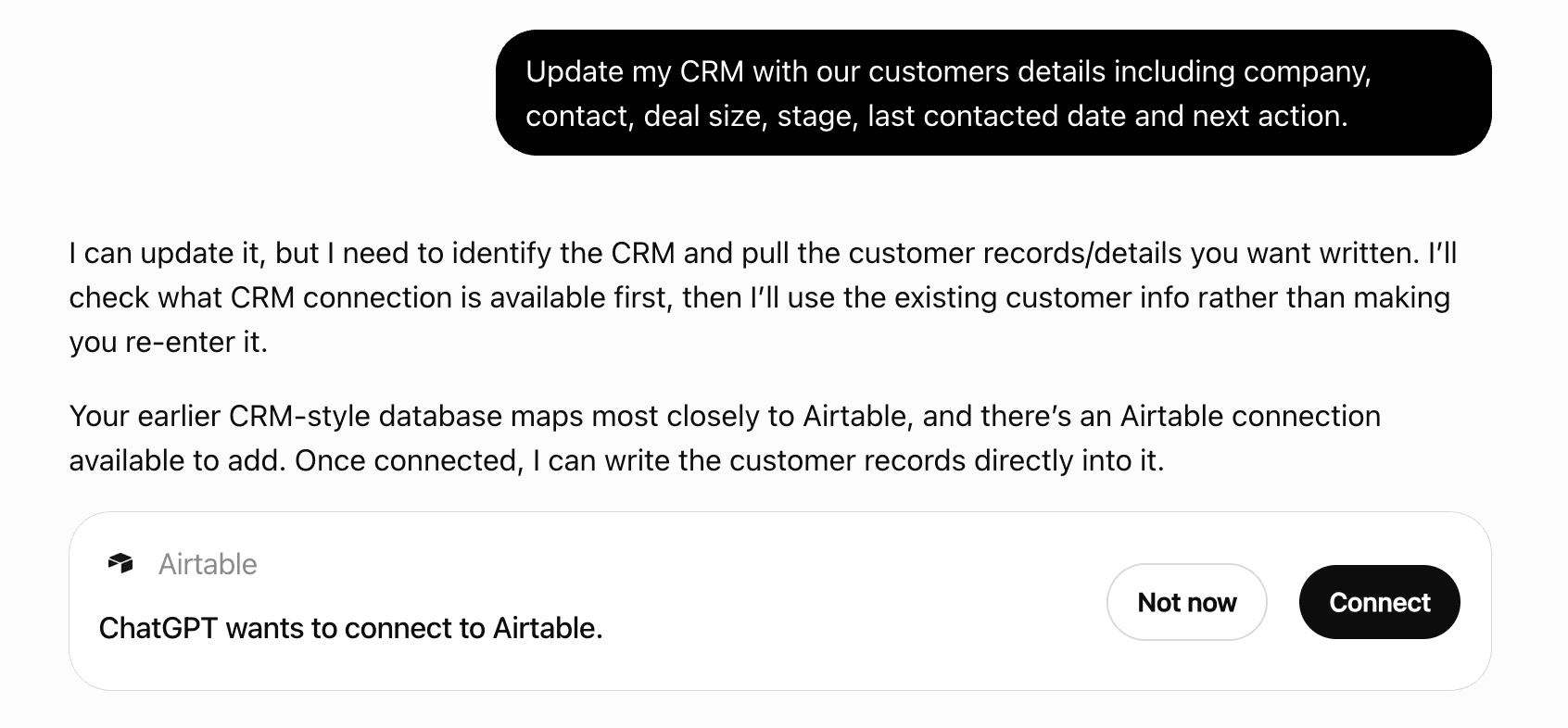
Get alerts for Bookipi
Get updates when Bookipi’s Discoverability Score or category rank changes.
Competitive lineup
71 tools agents can invoke
Add ONE new page to the existing site from a description, e.g. an FAQ or a services page. About a minute — tell the user before calling. The page goes into the DRAFT; publish_website puts it live.
add_website_page
Build a WHOLE website from a business name: infers the profile, picks a template, generates the content. TAKES ABOUT 90 SECONDS — tell the user it will take a moment before calling. It produces a DRAFT and publishes nothing; publish_website is the step that needs confirming. The result carries a preview handle for showing the user the site rather than a status line.
generate_website
AI-write an eSign contract from a description, e.g. "mutual NDA with Acme". TAKES 15-30 SECONDS; tell the user before waiting. Returns an editor link where clauses are tweaked, a signer attached and the signature placed. It sends nothing — finalize_contract, then send_contract, come after the user has reviewed it.
draft_contract
Like draft_contract, but built from an ACCEPTED proposal: its dates, value and customer become the terms, and the customer becomes the suggested signer. Slow, like draft_contract. Sends nothing.
draft_contract_from_proposal
AI-write a NEW proposal from a description plus at least one item. Returns an editor link and sends nothing — send_proposal emails it once the user has reviewed it.
draft_proposal
Rank items by what they sold over a date window — 'what sells best', 'my top products', 'which service earns most'. Returns name, quantity and revenue per item, highest first. Reflects what appeared on invoices in the window, so it measures billing rather than fulfilment or collection. Scoped to the default company; it does not take a company_id.
report_items
Edit an invoice that already exists. Amounts are DERIVED, never passed: replacing `items` recomputes the total, and does so against the invoice's existing tax, discount, shipping and any payments already recorded — so what the customer owes stays correct. PREVIEW FIRST, more so than on a create. Call with `plan: true` to get back the exact before/after — "total 900 -> 1200" — and show it before calling again without `plan`. The user is approving a change to a document that already exists and may already have been sent. Replacing `items` replaces ALL of them; there is no per-line edit here. Read the invoice first if you only mean to change one line. Deliberately cannot change: the invoice number (a customer already has that reference), the customer, the company, or the status. Recording a payment is a different operation, not a status edit.
update_invoice
TWO WAYS, and prefer the first: find + replace — swaps EXACT text on one page, changing that and nothing else. Get the string from website_page. Right for a phone number, price or name — anything with a known answer. instruction — natural language ('make the hero punchier'); the builder's AI works it out. For changes of judgement only. INSTRUCTION proposes by default: without `apply: true` you get what the AI intends to change, and that proposal IS the preview — show it, get a yes, call again. find/replace applies at once and refuses if the text is absent. It may come back with a `clarify` question instead of a proposal. Ask the user that question and call again with their answer folded into the instruction; do not guess. Edits change the DRAFT. They are not live until publish_website, so editing is safe and publishing is the step that needs confirming.
edit_website
🔴 Removes EVERY payment recorded on the invoice, putting it back to unpaid. For an entry made by mistake or a payment that bounced. It does not reverse one payment, and the amounts are not recoverable here. ALWAYS PREVIEW FIRST. Call with `plan: true`, show the user the invoice number and how many payments would go, and only call again without `plan` once they have confirmed. Recording money is record_invoice_payment.
clear_invoice_payments
Add a customer. Needs a name or an email. `email` is where invoices go; without it, send_invoice on their invoices has no recipient. Search list_customers first: create_invoice will not make a customer, but a second record for someone who already exists splits their history and nothing merges them afterwards.
create_customer
Start a deal in the sales pipeline for an existing customer. It begins at `leads` unless `status` says otherwise. Stages: leads, qualified, meeting, proposal, contract, closed_win, closed_lose. Deals are internal: this emails nobody.
create_deal
A shareable link that takes a card payment — for money owed without an invoice, or a deposit before work starts. This tool never moves money: funds move only on Bookipay's hosted checkout, in the customer's own browser, when they choose to pay. `amount` is in the company's CURRENCY, not cents; this converts. Omit it and pass `let_customer_choose` to let the payer decide the amount, which is the shape for tips or open donations. It does NOT send the link — the result carries the URL to give the user, and send_paylink emails it. Requires the account's card payments to be set up; if it fails on that, say so rather than retrying.
create_paylink
Add a product or service to the catalogue an invoice draws line items from. Price is in the company's currency, NOT cents. Attaching a product photo is a CLI flow and is not available here. create_invoice takes free-text line items, so a catalogue entry is only needed when the item should be reusable — do not create one just to invoice something once.
create_item
Set up an EMPTY website record for this company and return a builder link. Do this once, before generate_website. Fast. Nothing is public until publish_website.
create_website
Create a new invoice for an existing customer. REQUIRES IDS, NOT NAMES. Call list_customers to get `customer_id` first, and whoami to get `company_id`. This operation will not create a customer, and will not guess which company — an invoice in the wrong business, or addressed to a customer record that did not exist a moment ago, is not recoverable by deleting it. The invoice number is assigned from the company's own sequence unless you pass `number`. Report the number that comes back rather than the one you expected. Creating a document consumes the account's subscription quota. If a call fails without a clear answer, call list_invoices to check whether it landed before trying again. PREVIEW FIRST. Call with `plan: true` to get back exactly what would be created — the assigned number, the computed total, the deposit — writing nothing. Show that to the user, get a yes, then call again without `plan`. Do this whenever the user has not already approved these specific amounts, and always when you inferred any of them.
create_invoice
Delete a customer permanently. 🔴 Not recoverable from here, and their invoices are left behind pointing at a customer that no longer exists. ALWAYS PREVIEW FIRST. Call with `plan: true`, show the user the name and email that came back, and only call again without `plan` once they have confirmed that specific customer. Read customer_payments first — a customer with payment history is usually one to keep.
delete_customer
Remove an expense — a duplicate, or one logged against the wrong account. Not recoverable here. Get the id from list_expenses. There is no update: a wrong amount means deleting this and logging it again.
delete_expense
Delete a proposal permanently. Not recoverable from here. ALWAYS PREVIEW FIRST. Call with `plan: true`, show the user the title and number that came back, and only call again without `plan` once they have confirmed that specific proposal. If the intent is to revise or resend, update_proposal and duplicate_proposal do that without destroying anything.
delete_proposal
Delete an invoice permanently. THERE IS NO UNDO and no restore operation — nothing in this surface can bring it back. ALWAYS PREVIEW FIRST. Call with `plan: true`, show the user the number, customer and amount that came back, and only call again without `plan` once they have confirmed that specific invoice. An id is not something a person can check, so do not delete one on the strength of having looked it up yourself. Refuses an invoice with payments recorded against it: deleting one destroys the payment history too. Void the payments first if that is genuinely intended. If the user asked to cancel or write off an invoice rather than erase it, this is the wrong operation — a deleted invoice leaves no record that it ever existed.
delete_invoice
Copy an existing proposal as a fresh draft.
duplicate_proposal
Copy an invoice into a NEW editable draft with its own number, carrying customer, items and totals. The original is untouched and the copy is sent to nobody. Optionally reassign the customer, convert the document type (the copy is renumbered with that type's prefix — an estimate reads EST-…), or copy into another company you own. Consumes subscription quota. `plan: true` shows what would be made.
copy_invoice
Send a plain email to a customer. THIS LEAVES THE BUILDING and cannot be recalled — preview with `plan: true` and confirm the recipients and subject with the user first. ⚠ It may fail with a recaptcha error: the mutation requires a token and the server-side bypass for authenticated agent requests has not shipped. If it does, say so and point the user at the web app rather than retrying.
email_customer
Email an existing payment link to a customer. This LEAVES THE BUILDING and cannot be recalled — preview with `plan: true` and confirm the recipients with the user first. This tool never moves money: funds move only on Bookipay's hosted checkout, in the customer's own browser, when they choose to pay. ⚠ It may fail with a recaptcha error: the mutation requires a token and the server-side bypass for authenticated agent requests has not shipped. If it does, say so and let the user share the URL themselves rather than retrying.
send_paylink
EMAIL a payment receipt to the invoice's recipient for an amount already received. This LEAVES THE BUILDING and cannot be recalled — preview with `plan: true` and confirm the recipient and amount with the user first. It records nothing: use record_invoice_payment for that. Nothing here moves money.
send_payment_receipt
Chase money owed. THIS EMAILS CUSTOMERS and cannot be unsent. Target one invoice with `invoice_id`, or leave it out to sweep every overdue invoice — which emails MANY customers in one call, so use `plan` first and show the user the list. Filters for the sweep: `min_days_overdue` skips the recently-late, `max_days_overdue` avoids reopening ancient accounts, `customer` matches a name or email. An invoice that is unpaid but not yet overdue gets gentler wording automatically. The result reports sent, skipped and failed separately — report those numbers rather than saying 'done'.
remind_invoice
Email a proposal to its recipients. THIS EMAILS THE CLIENT and cannot be unsent — preview with `plan: true` and confirm the recipients with the user first.
send_proposal
Email an existing invoice to its customer. THIS LEAVES THE BUILDING AND CANNOT BE RECALLED. Every other write here fails inward — a wrong amount or a wrong deletion stays inside the account. This one reaches a third party. ALWAYS PREVIEW FIRST, and show the user the RECIPIENT, not just the invoice. The address is the part that can be wrong and cannot be undone. `plan: true` returns exactly who would receive it. The recipient defaults to the address on the invoice's own customer record. Do not pass `recipients` unless the user explicitly named a different address — typing one in is how an invoice reaches the wrong person, and you cannot verify an address you inferred. Sends ONE invoice. There is no bulk form here on purpose: chasing a whole ledger is a different operation with a blast radius that scales with how many customers someone has. Re-sending is allowed and is sometimes the point (a reminder), but the preview says when it was last sent — say so rather than sending a second copy silently.
send_invoice
The email history for a single customer — 'did we email Wayne', 'what did I send them', 'have they opened it'. Returns id, subject, to, sentAt, status and opened per email, newest first. This is correspondence, NOT invoices: an invoice that was sent appears here as the email that carried it, and list_invoices is where its status lives.
customer_emails
Fetch a single customer by id, with contact detail and both billing and shipping addresses. Get the id from list_customers. Returns the customer document plus a flattened name. Third-party enrichment state, custom fields and accounting identifiers are stripped — they are not actionable. For what a customer has paid, use customer_payments instead.
get_customer
Fetch a single invoice by id, with the detail list_invoices omits: line items, the tax and discount breakdown, deposit terms and payment history. Get the id from list_invoices — this does NOT accept an invoice number or a @handle. Returns the invoice document plus a flattened customerName. `customerReference` is stripped: it duplicates `customer` field for field. Use this when asked about one invoice; use list_invoices for 'who owes me money'.
get_invoice
Turn an AI draft into a real contract record and render its PDF. Slow. Sends nothing — send_contract does that once a signer is attached.
finalize_contract
Check whether the user's Google Calendar is connected. Scheduling needs it; recorded meetings and transcripts do NOT — never gate list_meetings on this.
calendar_status
Mint a link into the website builder, where the site is edited by hand and published. ⚠ THE LINK IS A SHORT-LIVED CREDENTIAL issued by the backend — anyone holding it reaches this account's builder until it expires. Give it to the user once and do not repeat it, summarise it, or write it anywhere. Use edit_website to change copy without leaving the conversation, and website_preview to show the user what the site looks like. This is for the things only the builder can do — layout, images, publishing by hand.
website_builder_link
The URL of the Bookipi web app's Reports page, for a user who wants to look at the reports themselves rather than be told a number. Carries NO credentials — the user signs in normally. The CLI mints a one-click signed-in link instead; that link embeds a long-lived token and deliberately does not come through here. Prefer report_summary or report_dashboard when the user asked a question. This is for 'let me look at it myself'.
open_reports
List the active company's customers, newest first, with free-text search and paging. Use it to find a customer's id or email before acting on them. Returns one row per customer with exactly these fields: id, name, email, phone, amountDue, total, documentCount, projectCount — plus pageInfo. `name` is the company name where there is one, otherwise the person's name. IMPORTANT: `amountDue`, `total` and `documentCount` were null for every customer in the account this was measured against — the backend does not reliably populate them here. Do NOT answer 'who owes me the most' or 'who is my biggest customer' from this operation; use list_invoices and group by customerName, which carries a real per-invoice amountDue. Addresses, tags, notes and custom fields are NOT returned. No currency field: it belongs to the company, see whoami.
list_customers
List the active company's eSign documents, newest first, filterable by status. `recipients` carries each signer and their state, so 'has Bruce signed the MSA?' is answerable from this one call. Returns one row per contract with exactly these fields: id, title, status, category, recipients, latestAction, sentDate, createdAt — plus count and pageInfo. The document FILES are deliberately not returned: the API supplies them as presigned S3 URLs which were 55% of the raw payload, expire, and cannot be rendered by an agent.
list_contracts
List the active company's recorded expenses, newest first, optionally within a date range or matching a merchant name. Use for 'what did I spend', 'my expenses last month', or finding a specific receipt. Returns one row per expense with exactly these fields: id, amount, merchant, date, categoryId, category, notes — plus pageInfo. The receipt IMAGE is not returned: only S3 keys exist for it and an agent cannot render them. No currency field: it belongs to the company, see whoami.
list_expenses
List the active company's invoices, most recent first. Filter by status and free-text search, and page through results. For 'who owes me money', filter to overdue plus sent/read/partialPaid and read `amountDue`. Returns one row per invoice with exactly these fields: id, invoiceNumber, customerId, customerName, customerEmail, date, dueDate, total, amountDue, status, computedStatus, paymentStatus — plus pageInfo. `computedStatus` is the one to trust for overdue; `status` can still read 'sent' past the due date. Line items, tax breakdown and payment history are NOT returned here — fetch a single invoice for those. No currency field: it belongs to the company, see whoami.
list_invoices
List meetings in a time window (defaults to today). For 'recent' or 'past' meetings pass a `from` in the past with sort START_DESC. Recorded meetings and transcripts do NOT require Google Calendar to be connected: always call this for meeting / notes / transcript questions and never gate it on calendar_status. Gating it caused the field-test false negative 'I have meetings but it said I don't have any'. Returns per meeting: id, title, start, end, status, location, customerId and customerName (when a customer is linked), guests, guestCount, notes, hasAiSummary, and the AI summary as aiSummary / aiActions / aiNotes / aiSummaryStatus — plus pageInfo. `guests` is capped at 20 addresses; when it is cut, guestsTruncated is set and guestCount still gives the true total — so do NOT answer 'X is not attending' from a truncated list. Set include_transcript only when the user asks for the verbatim transcript: it adds a `transcript` array of {speaker, text} and is a large payload.
list_meetings
List the company's payment links — shareable pay-now URLs — newest first, with their amount and status. Returns one row per link with exactly these fields: id, title, amount, status, url, createdAt — plus count. Individual payment ATTEMPTS (including failures) are not returned here.
list_paylinks
List the active company's saved products and services — the catalogue invoice line items are drawn from. Use it to answer 'what do I sell', 'what do I charge for X', or to look up a price before quoting. Returns one row per item with exactly these fields: id, name, description, price, taxRate, unitType, productCode — plus pageInfo. Photos and accounting identifiers are NOT returned. `taxRate` is a percentage; there is no tax-inclusive price field. No currency field: it belongs to the company, see whoami.
list_items
List the active company's proposals, newest first, filterable by status. `clientSignedDate` is the field to read for 'has X signed?' — null means unsigned. Returns one row per proposal with exactly these fields: id, proposalNumber, title, status, customerId, customerName, startDate, endDate, expirationDate, clientSignedDate, viewedDate — plus pageInfo. Service line items, tax, discount and shipping are NOT returned here. No currency field: it belongs to the company, see whoami.
list_proposals
List the active company's deals — the sales pipeline. Filter by status to answer 'what am I about to win' (closed_win) or 'what is still open'. Omitting status costs one API call per status — seven — because the filter takes only one: pass a status when you can. With no status the seven pages are merged, bounded to per_page and ordered by most recently updated, so pageInfo counts every matching deal across all stages. A non-default sort applies within a stage but not across them. Paging deep with no status is refused rather than served incompletely — filter by status to page through a stage. Returns one row per deal with exactly these fields: id, name, description, value, dueDate, status, customerId, customerName, invoiceCount, proposalCount — plus pageInfo. The linked invoice and proposal DOCUMENTS are not returned, only their counts; list those operations filtered by customer if you need them.
list_deals
Record money spent — 'log this receipt', 'I spent 500 on fuel'. `category` is the KEY from expense_categories, not a display name: a name is rejected. Call that first when the category is not already known. This records the figures only. Attaching a receipt image is a CLI flow (upload then scan) and is not available here.
create_expense
🔴 PUBLISHES the company website to the open internet at <builder>/v4/pages/<slug>. Anyone with the URL can read it, and search engines can index it. ALWAYS confirm with the user before calling this without `plan`. It is the only operation here that exposes anything publicly, and 'unpublish' is not available through this server. Re-publishing pushes later edits live at the SAME url. Check website_status first: `published: true` means it is already live and this is an update rather than a first exposure. Use website_content to read what would go out.
publish_website
Move a deal FORWARD to a later pipeline stage — the one to use for 'we won it' (closed_win) or 'we lost it' (closed_lose). It never moves a deal backwards or out of a closed stage; it refuses instead, and update_deal with `status` does that. Stages: leads, qualified, meeting, proposal, contract, closed_win, closed_lose.
advance_deal
Every payment received from one customer, newest first, with totals. This is the operation for 'has Wayne paid me' and 'how much has this client paid'. Returns rows (date, invoiceNo, invoiceId, amount, method, brand, last4, channel, note) plus totalCollected, paymentCount, invoicesWithPayments and `truncated`. CHECK `truncated`: it means the invoice scan hit its page cap and older payments are missing, so a total is a floor rather than the answer. Do not report it as complete when truncated is true.
customer_payments
Render the current website DRAFT into a self-contained page and return a LINK to it (or a file path when this server cannot host one). A multi-page site renders EVERY page into one navigable file by default — inter-page links become in-file anchors — so "show me my website" shows the site, not one page of it. Pass `page` for just one. This is the DRAFT, not what visitors see. Publishing is a separate, deliberate act. NEVER read, print or inline the render — it is a whole website. The handle is for showing the user: share the link (or a hosted copy of the file) rather than describing the site. Only AI-built (v4) sites have a page layout to render. A classic section-based site has none; use website_content to read what it says.
website_preview
Ranked, specific actions derived from the account's own numbers: what to chase, what to follow up, where the money is leaking. The operation for 'what should I do', 'what needs my attention', 'any advice'. Each suggestion carries priority, title, why and impact. `why` and `impact` are the parts worth relaying — they cite the figures behind the advice, so the user can judge it instead of taking it on trust.
report_suggestions
The raw HTML of one page of the AI-built (v4) draft — the source, not a render. EXPENSIVE AND USUALLY UNNECESSARY: a page is commonly 3,000-6,000 tokens and it all lands in this conversation. Reach for it only when you need the EXACT wording to change, which is the one thing the alternatives cannot give you: • to show the user their site → website_preview (a link, costs nothing) • to read what it says → website_content (a digest) • to change something described loosely → edit_website The reason to read markup is edit_website's `find` and `replace`, which swap exact text and need the exact text. Read the page, find the string, swap it — deterministic, where an AI instruction is a guess. Classic (section-based) sites have no page HTML; use website_content.
website_page
 Recommended guideHow to get your ChatGPT Plugin suggestedFollow the practical steps agents use to find, shortlist, and choose your Plugin.Read guide
Bookipi ChatGPT Plugin FAQ
How the directory, categories and Discoverability Score work.
Read the methodologyHow do I improve Bookipi's ChatGPT Plugin discoverability?
The levers are the listing surface agents actually read: names, descriptions, keywords, tool metadata, and registry health. Which lever matters depends on where discovery breaks, which is what continuous measurement shows.
Where is this profile measured?
This profile uses the geography attached to the latest public registry snapshot: US. Locale tags are intentionally omitted.