
- Brand
- Unknown
- Category
- Pending
- Primary Subcategory
- Pending
Integration details
Description
Build AI chatbots and customer support agents that answer from your website, documents, and knowledge base. Create bots, maintain their content, and improve support answers through natural-language requests. - Create and configure chatbots for customer support and internal knowledge search. - Add websites, documents, and Q&A, then refresh content as it changes. - Review conversations, unanswered questions, and analytics to identify knowledge gaps. - Improve bot instructions and answers, manage workspaces, and update settings. Requires a DocsBot account. Access respects your existing team and bot permissions. Available features depend on your role, plan, and configured integrations.
- Integration type
- Plugin
- Verification status
- Not applicable
- Platform
- ChatGPT
- Category
- Pending
- Primary Subcategory
- Pending
- Secondary Subcategories
- None listed
- Brand
- Unknown
- Access
- Account required
- First tracked
- 2026-10-31
- Tool count
- 104
- Market
- US
The broad Category that contains the Primary Subcategory.
The Primary Subcategory used for this profile’s headline score.
Other Subcategories where the Integration is listed.
 Agent Discoverability
 ChatGPT Plugin Discovery Score
Your score is coming
ChatGPT now suggests Plugins on its own when they match a user's request.Your Plugin Discovery Score measures how often yours appears, and it will show here as soon as it’s ready.
What discovery looks like
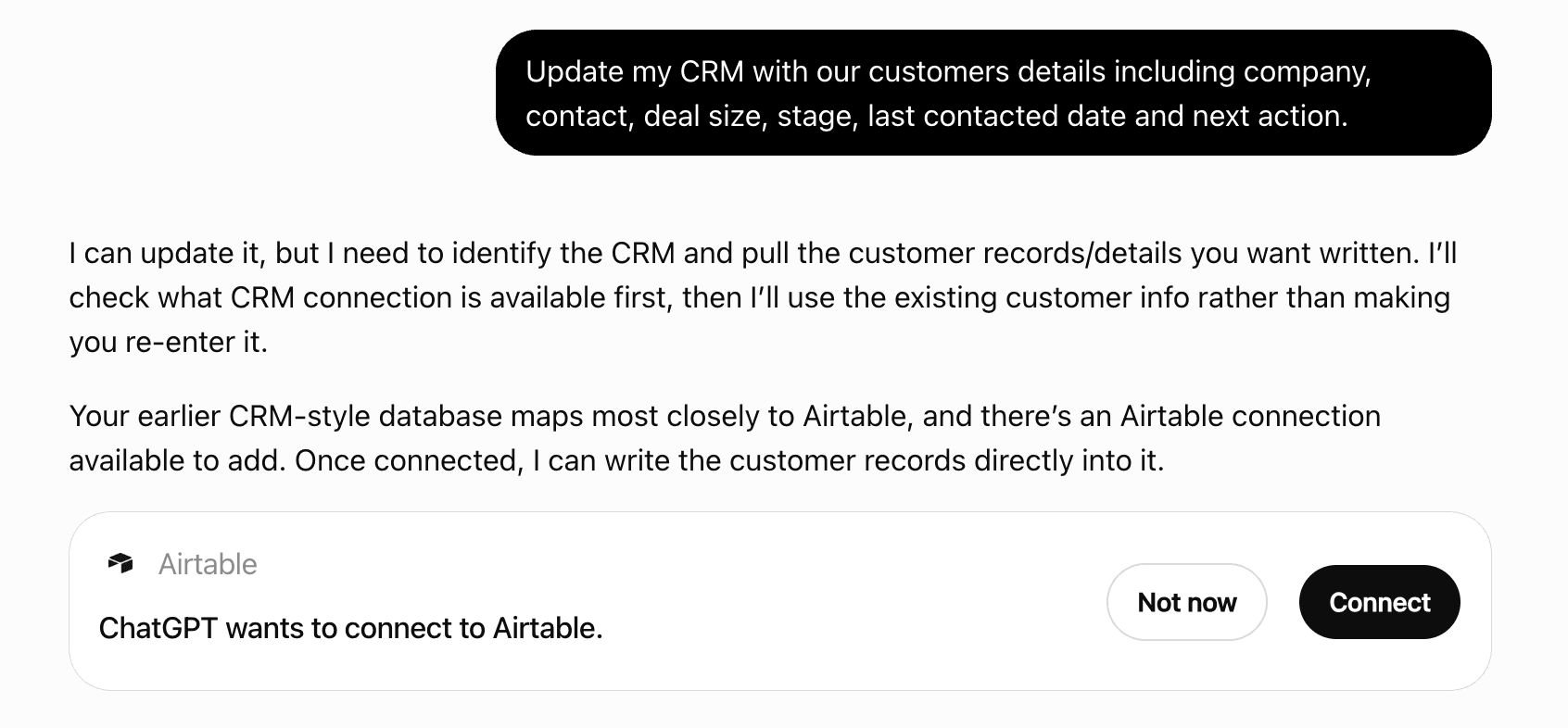
Get alerts for DocsBot
Get updates when DocsBot’s Discoverability Score or category rank changes.
Competitive lineup
104 tools agents can invoke
Accept, deny, or retry an invite Accepts or denies the authenticated user invite, or lets a team owner resend an invite email. Accept requires the authenticated email to match the invite. Deny deletes the invite. Retry requires the caller to be owner of the target team. MCP omits credential values/placeholders, partial credential suffixes and internal provider endpoints from workspace responses. Membership responses omit avatars; role and configured/status fields remain available. Requires: Requires access to the target team via existing RBAC.. Effect: write. DocsBot Admin API documentation: https://docsbot.ai/documentation/developer/admin-api-overview.
respond_to_team_invite
Analyze a website before creating a bot Validates a public business website URL, performs a short crawl/extract pass, uploads a screenshot when available, and returns suggested bot configuration data. Requires: canUserCreateDeleteBot for the team. Effect: write. DocsBot Admin API documentation: https://docsbot.ai/documentation/developer/admin-api-overview.
analyze_website_for_bot
Assign Twilio phone numbers to a bot Requires team admin or owner permission and the Standard plan or higher. Provisions the selected owned voice-capable numbers and adds them to the bot voice routes. MCP omits credential values/placeholders, partial credential suffixes and internal provider endpoints from workspace responses. Membership responses omit avatars; role and configured/status fields remain available. Requires: Requires team admin or owner permission via existing RBAC.. Effect: integration. DocsBot Admin API documentation: https://docsbot.ai/documentation/developer/admin-api-overview.
assign_twilio_numbers
Browse skills from other accessible bots Without source parameters, lists other viewable bots across the user’s member teams. With sourceTeamId and sourceBotId, lists that bot’s skill names and descriptions without settings or credentials. Requires: canUserManageBotSettings on destination; live team membership and canUserViewBot on source. Effect: read. DocsBot Admin API documentation: https://docsbot.ai/documentation/developer/admin-api-overview.
list_importable_skills
Build a Slack OAuth authorization URL Creates a PKCE verifier/state for Slack workspace install, replaces any pending Slack authorization state, and returns the Slack authorization URL. The caller must send the user to the returned URL to complete the OAuth callback outside Admin MCP. Requires: canUserModifyTeam or super admin. Effect: integration. DocsBot Admin API documentation: https://docsbot.ai/documentation/developer/admin-api-overview.
get_slack_authorization_url
Cancel and soft-delete a research job Cancel one research job identified by teamId, botId, and jobId. Requires edit permission on that bot. Sends a cancellation request to the first-party DocsBot research API, then marks only that research job as deleted with a cancellation timestamp, hiding it from the job list. The stored job document is retained; the bot and its training sources are unchanged. Success confirms the local soft delete, not that the remote task stopped: remote cancellation failures do not prevent the local update. Read the job with get_research_job before cancellation; after an uncertain result, check its status before retrying. Requires: Requires bot editor permission via existing RBAC.. Effect: delete. DocsBot Admin API documentation: https://docsbot.ai/documentation/developer/admin-api-overview.
cancel_research_job
Change a team member role or transfer ownership Changes a team member role or transfers ownership. Role changes cannot target the caller, cannot change the owner, and require the member to already belong to the team. Ownership transfer requires transferOwnership true and makes the previous owner an admin while removing per-bot overrides for both users. MCP omits credential values/placeholders, partial credential suffixes and internal provider endpoints from workspace responses. Membership responses omit avatars; role and configured/status fields remain available. Requires: Requires team admin or owner permission or super admin for role changes; ownership transfer requires the current owner or super admin.. Effect: write. DocsBot Admin API documentation: https://docsbot.ai/documentation/developer/admin-api-overview.
change_team_member_role
Clear a team-level API error flag Clears the last team error through the backend API helper. Intended for team admins/owners or super admins after the underlying issue has been resolved. Requires: canUserModifyTeam or super admin. Effect: write. DocsBot Admin API documentation: https://docsbot.ai/documentation/developer/admin-api-overview.
clear_team_error
Configure Help Scout routing and response behavior Updates Help Scout tag/mailbox bot assignments and response behavior flags on the existing Help Scout integration. MCP omits credential values/placeholders, partial credential suffixes and internal provider endpoints from workspace responses. Membership responses omit avatars; role and configured/status fields remain available. Requires: canUserModifyTeam or super admin; Standard/Pro integration plan gate applies. Effect: integration. DocsBot Admin API documentation: https://docsbot.ai/documentation/developer/admin-api-overview.
configure_helpscout_integration
Configure or enable a published skill Updates only non-secret operational runtime settings for a published skill: enabledWidget and existing env binding values. Secret bindings, package files, manifests, general enabled state, and undeclared binding edits are not accepted through Admin MCP. Secret bindings are rejected with a direct dashboard handoff to https://docsbot.ai/app/bots/{botId}/configure/skills/{skillId}. Requires: canUserManageBotSettings; skill must already be published. Effect: write. DocsBot Admin API documentation: https://docsbot.ai/documentation/developer/admin-api-overview.
configure_published_skill
Copy a skill between authorized bots Copies one skill from a different authorized source bot into the destination bot, either within the same workspace or across workspaces the caller can access. Destination teamId/botId select where to create the copy; sourceTeamId/sourceBotId/sourceSkillId select the existing source. Use list_importable_skills to discover source IDs; no personal profile identifiers or credentials are requested. Copies a published source package into both draft and published storage; unpublished skills copy into draft storage only. Copies are independent and disabled. Clears saved settings, secrets, and runtime history. Conflicting IDs get numbered names without overwriting existing skills. Published copies can be configured and enabled without republishing; draft-only copies must be published first. MCP returns only the new copied skill resource IDs, names, status, enablement flags and publication timestamp; internal storage paths, configuration, credentials and diagnostics are omitted. Use get_skill_settings to inspect copied configuration. Requires: canUserManageBotSettings and Standard plan or higher on destination; live team membership and canUserViewBot on source. Effect: write. DocsBot Admin API documentation: https://docsbot.ai/documentation/developer/admin-api-overview.
copy_skill_from_bot
Count bot sources by status Returns source counts grouped by status for dashboard summaries and ingest monitoring. Requires: Requires bot view permission via existing RBAC.. Effect: read. DocsBot Admin API documentation: https://docsbot.ai/documentation/developer/admin-api-overview.
count_sources
Count indexed source retriever tags Returns counts for configured retriever tags on the bot, useful before filtering source lists or search by tag. Requires: Requires bot view permission via existing RBAC.. Effect: read. DocsBot Admin API documentation: https://docsbot.ai/documentation/developer/admin-api-overview.
count_source_tags
Create a bot in a team Creates a pending bot, increments team botCount in a transaction, creates vector storage when vectorDatabase is weaviate, optionally queues an async copy from another bot, applies best-effort brand enrichment from brandSource/siteURL/brandAnalysis, clears Cloudflare cache, and returns the created bot. When theme is omitted, new bots are saved with theme=auto. For business bots created through Admin MCP, include brandSource.siteURL whenever a public website is known, or brandSource.analysis when reusing a prior analysis response. Omit brandSource only when no public website or reusable brand analysis is available. Requires: Requires bot creation or deletion permission via existing RBAC.. Effect: write. DocsBot Admin API documentation: https://docsbot.ai/documentation/developer/admin-api-overview.
create_bot
Create a bot webhook Creates an outgoing webhook for one or more events. The target URL is normalized and validated; unsupported events and invalid expiration dates are rejected. Requires: Requires an authenticated DocsBot dashboard session for the requested team. The handler preserves existing team and bot RBAC; the Admin MCP token only identifies the dashboard user. Webhook operations require canUserManageIntegrations for the bot. Team integration connect/configure routes require canUserModifyTeam or canUserManageIntegrations as noted.. Effect: integration. DocsBot Admin API documentation: https://docsbot.ai/documentation/developer/admin-api-overview.
create_webhook
Create a signed upload URL for a bot widget image Returns a 30 minute, write-only Google Cloud Storage signed URL for a widget branding image plus the dashboard-style storage path and public CDN URL to save into bot logo, icon, or botIcon. This is for bot appearance assets, not knowledge source files. Requires: Requires bot settings manager via existing RBAC.. Effect: read. DocsBot Admin API documentation: https://docsbot.ai/documentation/developer/admin-api-overview.
create_bot_image_upload_url
Create a signed upload URL for a source file Returns a 30 minute, write-only Google Cloud Storage signed URL plus the pending storage path to pass as file when creating a file-backed source. This route only signs an upload target; the MCP execute tool does not stream local bytes to that signed URL. Requires: Requires source modification permission via existing RBAC.. Effect: read. DocsBot Admin API documentation: https://docsbot.ai/documentation/developer/admin-api-overview.
create_source_upload_url
Create a team for the delegated user Creates a new Firestore team owned by the current user, sets users/{uid}.currentTeam to the new team, and returns the created team with its resolved plan. If name is omitted, the API derives a unique "<user name or email prefix>'s Team" name. MCP omits credential values/placeholders, partial credential suffixes and internal provider endpoints from workspace responses. Membership responses omit avatars; role and configured/status fields remain available. Requires: Requires authenticated DocsBot delegated user access.. Effect: write. DocsBot Admin API documentation: https://docsbot.ai/documentation/developer/admin-api-overview.
create_team
Create and queue ingestion for a bot knowledge source Add training content to the single bot identified by teamId and botId; requires source-modification permission and applicable plan limits. Creates a source record, moves supplied pending uploads into that source folder, updates source counts, and queues asynchronous ingestion. Depending on source type, ingestion fetches the supplied website or URL, processes uploaded files, or syncs the selected connected external provider. A qa request can merge FAQs into the existing Q&A source and queue its reingestion instead of creating a second source. The response acknowledges creation or merging, not completed indexing. Inspect existing sources first and check the returned source status before retrying an uncertain request. Provider credentials are entered in the dashboard, not accepted by this tool. MCP omits internal storage paths and provider linkage from the returned source record. Source IDs, content details, status and diagnostics remain available; ingestion inputs are unchanged. Requires: Requires source modification permission via existing RBAC.. Effect: write. DocsBot Admin API documentation: https://docsbot.ai/documentation/developer/admin-api-overview.
create_source
Delete a bot Deletes the selected bot and its stored data, revokes its CRM connections, removes Truto integrated accounts, cleans its vector namespace or tenant, and clears Cloudflare cache. Some external cleanup is best effort; success does not guarantee every external resource was removed. Research jobs use their dedicated cancellation route. Requires: Requires bot creation or deletion permission via existing RBAC.. Effect: delete. DocsBot Admin API documentation: https://docsbot.ai/documentation/developer/admin-api-overview.
delete_bot
Delete a bot webhook Removes one webhook from the bot configuration. Requires: Requires an authenticated DocsBot dashboard session for the requested team. The handler preserves existing team and bot RBAC; the Admin MCP token only identifies the dashboard user. Webhook operations require canUserManageIntegrations for the bot. Team integration connect/configure routes require canUserModifyTeam or canUserManageIntegrations as noted.. Effect: integration. DocsBot Admin API documentation: https://docsbot.ai/documentation/developer/admin-api-overview.
delete_webhook
Delete a knowledge source Deletes a ready or failed source and clears matching team lastError. Queues vector cleanup, deletes source storage files and, for connector-backed sources, attempts to delete the external Truto integrated account. External cleanup may be best effort. Sources that are still pending or indexing must finish before deletion. Requires: Requires source modification permission via existing RBAC.. Effect: delete. DocsBot Admin API documentation: https://docsbot.ai/documentation/developer/admin-api-overview.
delete_source
Delete one conversation Hard-deletes a conversation document from the bot conversations collection. Requires: Requires bot editor permission via existing RBAC.. Effect: delete. DocsBot Admin API documentation: https://docsbot.ai/documentation/developer/admin-api-overview.
delete_conversation
Delete one lead Hard-deletes a lead document from the bot leads collection. Requires: Requires bot editor permission via existing RBAC.. Effect: delete. DocsBot Admin API documentation: https://docsbot.ai/documentation/developer/admin-api-overview.
delete_lead
Disconnect OAuth for an external MCP server Deletes DocsBot stored OAuth registration and token state for the normalized external MCP server URL. It does not revoke the client registration at the upstream authorization server. Requires: Requires an authenticated DocsBot dashboard session for the requested team. The handler preserves existing team and bot RBAC; the Admin MCP token only identifies the dashboard user. Requires canUserManageBotSettings for the bot, except read endpoints that permit normal bot access.. Effect: integration. DocsBot Admin API documentation: https://docsbot.ai/documentation/developer/admin-api-overview.
disconnect_external_mcp_oauth
Disconnect one Slack workspace Removes a Slack workspace from the Slack integration document and from team.slackWorkspaceIds. MCP omits credential values/placeholders, partial credential suffixes and internal provider endpoints from workspace responses. Membership responses omit avatars; role and configured/status fields remain available. Requires: canUserModifyTeam or super admin. Effect: integration. DocsBot Admin API documentation: https://docsbot.ai/documentation/developer/admin-api-overview.
disconnect_slack_workspace
Disconnect the Twilio voice account Requires team admin or owner permission. Removes stored Twilio connection credentials. The request fails while any phone numbers remain assigned. MCP omits credential values/placeholders, partial credential suffixes and internal provider endpoints from workspace responses. Membership responses omit avatars; role and configured/status fields remain available. Requires: Requires team admin or owner permission via existing RBAC.. Effect: integration. DocsBot Admin API documentation: https://docsbot.ai/documentation/developer/admin-api-overview.
disconnect_twilio_account
Discover tools on an external MCP server Validates the outbound MCP server URL, uses saved custom headers and OAuth tokens for the matching bot MCP server, refreshes expired OAuth tokens when possible, probes OAuth metadata when auth is needed, then runs MCP initialize/tools-list discovery. Requires: Requires an authenticated DocsBot dashboard session for the requested team. The handler preserves existing team and bot RBAC; the Admin MCP token only identifies the dashboard user. Requires canUserManageBotSettings for the bot, except read endpoints that permit normal bot access.. Effect: integration. DocsBot Admin API documentation: https://docsbot.ai/documentation/developer/admin-api-overview.
discover_external_mcp_tools
Draft a title for a batch of uploaded source files Generates a concise title from uploaded file names and existing source titles. One file or missing OpenAI configuration returns a deterministic fallback title. Requires: Requires source modification permission via existing RBAC.. Effect: read. DocsBot Admin API documentation: https://docsbot.ai/documentation/developer/admin-api-overview.
draft_source_title
Draft an improved bot prompt Uses OpenAI to generate a system prompt from an input task or existing prompt. activeTab=agent uses the agent-specific meta prompt that emphasizes search_documentation. This does not persist the generated prompt. Requires: Requires bot editor permission via existing RBAC.. Effect: read. DocsBot Admin API documentation: https://docsbot.ai/documentation/developer/admin-api-overview.
draft_bot_prompt
Draft custom CTA button action metadata Uses OpenAI to draft custom button action fields from a natural language description. It validates plan access and action slot availability, but only returns draft metadata; it does not save the button. Requires: Requires bot settings manager via existing RBAC.. Effect: read. DocsBot Admin API documentation: https://docsbot.ai/documentation/developer/admin-api-overview.
draft_custom_button
Draft remote MCP server metadata Uses OpenAI and low-context web search to draft an internal serverLabel and serverDescription for a remote HTTPS MCP server. enabledTools can constrain the generated description. It validates plan access and action slot availability, but does not save the connector. Requires: Requires bot settings manager via existing RBAC.. Effect: integration. DocsBot Admin API documentation: https://docsbot.ai/documentation/developer/admin-api-overview.
draft_mcp_server
Export a Q&A source to CSV Builds a CSV from a qa source faqs array, stores a unique, create-only download in the user export folder, and returns a 7 day signed URL with a friendly filename. Source records and earlier downloads are unchanged. Requires: Requires bot view permission via existing RBAC.. Effect: read. DocsBot Admin API documentation: https://docsbot.ai/documentation/developer/admin-api-overview.
export_qa_source
Export a bot question log as CSV Reads bot question history for a required date range, applies optional filters, and returns a CSV download URL that expires after seven days. The temporary download uses a unique, create-only storage object and a friendly download filename; repeated exports do not replace earlier files or modify question records. Requires: canUserExportBotLogs and Personal plan or higher. Effect: read. DocsBot Admin API documentation: https://docsbot.ai/documentation/developer/admin-api-overview.
export_question_log
Export bot leads to CSV Reads leads in a required date range and returns a CSV download URL that expires after seven days. The temporary download uses a unique, create-only storage object and a friendly download filename; repeated exports do not replace earlier files or modify lead records. Metadata keys become CSV columns; name and email are ordered first when present. Requires: Requires bot log export permission via existing RBAC.. Effect: write. DocsBot Admin API documentation: https://docsbot.ai/documentation/developer/admin-api-overview.
export_leads
Get a bot monthly report Lists available report month document IDs and returns the requested report. If month is missing or unavailable, the route falls back to the first available report ID returned by Firestore. Requires: Requires bot view permission via existing RBAC.. Effect: read. DocsBot Admin API documentation: https://docsbot.ai/documentation/developer/admin-api-overview.
get_monthly_report
Get a bot retrieval OpenAPI document Returns a generated OpenAPI 3.1 document for the bot retrieval search endpoint on api.docsbot.ai. The schema includes retriever tag enum fields when the bot has retrieverTags. Private bots include bearerAuth security scheme metadata. Requires: Requires access to the target team via existing RBAC.. Effect: read. DocsBot Admin API documentation: https://docsbot.ai/documentation/developer/admin-api-overview.
get_bot_retrieval_openapi
Get a signed download URL for a source file Returns a 7 day signed URL for a downloadable source. For urls sources with indexedUrls but no stored file, this route generates a unique, create-only indexed-urls.csv download. It does not change the source record or replace an existing file. Requires: Requires bot view permission via existing RBAC.. Effect: read. DocsBot Admin API documentation: https://docsbot.ai/documentation/developer/admin-api-overview.
get_source_download_url
Get a signed download URL for one file in a multi-file source Resolves an existing file by name within a multi-file source and returns a 7 day signed URL plus the resolved filename. Requires: Requires bot view permission via existing RBAC.. Effect: read. DocsBot Admin API documentation: https://docsbot.ai/documentation/developer/admin-api-overview.
get_source_file_download_url
Get bot aggregate stats Returns aggregate bot stats either for a timeDelta window or for a startDate/endDate range. Date ranges are clamped to at most 365 days; invalid or missing timeDelta defaults to 30 days. Requires: Requires bot view permission via existing RBAC.. Effect: read. DocsBot Admin API documentation: https://docsbot.ai/documentation/developer/admin-api-overview.
get_bot_stats
Get bot settings Returns sanitized bot settings after bot-level view permission checks. Use the dedicated research list and job tools for research jobs. Requires: Requires bot view permission via existing RBAC.. Effect: read. DocsBot Admin API documentation: https://docsbot.ai/documentation/developer/admin-api-overview.
get_bot
Get direct SIP routing for a bot Requires access to the target team and bot. Returns the direct SIP destinations plus Twilio-managed phone routes without changing configuration. Requires: Requires bot view permission via existing RBAC.. Effect: read. DocsBot Admin API documentation: https://docsbot.ai/documentation/developer/admin-api-overview.
get_sip_routing
Get one bot webhook Returns one normalized outgoing webhook by id. Requires: Requires an authenticated DocsBot dashboard session for the requested team. The handler preserves existing team and bot RBAC; the Admin MCP token only identifies the dashboard user. Webhook operations require canUserManageIntegrations for the bot. Team integration connect/configure routes require canUserModifyTeam or canUserManageIntegrations as noted.. Effect: integration. DocsBot Admin API documentation: https://docsbot.ai/documentation/developer/admin-api-overview.
get_webhook
Get one conversation transcript Fetches a single conversation document after verifying team access, bot existence, and bot-level view permission. MCP omits known structured visitor identifiers and contact details; custom metadata is limited to bounded topic/language/sentiment labels and debug objects to numeric timing/token counts; requested transcript and source text can still contain personal information. Requires: Requires bot view permission via existing RBAC.. Effect: read. DocsBot Admin API documentation: https://docsbot.ai/documentation/developer/admin-api-overview.
get_conversation
Get one knowledge source Fetches one source. Truto-backed sources may include trutoSelected if the route can load the selected connector files. MCP omits internal storage paths and provider linkage from the returned source record. Source IDs, content details, status and diagnostics remain available; ingestion inputs are unchanged. Requires: Requires bot view permission via existing RBAC.. Effect: read. DocsBot Admin API documentation: https://docsbot.ai/documentation/developer/admin-api-overview.
get_source
Get one research job Fetches one research job and normalizes createdAt, completedAt, and cancelledAt/deletedAt timestamp fields when possible. Requires: Requires bot view permission via existing RBAC.. Effect: read. DocsBot Admin API documentation: https://docsbot.ai/documentation/developer/admin-api-overview.
get_research_job
Get sanitized team settings Returns one team after userTeamCheck, removes keys whose names start with "stripe", and adds the resolved plan object. MCP omits credential values/placeholders, partial credential suffixes and internal provider endpoints from workspace responses. Membership responses omit avatars; role and configured/status fields remain available. Requires: Requires access to the target team via existing RBAC.. Effect: read. DocsBot Admin API documentation: https://docsbot.ai/documentation/developer/admin-api-overview.
get_team
Get the advertised schema and metadata for one fixed public DocsBot Admin tool name.
get_tool_schema
Import a library skill into a bot Copies the library package into the target bot draft and published package storage and creates a new skill record with status=draft. The imported skill starts disabled for the bot, widget and voice; copying the published package does not enable execution. Requires Standard plan or higher. MCP returns resource IDs, display/state summaries and copy counts only; publisher identity, original team/bot and storage paths, credentials and raw diagnostics are omitted. Use get_skill_settings to inspect the imported skill configuration. Requires: canUserManageBotSettings; Standard plan or higher. Effect: write. DocsBot Admin API documentation: https://docsbot.ai/documentation/developer/admin-api-overview.
import_library_skill
Inspect skill draft and published packages Reads supported package files from R2 for the draft package and, when publishedAt is set, the published/current package. Only SKILL.md, package.json, bundle output, scripts, references, and assets are returned. Requires: Requires an authenticated DocsBot dashboard session for the requested team. The handler preserves existing team and bot RBAC; the Admin MCP token only identifies the dashboard user.. Effect: read. DocsBot Admin API documentation: https://docsbot.ai/documentation/developer/admin-api-overview.
get_skill_package
 Recommended guideHow to get your ChatGPT Plugin suggestedFollow the practical steps agents use to find, shortlist, and choose your Plugin.Read guide
DocsBot ChatGPT Plugin FAQ
How the directory, categories and Discoverability Score work.
Read the methodologyHow do I improve DocsBot's ChatGPT Plugin discoverability?
The levers are the listing surface agents actually read: names, descriptions, keywords, tool metadata, and registry health. Which lever matters depends on where discovery breaks, which is what continuous measurement shows.
Where is this profile measured?
This profile uses the geography attached to the latest public registry snapshot: US. Locale tags are intentionally omitted.