
- Brand
- Unknown
- Category
- Pending
- Primary Subcategory
- Pending
Integration details
Description
Giant Context is a platform for running a website and the work around it — pages and posts, a knowledge base, developer documentation, email, forms, files, contacts and audience segments, all under one organization. Once you sign in, you can ask for the content and records you already have: draft and publish a page, find the posts that mention a topic, read a form's submissions, look up a company and the people at it, build a segment, prepare an email, or change a site's settings. Writes go through the same permissions your account already has, so it can do what you can do and nothing more.
- Integration type
- Plugin
- Verification status
- Not applicable
- Platform
- ChatGPT
- Category
- Pending
- Primary Subcategory
- Pending
- Secondary Subcategories
- None listed
- Brand
- Unknown
- Access
- Account required
- First tracked
- 2026-10-31
- Tool count
- 254
- Market
- US
The broad Category that contains the Primary Subcategory.
The Primary Subcategory used for this profile’s headline score.
Other Subcategories where the Integration is listed.
 Agent Discoverability
 ChatGPT Plugin Discovery Score
Your score is coming
ChatGPT now suggests Plugins on its own when they match a user's request.Your Plugin Discovery Score measures how often yours appears, and it will show here as soon as it’s ready.
What discovery looks like
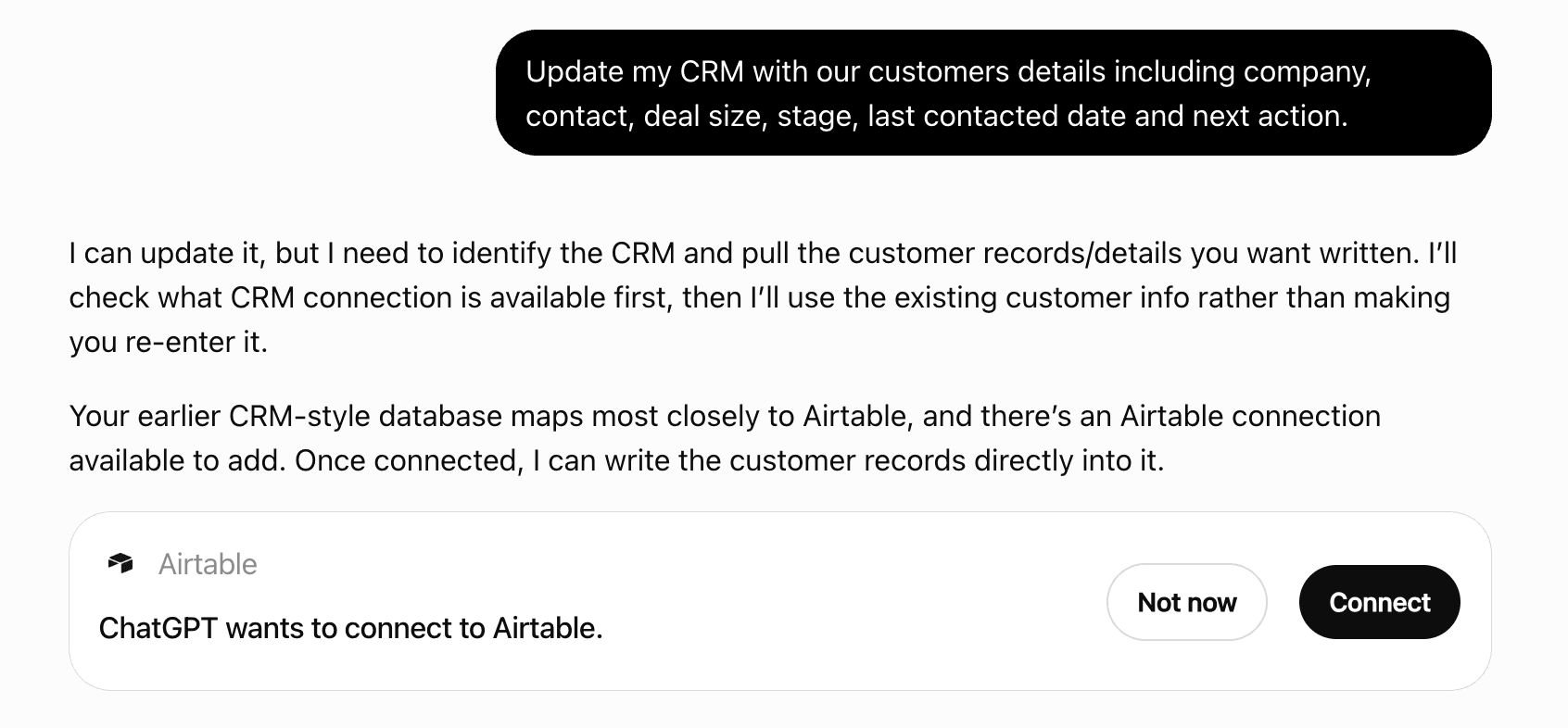
Get alerts for Giant Context
Get updates when Giant Context’s Discoverability Score or category rank changes.
Competitive lineup
254 tools agents can invoke
The activity of everyone at a company, merged into one list, newest first. Because this is the people's own activity viewed through their employer, it needs permission to read people across the project as well as access to the company — access to the CRM app alone is not enough and the call is refused. Required Giant Context Permission: people.edges.list.
listCrmCompanyTimeline
Everything one person has done across the whole project, newest first: pages read, forms submitted, chats held, emails received. Their anonymous browsing is included — activity recorded before the person was identified is joined to them once they are, so the history does not start at the moment they gave their name. Each entry carries a plain-language description of what happened and, where there is something to count, the numbers behind it. Erasing a person empties this view without deleting the underlying activity. Erasing the person empties this list without deleting any of the stored activity behind it. Required Giant Context Permission: people.edges.list.
listPersonTimeline
Accepts an AI-generated content draft, promoting all draft items to real content. The draft must be in 'ready' status. The only post-accept action is 'publish', which puts every promoted item live immediately. Omit it to accept without publishing. Required Giant Context Permission: resourcemanager.projects.get, and the update permission for the content type of every item in draftId.
acceptDraft
Adds a manual URL redirect for this developers app: requests to fromPath 301 (or 308) to toPath. fromPath must be unique within the app. Required Giant Context Permission: developers.redirects.create.
createDevelopersRedirect
Adds a manual URL redirect for this knowledge base app: requests to fromPath 301 (or 308) to toPath. fromPath must be unique within the app. Required Giant Context Permission: kb.redirects.create.
createKbRedirect
Adds a manual URL redirect for this website app: requests to fromPath 301 (or 308) to toPath. fromPath must be unique within the app. Required Giant Context Permission: website.redirects.create.
createWebsiteRedirect
Approve an idea, which sets its status to 'approved'. Email sends and focused email edits enqueue durable materialization contracts; another content type generates a draft automatically when its type has draft enabled in aiEntityConfig. The idea must be in 'pending' status. Required Giant Context Permission: resourcemanager.projects.get, mind.ideas.update.
approveIdea
Approves a ready Mind plan and starts draft generation from the plan's canonical draft prompt. The plan must be in 'ready' status. Required Giant Context Permission: resourcemanager.projects.get, mind.plans.update.
approvePlan
The human half of the two-gate design: Mind compiled the description into a tree, the console showed the tree and its live preview, and this records that a person looked and said yes. An uncompiled or error-state segment cannot be approved, and any later description edit clears the approval again. Required Giant Context Permission: people.segments.update.
approveSegment
Hides an accepted draft from the default list without deleting it. Archived drafts are preserved as a record of what was proposed and what was decided. Only accepted or partially_accepted drafts can be archived. Required Giant Context Permission: resourcemanager.projects.get, mind.drafts.update.
archiveDraft
Submits a content item's public URL to the search engines that accept instant-indexing submissions, and nudges the rest to re-fetch the sitemap. Publishing or editing content already submits automatically. A separate submission matters when the page was edited outside the platform's knowledge, when a domain was verified after the content went live, or when an earlier submission failed. Only web-facing content has a URL to submit: pages, posts, KB articles, developer docs and the landings. Headers, footers, layouts and forms are not submittable because they have no URL of their own, even though editing one changes what a page renders. Drafts are not submitted either. Submissions coalesce: repeated calls for the same URL inside a five-minute window collapse into one. A response of submitted: false is not an error — it means the item has no public URL to submit, most often because it is a draft or the project has no verified custom domain. Required Giant Context Permission: resourcemanager.projects.get, and the update permission for the content type named in contentType, checked against the app that owns contentId.
submitContentToSearchEngines
Cancels a draft whose status is still 'pending'. The background AI task will discard its results when it completes. Any materialized draft items are cleaned up. Required Giant Context Permission: resourcemanager.projects.get, mind.drafts.update.
cancelDraft
Merges the given keys into the app's settings, validating them against the app's own declared schema — an unknown key or a wrong type is a 400 naming the offending key, not a silent write. These are app-level settings — the forms notification address, chat escalation routing, the website's default page shell — and not the settings on an individual page, form or email. Only the keys sent are changed; omitted keys keep their value. Send a key as null to clear it. Required Giant Context Permission: resourcemanager.projects.update.
updateAppSettings
Returns how many submissions this form refused in the last windowDays (default 30), grouped by reason, with the most recent occurrence of each. Reasons are 'honeypot' for a trap trip, which is the free always-on trap, and 'captcha:<verdict>' for a refusal by the paid widget. This is the evidence the captcha setting rests on: the product deliberately leaves the decision to a person looking at their own numbers rather than enabling a captcha at some invented spam threshold, so a form with no honeypot trips does not need one. A GET rather than a list — it returns counts, not rows, and the refused payloads are deliberately never stored. Required Giant Context Permission: forms.definitions.get.
getFormBlockedSubmissions
Creates a new blog post. name and slug are both required: name is the title, and the slug is the URL segment, which must be unique within the app or the call fails with a 409. status defaults to draft. featuredImageUrl takes a file reference (file:{uuid}) rather than a resolved URL, which keeps the image tracked as in-use so it cannot be deleted out from under the post, and publishDate is what the blog orders by. layoutId, headerId and footerId bind the shell the post renders inside, and omitting them inherits the app default. Content blocks, excerpt, tags, author name, featured image, publish date and SEO metadata are all optional here. Required Giant Context Permission: website.posts.create.
createWebsitePost
Creates a new knowledge base category in the specified app. name and slug are both required, and the slug is the URL segment: it must be unique within the app or the call fails with a 409. parentId nests the category under another, order sets its position among siblings and is assigned automatically when absent, and icon and description are display only. Categories are used to organize articles within the knowledge base. Required Giant Context Permission: kb.categories.create.
createKbCategory
Creates a new developer docs category in the specified app. name and slug are both required, and the slug is the URL segment: it must be unique within the app or the call fails with a 409. parentId nests the category under another, order sets its position among siblings and is assigned automatically when absent, and icon and description are display only. Categories are used to organize articles within the developer docs. Required Giant Context Permission: developers.categories.create.
createDevelopersDocCategory
Creates a new developer doc in the specified app. name and slug are both required, and the slug is the URL segment: it must be unique within the app or the call fails with a 409. categoryIds files the doc under one or more categories and order sets its position within them; display order is assigned automatically when order is absent. status defaults to 'draft' while isListed defaults to true. A doc created as 'published' with content is also ingested into the AI developer docs for search and retrieval, so publishing is more than a visibility change. Required Giant Context Permission: developers.docs.create.
createDevelopersDoc
Creates a new folder in the project file manager for organizing uploaded files. Folders can be nested by specifying a parentId. The folder name must be unique within its parent directory. Required Giant Context Permission: files.objects.update.
createFileFolder
Creates a new email footer with content blocks for branding, unsubscribe links, and legal text. A footer is the usual home for the unsubscribe link and legal text a send requires. The email palette is its own set — emailHeading, emailText, emailButton, emailImage, emailLogo, emailSocialIcons and the like — and a website block is rejected for this content type. Required Giant Context Permission: email.footers.create.
createEmailFooter
Creates a new email header with content blocks for branding and navigation. A header is shared across emails rather than built per send. The email palette is its own set — emailHeading, emailText, emailButton, emailImage, emailLogo, emailSocialIcons and the like — and a website block is rejected for this content type. Required Giant Context Permission: email.headers.create.
createEmailHeader
Creates a new page layout for this website app. A layout pairs a header with a footer (headerId, footerId) so pages and posts can share one shell, applied by setting layoutId on the page or post. Required Giant Context Permission: website.layouts.create.
createWebsiteLayout
Creates a new draft legal document for the project with auto-incremented version per (project, type). type is one of tos, privacy, aup, cookie or custom. Content is a record keyed by locale code, and every locale the project has enabled must hold non-empty content before the document can be published. A published legal document can never be edited or deleted, because the record of who accepted it points at that exact row. Required Giant Context Permission: legal.documents.update.
createProjectLegalDocument
Creates a new website page. name and slug are both required: name is the page title, and the slug is the URL segment, which must be unique within the app or the call fails with a 409. layoutId attaches a layout, which is how a page gets a header and footer. Content blocks, SEO metadata, and header, footer and sidebar references are optional. Required Giant Context Permission: website.pages.create.
createWebsitePage
Creates a new popup dialog for this website app. A dialog does not appear on its own: it opens from a button or link whose gcUrl is set to 'dialog:{dialogId}', using the id this call returns. maxWidth sizes it and includeClose adds a close control. Required Giant Context Permission: website.dialogs.create.
createWebsiteDialog
Creates a new footer component for this website app. Required Giant Context Permission: website.footers.create.
createWebsiteFooter
Creates a new header component for this website app. Required Giant Context Permission: website.headers.create.
createWebsiteHeader
Creates a new sidebar component for this website app. A sidebar is a shared component, created once and referenced rather than rebuilt per page. Required Giant Context Permission: website.sidebars.create.
createWebsiteSidebar
The description is the definition — the source of truth Mind compiles once (mind.segment.compile, a durable contract enqueued here) into a deterministic filter tree. The tree is then shown, previewed and explicitly approved before any consumer may read membership. Names are unique per project, case-insensitively, because segments are addressed by name in tenant prose. Required Giant Context Permission: people.segments.create.
createSegment
Creates a send row, planned or queued — the only two states a send can start in. Mind writes status='planned' rows that it reorders as new CRM activity lands. When Mind commits to firing, it transitions to status='queued' with scheduled_for set; a worker picks it up. The worker alone records 'sent' or 'failed', after it has actually tried, so neither can be asked for here. Required Giant Context Permission: email.sends.create.
createEmailSend
Creates a new knowledge base article in the specified app. name and slug are both required, and the slug is the URL segment: it must be unique within the app or the call fails with a 409. Display order is assigned automatically, categoryIds files the article under one or more categories, and order sets its position within them. featuredImageUrl takes a file reference (file:{uuid}) rather than a resolved URL, which keeps the image tracked as in-use so it cannot be deleted out from under the article. layoutId, headerId and footerId bind the shell it renders inside, and omitting them inherits the app default. status defaults to 'draft' while isListed defaults to true. If the article is created with 'published' status and has content, it is automatically ingested into the AI knowledge base for search and retrieval. Required Giant Context Permission: kb.articles.create.
createKbArticle
Creates a new CRM company. Requires name. Optionally include website, industry, size, annual revenue, phone, email, address, custom properties, and tags. Required Giant Context Permission: crm.companies.create.
createCrmCompany
Creates a new email. Requires a name. Optionally set subject line, trigger description, content blocks, header, and footer references. Required Giant Context Permission: email.messages.create.
createEmail
Creates an empty form in this Forms app from a name, an optional description and optional settings. A unique URL slug is generated from the name. The form has no fields yet and this call carries none: a form's fields are its structure rather than its description, so they are added afterwards. The created form is returned in full. Required Giant Context Permission: forms.definitions.create.
createForm
Creates a person in the project. Requires firstName and lastName. An email becomes a linked identifier (asserted — typing an address proves nothing about owning it), and email uniqueness is per project. Optionally file under a CRM company via companyId. Required Giant Context Permission: people.records.create.
createPerson
Soft-deletes a knowledge base article by moving it to the trash. Also removes the article from the AI knowledge base. Returns 404 if the article does not exist or is already deleted. Required Giant Context Permission: kb.articles.delete.
deleteKbArticle
Soft-deletes a knowledge base category by moving it to the trash. Returns 404 if the category does not exist or is already deleted. Required Giant Context Permission: kb.categories.delete.
deleteKbCategory
Removes a block from a content tree and records a version. Returns the removed block, plus columnRemoved or sectionRemoved when deleting the block emptied its container: an empty column is pruned (it renders a gap) and, when that empties the whole section, the section is pruned too (it paints an orphan background band). Non-destructive at the history level — the prior state is recoverable from version history. Required Giant Context Permission: resourcemanager.projects.get, and the update permission for the content type named in contentType, checked against the app that owns contentId.
deleteBlock
Soft-deletes a file from the project file manager by moving it to the file trash. The file can be restored from trash before it is permanently deleted. Also removes the file from cloud storage if permanently deleted later. Required Giant Context Permission: files.objects.update.
deleteFile
Soft-deletes a folder and all its contents (files and subfolders) by moving them to the file trash. The folder and its contents can be restored from trash before permanent deletion. Returns a count of deleted folders and files. Required Giant Context Permission: files.objects.update.
deleteFileFolder
Permanently deletes a draft. Only rejected, failed, or cancelled drafts can be deleted. Returns 409 if the draft is in any other status (pending, ready, accepted). Required Giant Context Permission: resourcemanager.projects.get, mind.drafts.delete.
deleteDraft
Removes a section (and its blocks) from a content tree and records a version. Returns the removed section. The prior state is recoverable from version history. Required Giant Context Permission: resourcemanager.projects.get, and the update permission for the content type named in contentType, checked against the app that owns contentId.
deleteSection
Removes the saved definition and its compilation. Membership is computed, never stored, so deletion touches no person and leaves nothing behind. Required Giant Context Permission: people.segments.delete.
deleteSegment
Soft-deletes a blog post by moving it to the project trash. Can be restored from trash later. Required Giant Context Permission: website.posts.delete.
deleteWebsitePost
Soft-deletes a developer doc by moving it to the trash. Also removes the article from the AI developer docs. Returns 404 if the article does not exist or is already deleted. Required Giant Context Permission: developers.docs.delete.
deleteDevelopersDoc
Soft-deletes a developer docs category by moving it to the trash. Returns 404 if the category does not exist or is already deleted. Required Giant Context Permission: developers.categories.delete.
deleteDevelopersDocCategory
Moves a website dialog to the project trash. It stops being served at once and can be restored from the trash afterwards, so this is recoverable rather than permanent. Required Giant Context Permission: website.dialogs.delete.
deleteWebsiteDialog
Soft-deletes an email by moving it to the project trash. Can be restored from trash later. Required Giant Context Permission: email.messages.delete.
deleteEmail
Moves an email footer to the project trash. It stops being served at once and can be restored from the trash afterwards, so this is recoverable rather than permanent. Required Giant Context Permission: email.footers.delete.
deleteEmailFooter
Moves an email header to the project trash. It stops being served at once and can be restored from the trash afterwards, so this is recoverable rather than permanent. Required Giant Context Permission: email.headers.delete.
deleteEmailHeader
 Recommended guideHow to get your ChatGPT Plugin suggestedFollow the practical steps agents use to find, shortlist, and choose your Plugin.Read guide
Giant Context ChatGPT Plugin FAQ
How the directory, categories and Discoverability Score work.
Read the methodologyHow do I improve Giant Context's ChatGPT Plugin discoverability?
The levers are the listing surface agents actually read: names, descriptions, keywords, tool metadata, and registry health. Which lever matters depends on where discovery breaks, which is what continuous measurement shows.
Where is this profile measured?
This profile uses the geography attached to the latest public registry snapshot: US. Locale tags are intentionally omitted.