
- Brand
- Unknown
- Category
- Pending
- Primary Subcategory
- Pending
Integration details
Description
Migma designs branded transactional and marketing emails, reviews existing designs, checks compatibility and deliverability, manages contacts and campaigns, exports finished work, and sends with your approval.
- Integration type
- Plugin
- Verification status
- Not applicable
- Platform
- ChatGPT
- Category
- Pending
- Primary Subcategory
- Pending
- Secondary Subcategories
- None listed
- Brand
- Unknown
- Access
- Account required
- First tracked
- 2026-10-22
- Tool count
- 72
- Geography
- US
The broad Category that contains the Primary Subcategory.
The Primary Subcategory used for this profile’s headline score.
Other Subcategories where the Integration is listed.
 Agent Discoverability
 ChatGPT Plugin Discovery Score
Your score is coming
ChatGPT now suggests Plugins on its own when they match a user's request.Your Plugin Discovery Score measures how often yours appears, and it will show here as soon as it’s ready.
What discovery looks like
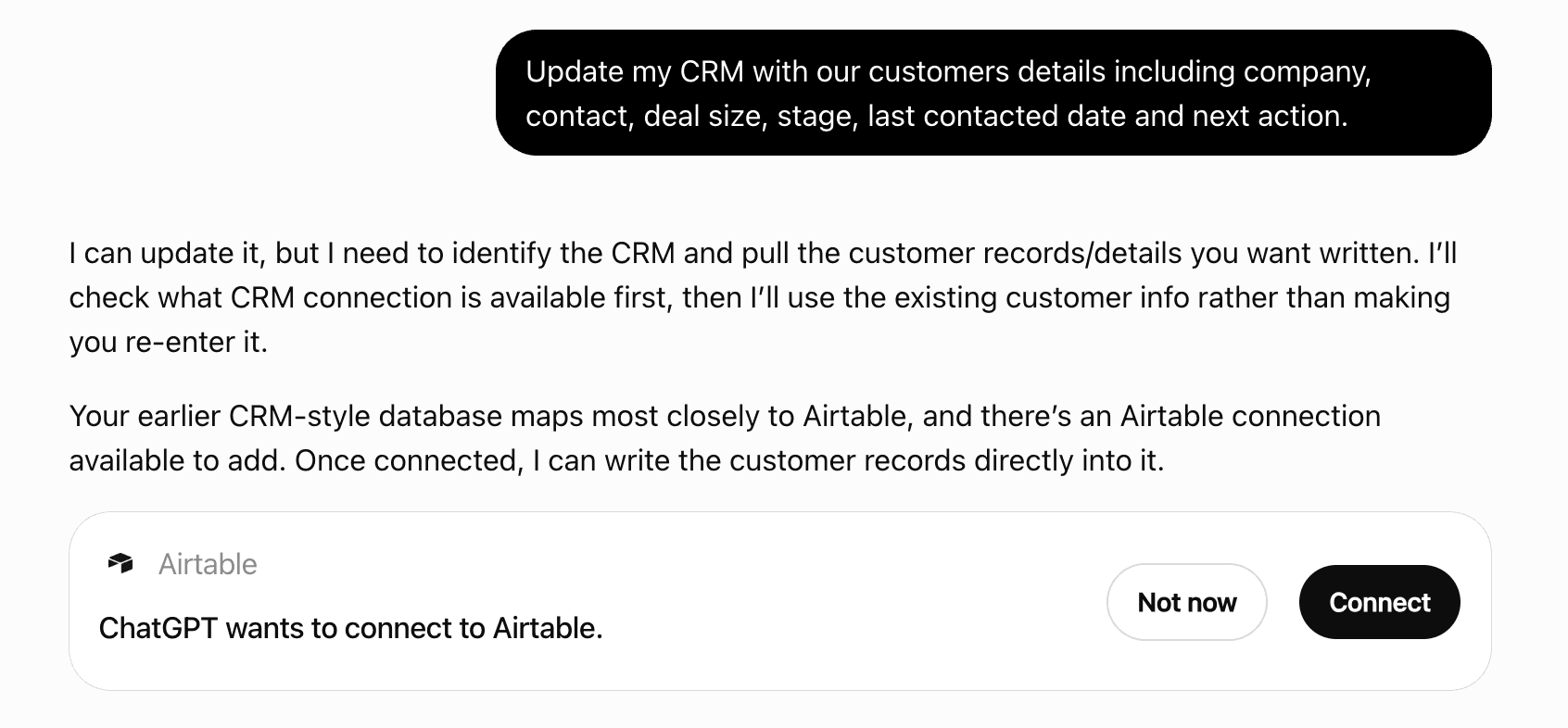
Get alerts for Migma
Get updates when Migma’s Discoverability Score or category rank changes.
Competitive lineup
72 tools agents can invoke
Create or update a contact by email within this brand. Supplied fields can overwrite saved values; existing opt-outs stay protected. May notify configured webhooks. Reuse idempotency_key after uncertainty; unkeyed retries can repeat notifications.
migma_add_contact
Add a DNS record (A, AAAA, CNAME, MX, TXT, or NS) to a domain bought in Migma. Use for things like Google Workspace MX records, site-verification TXT records, or pointing a subdomain at a server. Guardrails: Migma's email sending records cannot be overridden, duplicate SPF/DMARC records are refused, and the root and www names stay with domain forwarding — change the forward target in the Migma dashboard instead.
migma_add_dns_record
Save one lasting brand fact for future emails (tone, products, offers, policies, audience). Call when the user shares useful lasting info — no need to list first. Short title; detail in content. Does not send mail.
migma_add_knowledge_base
Hide a campaign from the default list. Cancels active or scheduled delivery first. Unarchiving does not resume cancelled delivery.
migma_archive_campaign
Delete up to 1000 contacts by email in one call. Returns unmatched addresses in `notFound`.
migma_batch_delete_contacts_by_email
Import JSON contacts. Existing fields can be overwritten; existing opt-outs stay protected. May notify configured webhooks. Reuse idempotency_key after uncertainty; unkeyed retries can create another job or notification. For CSV use migma_create_contact_import.
migma_bulk_import_contacts
Cancel a campaign with scheduled status.
migma_cancel_campaign
Check whether a managed sending address prefix is free before creating it: <prefix>.migma.email. Returns available plus a reason when the prefix is taken, reserved, or breaks the format rule (lowercase letters, numbers, and hyphens; no leading, trailing, or doubled hyphen; 3-63 characters). Creates nothing.
migma_check_domain_availability
Create, design, write, or compose drafts for an active brand. One call makes a series: pass count (1–12) and each email's purpose. Never call this tool once per email. Uses 1 credit per finished email; does not send email or schedule delivery. May research public sites, fetch images, and notify configured webhooks. Poll migma_get_generation_status with conversationId for previews and editor links. Reuse idempotency_key with identical inputs within 24h after uncertainty; unkeyed retries can duplicate drafts and credit use. Use migma_import_html for existing HTML. Pass images through images; a screenshot URL of an email or site the user names can be a design reference. URLs mentioned only in prompt text are not image inputs. Identify content versus reference images; include exact offers, prices, and dates.
migma_generate_email
Save a campaign draft from an existing emailId. Sends nothing; deliver with migma_send_campaign or migma_schedule_campaign. Use migma_generate_email for new designs. Reuse idempotency_key after uncertainty; retries without it can create duplicate drafts.
migma_create_campaign
Import CSV contacts. Hosted clients: pass full CSV text with headers in csvContent; csvPath is local only. Columns map automatically; custom columnMap must preserve useful extras in customFields. Default onConflict=upsert can overwrite existing fields; skip leaves existing contacts unchanged. May notify configured webhooks. Waits up to 45 seconds; then poll migma_get_contact_import and report counts only after completion. Retrying creates another import.
migma_create_contact_import
Create an instant managed sending domain (no DNS setup required). The domain will be <prefix>.migma.email. Check the prefix with migma_check_domain_availability first when the user cares which address they get.
migma_create_managed_domain
Create an audience segment from filters. Returns the segment with its member count. Filters combine with AND: subscriber fields (keys from migma_get_field_catalog; country is an ISO code, e.g. {key:'country', mode:'is', values:['US']}), tags, subscription status, and engagement activity. Activity can target one sent campaign (ids from migma_list_campaigns): opened but did not click campaign X is activity [{action:'opened', campaignId:X, mode:'within', unit:'days', amount:90}, {action:'clicked', campaignId:X, mode:'never'}]. Campaign activity needs recorded sends from the last 90 days.
migma_create_segment
Create a new tag for organizing contacts.
migma_create_tag
Enable automatic event delivery to the supplied URL. Future matching events POST data there; creation sends no test request. Use migma_test_webhook to send a test.
migma_create_webhook
Delete a segment by ID.
migma_delete_segment
Delete a tag by ID.
migma_delete_tag
Delete a webhook by ID.
migma_delete_webhook
Rewrite one saved email; replaces its current content. Rendering may fetch public assets. Uses 0.5 credit after save. Poll migma_get_email_edit_status with emailId and editId, not conversation generation status. Show saved preview after completion. Never resubmit a pending edit; reuse its idempotency_key after uncertainty. Unkeyed calls create a new key and can edit again. For new emails or external images use migma_generate_email.
migma_edit_email
Queue a complete CSV export of a brand's contacts, a saved segment, or complex filters. Use filters.status=unsubscribed to export unsubscribers for consent reconciliation. Uses the dashboard export worker; no per-contact pagination. Returns jobId immediately. Poll migma_get_contact_export until completed for a one-hour private download URL. This exports a snapshot, does not update Shopify or any other system, and never resubscribes contacts. Reuse idempotency_key after an uncertain response.
migma_create_contact_export
Export a generated email as production-ready HTML. Returns a download URL.
migma_export_html
Save a PDF export and return its download URL. Rendering may fetch public images and fonts in the email.
migma_export_pdf
Save a PNG export and return its download URL. Rendering may fetch public images and fonts in the email.
migma_export_png
Export a generated email in HubSpot-compatible format.
migma_export_hubspot
Export a generated email in Klaviyo-compatible format. Choose between HTML, hybrid, or code export types.
migma_export_klaviyo
Export a generated email in Mailchimp-compatible format.
migma_export_mailchimp
Favorite an email / save its style for future emails of the same brand. Call when the user says 'I like this design', 'favorite this email', 'save this style', or 'use this style next time'. For a Migma email, pass only its exact emailId from generation status or list; a series needs the chosen slot's emailId, not conversationId. No HTML fetch or re-import needed. Sets favorite=true, so repeating that emailId is safe. Confirm only after favorite:true. This is a live reference to the latest saved version; future generation uses saved references by default unless disabled. For an external email, pass projectId + title + html (optional screenshotUrl); this creates a reference entry and is not a retry-safe favorite. Screenshot alone is not supported. Ask which email only if unclear. Requires project:write. Does not send mail.
migma_save_reference
One-call account snapshot: workspaces (each with its brands as id + name), brand count, plan and remaining credits, sending domains with their status, and a setup block for the working brand: brandKit (missing, partial, ready), standing guidelines, saved design references, audience size, and account sending domain state. Null means unknown or unavailable, never missing. Pass projectId for the working brand; resolve multiple brands from the request before asking. Suggestions are optional task context, not an onboarding checklist. Use known details and attached references immediately; audience and sending-domain setup are needed only for delivery. Call after connecting and when relevant account state changes; do not repeat setup questions on every message.
migma_get_context
Per-recipient delivery logs for a campaign, cursor-paginated. Each row comes straight from the tracking worker's D1 table, so fields are snake_case: to_email, from_email, subject, status, opened_at, clicked_at, open_count, click_count, bounce_type, complaint_type, suppression_type, created_at. Returns { emails, nextCursor, hasMore }.
migma_get_campaign_logs
Aggregated engagement metrics for a campaign: totalSent, totalDelivered, uniqueOpens/totalOpens, uniqueClicks/totalClicks, unsubscribes, bounces, openRate, clickRate (0-100), and lastUpdated. May include botOpens/botClicks/mppOpens (Apple Mail Privacy Protection and bot detection) when available. Stats are sourced from the tracking worker and may be cached or slightly stale.
migma_get_campaign_stats
Self-description of this server (migma_get_context returns live account state). Catalog includes migma_generate_email (new emails from a prompt; one call with count for a series), migma_import_html (convert existing HTML or .eml), migma_save_reference (favorite liked emails for future style), edit, send, campaigns, audience, domains, and billing. Returns granted scopes, tools available to this connection, unavailable tools with missing scopes, compatible guided workflows, idempotency rules, and brand scoping. Use this result instead of promising tools hidden by the current credential.
migma_get_capabilities
Get detailed information about a contact by ID.
migma_get_contact
Poll the exact job returned by migma_create_contact_export. Completed returns actual row count and a private CSV downloadUrl expiring in one hour. Poll again for a fresh URL while job remains retained (up to seven days). Failed or expired is not an empty audience. Do not claim completion or Shopify sync while pending/processing.
migma_get_contact_export
Get the status and counts of a contact import (CSV or Klaviyo/Mailchimp/HubSpot). Poll when migma_create_contact_import or migma_import_contacts_from_provider returns a pending or processing import, including after its wait timeout. Provider imports include provider, tag_id, segment_id, and counts.non_sendable. Report success only when status is completed.
migma_get_contact_import
Read existing domain registrations for the authenticated Migma account and their status: payment_pending, registering, active, failed, or refunded. Does not start a purchase or create checkout.
migma_get_domain_purchases
Get one generated email by emailId. Returns preview image, subject, appUrl, screenshotStatus, and variable requirements. Set includeHtml when markup is needed.
migma_get_email
Poll one queued email edit using its emailId and editId. Pending/processing means keep polling, not retrying the edit. Completed includes the saved email preview; show it immediately. Failed includes error and changesMayHaveBeenSaved; inspect the saved email before starting another edit. Missing/expired status does not prove the edit failed. Set includeHtml to inspect markup.
migma_get_email_edit_status
Per-recipient send log for one generated email, cursor-paginated. Each row comes from the tracking worker's D1 table (snake_case): to_email, from_email, subject, status, opened_at, clicked_at, open_count, click_count, bounce_type, complaint_type, created_at. Returns { emails, nextCursor, hasMore }.
migma_get_email_logs
Aggregate performance for one generated email across every API send of it: summary (totalEmails, delivered, opened, clicked, bounced, complained, unsubscribed, plus 0-100 rates), a daily timeSeries, and countryBreakdown. Sourced from the tracking worker (may be slightly stale, ~30-day raw window). Opens are directional — Apple Mail Privacy Protection and bots inflate them; clicks and delivery events are stronger signals.
migma_get_email_metrics
Check generation progress with conversationId. When status is completed, returns each email's preview image and appUrl editor link, ending with a Markdown Previews list. Set includeHtml when text/content verification needs markup.
migma_get_generation_status
Get brand colors, fonts, logos, and voice. Use migma_list_emails for designs and migma_list_campaigns for audience sends.
migma_get_project
Get the project's subscriber field catalog: which fields exist (e.g. firstName, company), how often each is populated (fillRate 0–1), example values, and whether the field is auto-filled at send time. Use this to discover available template variables before drafting an email. Optionally scope by segmentId or tag.
migma_get_field_catalog
Get account sending usage, delivery outcomes, daily and monthly limits, remaining capacity, and optional monthly history.
migma_get_sending_metrics
Convert existing HTML or .eml into editable drafts; use migma_generate_email for new designs. One call imports up to 12 files via htmls. Poll migma_get_generation_status with conversationId for previews and each slot's emailId. Uses 1 credit per finished email. Rendering may fetch public assets; configured webhooks may receive events. Reuse idempotency_key after uncertainty; unkeyed retries can duplicate drafts and credits used.
migma_import_html
Save a new brand from one public website the user is authorized to import. Fetches colors, fonts, logos, and voice; may notify configured webhooks. Needs available brand capacity. Waits for completion and returns projectId and saved details. Each call starts a new import; check migma_list_projects before retrying an uncertain result.
migma_import_brand
Import selected audiences from connected Klaviyo, Mailchimp, or HubSpot APIs into Migma contacts, tags, and segments. Can overwrite fields and notify webhooks. Subscribed-only by default; include-all needs explicit request. Opt-outs stay protected. Reuse idempotency_key; unkeyed retries create another job. Waits up to 45 seconds, then poll migma_get_contact_import for final counts. If disconnected, share the returned connect link.
migma_import_contacts_from_provider
List audience sends for a project. Covers draft, scheduled, and sent campaigns. Use migma_list_emails for designed emails. Filter by status: draft, pending_review, scheduled, sending, throttled, ab_testing, sent, failed, or cancelled.
migma_list_campaigns
List contacts with optional filters. Supports pagination via page number.
migma_list_contacts
List DNS records the user added to a domain bought in Migma (Migma hosts its DNS zone). `managed: false` means Migma does not control this domain's DNS — the user manages DNS at their own registrar. Migma's own email sending records are not in this list; they are managed automatically.
migma_list_dns_records
List all sending domains (both custom and managed).
migma_list_domains
 Recommended guideHow to get your ChatGPT Plugin suggestedFollow the practical steps agents use to find, shortlist, and choose your Plugin.Read guide
Migma ChatGPT Plugin FAQ
How the directory, categories and Discoverability Score work.
Read the methodologyHow do I improve Migma's ChatGPT Plugin discoverability?
The levers are the listing surface agents actually read: names, descriptions, keywords, tool metadata, and registry health. Which lever matters depends on where discovery breaks, which is what continuous measurement shows.
Where is this profile measured?
This profile uses the geography attached to the latest public registry snapshot: US. Locale tags are intentionally omitted.