
- Brand
- Unknown
- Category
- Pending
- Primary Subcategory
- Pending
Integration details
Description
MyGymDesk connects your existing MyGymDesk account to ChatGPT. Ask about your own business in plain language and get the figures your MyGymDesk dashboard shows: today's check-ins and classes, one member's plans, packages, dues and visits, memberships ending soon, who owes money, attendance and busy hours, revenue and collections, payments, leads and follow-ups, member counts, and expenses by category. It can also make a small set of changes that your role already allows: book a member into a class, schedule or cancel a class session, log a follow-up response, add a lead, check a member in, extend or freeze a membership, send one member a payment reminder, and submit a WhatsApp message template for approval. Every change is shown to you as a preview first. Changes that message people or are hard to undo (cancelling a class, a payment reminder, extending or freezing a membership, a WhatsApp template) are made only after you say yes. The connector signs in as you. It sees only what your own MyGymDesk role and branches can see, it cannot list or export all members, and it never shows anyone's pay, bank or ID details, or any passwords or credentials. You can disconnect it at any time from Connected AI apps in MyGymDesk. Requires a MyGymDesk account on which the account owner has enabled the connector.
- Integration type
- Plugin
- Verification status
- Not applicable
- Platform
- ChatGPT
- Category
- Pending
- Primary Subcategory
- Pending
- Secondary Subcategories
- None listed
- Brand
- Unknown
- Access
- Account required
- First tracked
- 2026-10-21
- Tool count
- 37
- Geography
- US
The broad Category that contains the Primary Subcategory.
The Primary Subcategory used for this profile’s headline score.
Other Subcategories where the Integration is listed.
 Agent Discoverability
 ChatGPT Plugin Discovery Score
Your score is coming
ChatGPT now suggests Plugins on its own when they match a user's request.Your Plugin Discovery Score measures how often yours appears, and it will show here as soon as it’s ready.
What discovery looks like
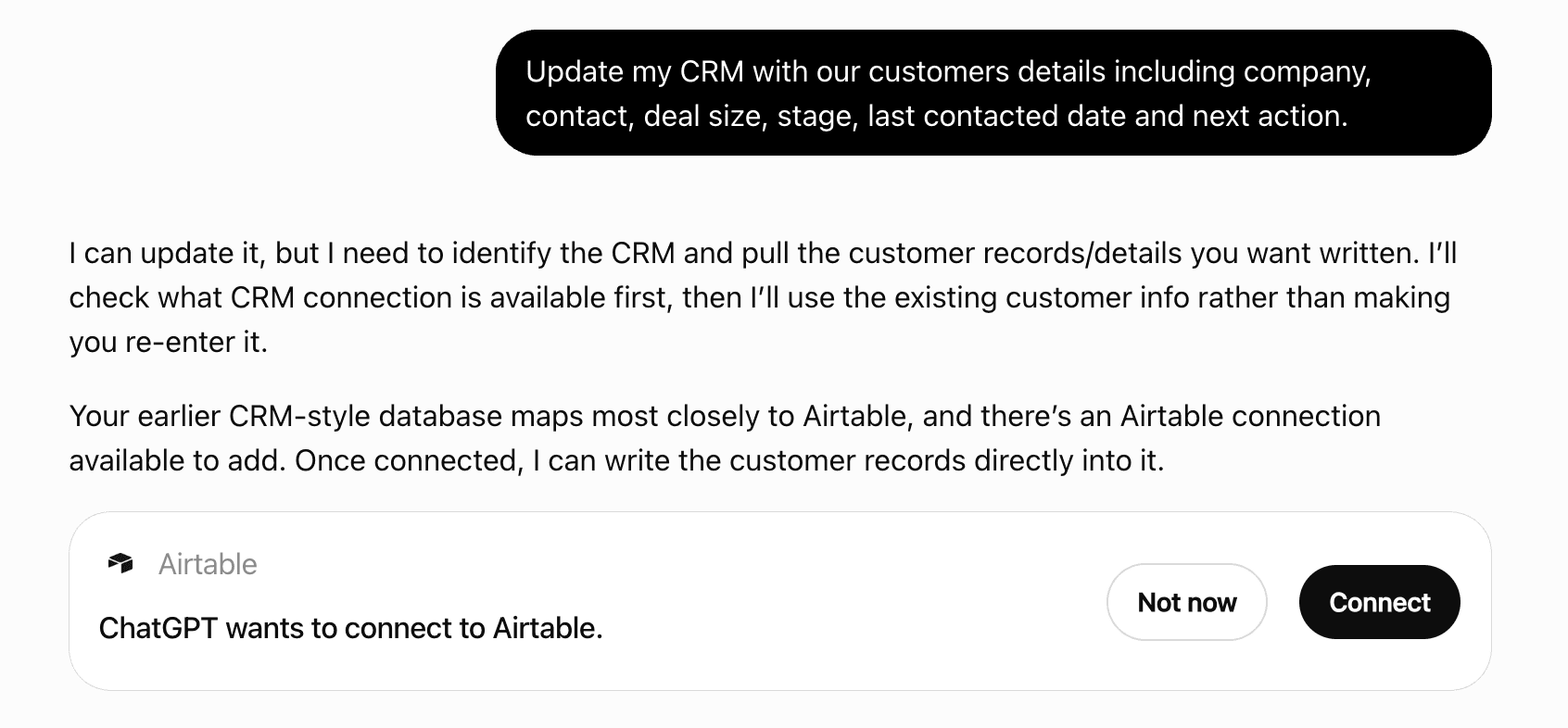
Get alerts for MyGymDesk
Get updates when MyGymDesk’s Discoverability Score or category rank changes.
Competitive lineup
37 tools agents can invoke
Step 2 of 2: makes ONE change that preview_add_lead previewed (give its preview_id). Calling this MAKES the change at once; it is not a request for approval. Call it once the preview is the change the user asked for. A preview works once and for 10 minutes; if anything it showed has changed since, the change is refused and must be previewed again. Nothing is ever done twice. Adds the lead to MyGymDesk, with its first follow-up if previewed. The lead is not messaged.
add_lead
This tool only reads; it changes nothing. The connector also has CHANGE tools for exactly these changes, each previewed first (changes that message people or are hard to undo only after the user says yes): book a member into a class, schedule a class session or a weekly series of sessions, cancel a class session, log a response to a lead or member follow-up, add a lead, check a member in, extend a membership, freeze a membership (when the freeze carries no fee), send one member a payment reminder, create a WhatsApp template (on the business's own WhatsApp number). For anything else — bills or invoices, recording or refunding payments, deleting, cancelling memberships, freezes that carry a fee, messages to many members, staff, pay or settings — say straight away that it can't be done here and point them to the MyGymDesk app; do not ask which member and do not look anything up first. Attendance in the signed-in user's MyGymDesk business for a period (default this month): how many check-ins, by how many members and how many per member; check-ins by day, by weekday and by hour of the day (peak hours, on the business's own clock); visit days including classes and personal training (Attendance › Summary). Optionally who checked in on one date (date), and members with an active plan who have never visited (never_visited). Needs the "View attendance" permission and attendance tracking enabled for the business; names also need "View members". Read-only: it cannot check anyone in or change anything.
attendance_report
Step 2 of 2: makes ONE change that preview_book_member_into_class previewed (give its preview_id). Calling this MAKES the change at once; it is not a request for approval. Call it once the preview is the change the user asked for. A preview works once and for 10 minutes; if anything it showed has changed since, the change is refused and must be previewed again. Nothing is ever done twice. Books the member into the class session in MyGymDesk; the member is sent the booking confirmation.
book_member_into_class
Step 2 of 2: makes ONE change that preview_cancel_class_session previewed (give its preview_id). Calling this MAKES the change at once; it is not a request for approval. Call it only after the user has seen the preview and said yes to "Shall I go ahead?"; never in the same turn as the preview. A preview works once and for 10 minutes; if anything it showed has changed since, the change is refused and must be previewed again. Nothing is ever done twice. Cancels the session and its bookings in MyGymDesk (no penalty) and sends each booked member a cancellation notice.
cancel_class_session
Step 2 of 2: makes ONE change that preview_check_in_member previewed (give its preview_id). Calling this MAKES the change at once; it is not a request for approval. Call it once the preview is the change the user asked for. A preview works once and for 10 minutes; if anything it showed has changed since, the change is refused and must be previewed again. Nothing is ever done twice. Records the check-in in MyGymDesk. Nobody is messaged.
check_in_member
This tool only reads; it changes nothing. The connector also has CHANGE tools for exactly these changes, each previewed first (changes that message people or are hard to undo only after the user says yes): book a member into a class, schedule a class session or a weekly series of sessions, cancel a class session, log a response to a lead or member follow-up, add a lead, check a member in, extend a membership, freeze a membership (when the freeze carries no fee), send one member a payment reminder, create a WhatsApp template (on the business's own WhatsApp number). For anything else — bills or invoices, recording or refunding payments, deleting, cancelling memberships, freezes that carry a fee, messages to many members, staff, pay or settings — say straight away that it can't be done here and point them to the MyGymDesk app; do not ask which member and do not look anything up first. The class schedule of the signed-in user's MyGymDesk business for a day or up to 14 days: each session's time, class, trainer, how many are booked against the places, and the waitlist. Defaults to today. Needs the "View classes" permission. Read-only: it cannot book, cancel or change anything.
class_schedule
Step 2 of 2: makes ONE change that preview_create_whatsapp_template previewed (give its preview_id). Calling this MAKES the change at once; it is not a request for approval. Call it only after the user has seen the preview and said yes to "Shall I go ahead?"; never in the same turn as the preview. A preview works once and for 10 minutes; if anything it showed has changed since, the change is refused and must be previewed again. Nothing is ever done twice. Submits the template to Meta for approval, on the business's own WhatsApp number. It is not sent to anyone.
create_whatsapp_template
This tool only reads; it changes nothing. The connector also has CHANGE tools for exactly these changes, each previewed first (changes that message people or are hard to undo only after the user says yes): book a member into a class, schedule a class session or a weekly series of sessions, cancel a class session, log a response to a lead or member follow-up, add a lead, check a member in, extend a membership, freeze a membership (when the freeze carries no fee), send one member a payment reminder, create a WhatsApp template (on the business's own WhatsApp number). For anything else — bills or invoices, recording or refunding payments, deleting, cancelling memberships, freezes that carry a fee, messages to many members, staff, pay or settings — say straight away that it can't be done here and point them to the MyGymDesk app; do not ask which member and do not look anything up first. The biometric (fingerprint / face) devices of the signed-in user's MyGymDesk business: each device's name, model and branch, whether it is online right now and when it last made contact. Needs the "View settings" permission. Read-only: it cannot restart, sync or change any device.
device_status
This tool only reads; it changes nothing. The connector also has CHANGE tools for exactly these changes, each previewed first (changes that message people or are hard to undo only after the user says yes): book a member into a class, schedule a class session or a weekly series of sessions, cancel a class session, log a response to a lead or member follow-up, add a lead, check a member in, extend a membership, freeze a membership (when the freeze carries no fee), send one member a payment reminder, create a WhatsApp template (on the business's own WhatsApp number). For anything else — bills or invoices, recording or refunding payments, deleting, cancelling memberships, freezes that carry a fee, messages to many members, staff, pay or settings — say straight away that it can't be done here and point them to the MyGymDesk app; do not ask which member and do not look anything up first. Who owes money to the signed-in user's MyGymDesk business and how much, oldest first, with the total — the same list and total as the Payment Due list in MyGymDesk's Reports. Needs the "View reports" permission. Read-only: it cannot record payments or change anything.
dues_outstanding
This tool only reads; it changes nothing. The connector also has CHANGE tools for exactly these changes, each previewed first (changes that message people or are hard to undo only after the user says yes): book a member into a class, schedule a class session or a weekly series of sessions, cancel a class session, log a response to a lead or member follow-up, add a lead, check a member in, extend a membership, freeze a membership (when the freeze carries no fee), send one member a payment reminder, create a WhatsApp template (on the business's own WhatsApp number). For anything else — bills or invoices, recording or refunding payments, deleting, cancelling memberships, freezes that carry a fee, messages to many members, staff, pay or settings — say straight away that it can't be done here and point them to the MyGymDesk app; do not ask which member and do not look anything up first. Expenses, revenue and profit of the signed-in user's MyGymDesk business for a period (default this month), as Reports › Profit & Loss shows them: approved expenses as totals per category (never single expenses or who was paid), revenue, profit and margin. Only for businesses with expense tracking enabled. Needs the "View Expenses" permission; revenue and profit also need "View reports". Read-only: it cannot add, approve or change an expense.
expenses_and_profit
This tool only reads; it changes nothing. The connector also has CHANGE tools for exactly these changes, each previewed first (changes that message people or are hard to undo only after the user says yes): book a member into a class, schedule a class session or a weekly series of sessions, cancel a class session, log a response to a lead or member follow-up, add a lead, check a member in, extend a membership, freeze a membership (when the freeze carries no fee), send one member a payment reminder, create a WhatsApp template (on the business's own WhatsApp number). For anything else — bills or invoices, recording or refunding payments, deleting, cancelling memberships, freezes that carry a fee, messages to many members, staff, pay or settings — say straight away that it can't be done here and point them to the MyGymDesk app; do not ask which member and do not look anything up first. Memberships and class packages in the signed-in user's MyGymDesk business that end in the next N days (1 to 31, default 7) and have not been renewed yet, soonest first, with what each member owes if the user's role can see the Payment Due list. Needs the "View memberships" permission. Read-only: it cannot renew, message or change anything.
expiring_soon
Step 2 of 2: makes ONE change that preview_extend_membership previewed (give its preview_id). Calling this MAKES the change at once; it is not a request for approval. Call it only after the user has seen the preview and said yes to "Shall I go ahead?"; never in the same turn as the preview. A preview works once and for 10 minutes; if anything it showed has changed since, the change is refused and must be previewed again. Nothing is ever done twice. Moves the membership's end date in MyGymDesk; reactivating an expired membership can send the member their portal welcome.
extend_membership
Step 2 of 2: makes ONE change that preview_freeze_membership previewed (give its preview_id). Calling this MAKES the change at once; it is not a request for approval. Call it only after the user has seen the preview and said yes to "Shall I go ahead?"; never in the same turn as the preview. A preview works once and for 10 minutes; if anything it showed has changed since, the change is refused and must be previewed again. Nothing is ever done twice. Freezes the membership in MyGymDesk: the end date moves, class bookings inside the freeze are cancelled, and the member is emailed the confirmation.
freeze_membership
This tool only reads; it changes nothing. The connector also has CHANGE tools for exactly these changes, each previewed first (changes that message people or are hard to undo only after the user says yes): book a member into a class, schedule a class session or a weekly series of sessions, cancel a class session, log a response to a lead or member follow-up, add a lead, check a member in, extend a membership, freeze a membership (when the freeze carries no fee), send one member a payment reminder, create a WhatsApp template (on the business's own WhatsApp number). For anything else — bills or invoices, recording or refunding payments, deleting, cancelling memberships, freezes that carry a fee, messages to many members, staff, pay or settings — say straight away that it can't be done here and point them to the MyGymDesk app; do not ask which member and do not look anything up first. Members of the signed-in user's MyGymDesk business who have an active plan but have not visited for N days (7 to 180, default 14), longest absent first, with their last visit date. Uses MyGymDesk's own "at risk" rule from Attendance › Summary, so members who have never visited are not included. Needs the "View members" and "View attendance" permissions. Read-only: it cannot message members or change anything.
inactive_members
This tool only reads; it changes nothing. The connector also has CHANGE tools for exactly these changes, each previewed first (changes that message people or are hard to undo only after the user says yes): book a member into a class, schedule a class session or a weekly series of sessions, cancel a class session, log a response to a lead or member follow-up, add a lead, check a member in, extend a membership, freeze a membership (when the freeze carries no fee), send one member a payment reminder, create a WhatsApp template (on the business's own WhatsApp number). For anything else — bills or invoices, recording or refunding payments, deleting, cancelling memberships, freezes that carry a fee, messages to many members, staff, pay or settings — say straight away that it can't be done here and point them to the MyGymDesk app; do not ask which member and do not look anything up first. Leads and follow-ups in the signed-in user's MyGymDesk business: open leads, new leads in a period (default this month) and how many of them converted or were lost, follow-ups due today and overdue, and today's due list. Owners and managers also get the conversion rate. Staff who only see their own leads in MyGymDesk get only their own here. Needs the "View leads" permission. Read-only: it cannot add, assign or change anything.
leads_and_follow_ups
Step 2 of 2: makes ONE change that preview_log_follow_up_response previewed (give its preview_id). Calling this MAKES the change at once; it is not a request for approval. Call it once the preview is the change the user asked for. A preview works once and for 10 minutes; if anything it showed has changed since, the change is refused and must be previewed again. Nothing is ever done twice. Logs the call response in MyGymDesk, closes the follow-up and schedules the next one if previewed. Nobody is messaged.
log_follow_up_response
This tool only reads; it changes nothing. The connector also has CHANGE tools for exactly these changes, each previewed first (changes that message people or are hard to undo only after the user says yes): book a member into a class, schedule a class session or a weekly series of sessions, cancel a class session, log a response to a lead or member follow-up, add a lead, check a member in, extend a membership, freeze a membership (when the freeze carries no fee), send one member a payment reminder, create a WhatsApp template (on the business's own WhatsApp number). For anything else — bills or invoices, recording or refunding payments, deleting, cancelling memberships, freezes that carry a fee, messages to many members, staff, pay or settings — say straight away that it can't be done here and point them to the MyGymDesk app; do not ask which member and do not look anything up first. Look up ONE member of the signed-in user's MyGymDesk business by name, member code or phone number, and show their current plan and expiry, any money they owe, their last visit and how many visits they made in the last 30 days. If several members match, it lists the matches so the user can pick one. It does not list or export all members. Needs the "View members" and "View member details" permissions. Read-only: it cannot change anything.
member_lookup
This tool only reads; it changes nothing. The connector also has CHANGE tools for exactly these changes, each previewed first (changes that message people or are hard to undo only after the user says yes): book a member into a class, schedule a class session or a weekly series of sessions, cancel a class session, log a response to a lead or member follow-up, add a lead, check a member in, extend a membership, freeze a membership (when the freeze carries no fee), send one member a payment reminder, create a WhatsApp template (on the business's own WhatsApp number). For anything else — bills or invoices, recording or refunding payments, deleting, cancelling memberships, freezes that carry a fee, messages to many members, staff, pay or settings — say straight away that it can't be done here and point them to the MyGymDesk app; do not ask which member and do not look anything up first. How many members the signed-in user's MyGymDesk business has right now — active (including those expiring within 7 days), expired and inactive, active by plan and by branch — exactly as the Members screen counts them; new members and growth over a period against the previous period (Reports › Overview); who is frozen now; and members whose membership or package ended in a period and who have not renewed (Reports › Renewals, with names). Default period: this month. It does not list or export all members. Needs the "View members" permission; new members and lapsed members also need "View reports", frozen needs "View memberships". Read-only: it cannot change anything.
members_report
This tool only reads; it changes nothing. The connector also has CHANGE tools for exactly these changes, each previewed first (changes that message people or are hard to undo only after the user says yes): book a member into a class, schedule a class session or a weekly series of sessions, cancel a class session, log a response to a lead or member follow-up, add a lead, check a member in, extend a membership, freeze a membership (when the freeze carries no fee), send one member a payment reminder, create a WhatsApp template (on the business's own WhatsApp number). For anything else — bills or invoices, recording or refunding payments, deleting, cancelling memberships, freezes that carry a fee, messages to many members, staff, pay or settings — say straight away that it can't be done here and point them to the MyGymDesk app; do not ask which member and do not look anything up first. Personal training in the signed-in user's MyGymDesk business, per trainer: sessions delivered and no-shows in a period (default this month) and sessions booked for the next 7 days. A trainer sees only their own sessions, as in MyGymDesk. Needs the "View personal training" permission. Never shows pay or commissions. Read-only: it cannot book, cancel or change anything.
pt_summary
This tool only reads; it changes nothing. The connector also has CHANGE tools for exactly these changes, each previewed first (changes that message people or are hard to undo only after the user says yes): book a member into a class, schedule a class session or a weekly series of sessions, cancel a class session, log a response to a lead or member follow-up, add a lead, check a member in, extend a membership, freeze a membership (when the freeze carries no fee), send one member a payment reminder, create a WhatsApp template (on the business's own WhatsApp number). For anything else — bills or invoices, recording or refunding payments, deleting, cancelling memberships, freezes that carry a fee, messages to many members, staff, pay or settings — say straight away that it can't be done here and point them to the MyGymDesk app; do not ask which member and do not look anything up first. Payments received by the signed-in user's MyGymDesk business in a period (default this month), as Reports › Payments lists them: date, who paid (member, lead or walk-in), amount, payment mode, what for and the invoice number, with totals by payment mode (cash, UPI, online, card, other). Or, with member (a name, member code or phone), ONE member's payment history as their member page shows it. Needs the "View reports" permission; a member's history needs "View members" and "View member details" instead. Read-only: it cannot record, refund or change a payment.
payments_report
Step 1 of 2 for a change: works out exactly what would change (who, what, before and after, who is told), changes nothing, and returns a preview_id. Step 2: if the preview is the change the user asked for, call add_lead with that preview_id straight away, with no extra question. If it differs (another member, class, time or branch), check with the user first. If this asks for a detail (which branch, member or bill), ask the user and call it again. Adds ONE lead to the signed-in user's MyGymDesk business, exactly as Add Lead does: a phone number that is already a lead is refused (the existing lead is named); the lead starts as New, assigned to the user, with an optional first follow-up. Nobody is messaged. Needs the "Add New Leads" permission.
preview_add_lead
Step 1 of 2 for a change: works out exactly what would change (who, what, before and after, who is told), changes nothing, and returns a preview_id. Step 2: if the preview is the change the user asked for, call book_member_into_class with that preview_id straight away, with no extra question. If it differs (another member, class, time or branch), check with the user first. If this asks for a detail (which branch, member or bill), ask the user and call it again. Books ONE member of the signed-in user's MyGymDesk business into ONE class session, with the same capacity, package and daily-limit checks as the dashboard — it never overbooks. Name the member (name, member code or phone) and the class by date and start time (and class name or branch if there are several at that time). The member is sent the class booking confirmation. Needs the "Manage bookings" permission.
preview_book_member_into_class
Step 1 of 2 for a change: works out exactly what would change (who, what, before and after, who is told), changes nothing, and returns a preview_id. Step 2 (this change messages people or is hard to undo): show the user the preview and ask "Shall I go ahead?". Call cancel_class_session with that preview_id ONLY after the user says yes to this preview; their first request is not that yes. If they say no or want anything different, don't call it. If this asks for a detail (which branch, member or bill), ask the user and call it again. Cancels ONE class session in the signed-in user's MyGymDesk business as a cancellation BY THE BUSINESS: every booking (and the waitlist) is cancelled with no penalty and no session used, nobody is moved off the waitlist, and each booked member is sent one cancellation notice. Name the class by date and start time (and class name or branch if several). Needs the "Edit Class Sessions" and "Manage Class Bookings" permissions.
preview_cancel_class_session
Step 1 of 2 for a change: works out exactly what would change (who, what, before and after, who is told), changes nothing, and returns a preview_id. Step 2: if the preview is the change the user asked for, call check_in_member with that preview_id straight away, with no extra question. If it differs (another member, class, time or branch), check with the user first. If this asks for a detail (which branch, member or bill), ask the user and call it again. Records ONE manual check-in for a member of the signed-in user's MyGymDesk business, with the same rules as the dashboard's manual check-in: the member must hold a live membership or package; the time is now unless one is given (never in the future); an earlier visit can be recorded with its check-out time. A booked class at that time may be marked attended. The member is not messaged. Needs the "Check-in Members" permission.
preview_check_in_member
Step 1 of 2 for a change: works out exactly what would change (who, what, before and after, who is told), changes nothing, and returns a preview_id. Step 2 (this change messages people or is hard to undo): show the user the preview and ask "Shall I go ahead?". Call create_whatsapp_template with that preview_id ONLY after the user says yes to this preview; their first request is not that yes. If they say no or want anything different, don't call it. If this asks for a detail (which branch, member or bill), ask the user and call it again. Submits ONE new WhatsApp message template to Meta for approval, for a MyGymDesk business that sends WhatsApp from its OWN number (Business API). The template is only submitted — it is not sent to anyone and no campaign starts. Variables are written {{1}}, {{2}}… A name and language that already exist are refused. Needs the "Manage Templates" permission.
preview_create_whatsapp_template
Step 1 of 2 for a change: works out exactly what would change (who, what, before and after, who is told), changes nothing, and returns a preview_id. Step 2 (this change messages people or is hard to undo): show the user the preview and ask "Shall I go ahead?". Call extend_membership with that preview_id ONLY after the user says yes to this preview; their first request is not that yes. If they say no or want anything different, don't call it. If this asks for a detail (which branch, member or bill), ask the user and call it again. Extends ONE member's membership in the signed-in user's MyGymDesk business by a number of days, exactly as the Extend button does: the new end date is the later of today and the current end date, plus the days; an expired membership becomes active again. Name the member, and the plan if they hold more than one (and its current end date if two are on the same plan). Nobody is messaged, except that reactivating an expired membership can send the member their member-portal welcome if they have no login yet. Needs the "Edit Subscriptions" permission.
preview_extend_membership
Step 1 of 2 for a change: works out exactly what would change (who, what, before and after, who is told), changes nothing, and returns a preview_id. Step 2 (this change messages people or is hard to undo): show the user the preview and ask "Shall I go ahead?". Call freeze_membership with that preview_id ONLY after the user says yes to this preview; their first request is not that yes. If they say no or want anything different, don't call it. If this asks for a detail (which branch, member or bill), ask the user and call it again. Freezes ONE member's active membership in the signed-in user's MyGymDesk business, with the same freeze policy as the dashboard: the plan's limits on days per freeze, freezes per year and days per year; the end date moves out by the days frozen. Only a freeze that carries NO fee can be made here — a business that charges for freezes makes them in the MyGymDesk app for now. The member's class bookings inside the freeze are cancelled, and the member is emailed the confirmation. Needs the "Freeze/Unfreeze Memberships" permission.
preview_freeze_membership
Step 1 of 2 for a change: works out exactly what would change (who, what, before and after, who is told), changes nothing, and returns a preview_id. Step 2: if the preview is the change the user asked for, call log_follow_up_response with that preview_id straight away, with no extra question. If it differs (another member, class, time or branch), check with the user first. If this asks for a detail (which branch, member or bill), ask the user and call it again. Logs the response to ONE open follow-up (a lead or a member) in the signed-in user's MyGymDesk business, exactly as the Follow-Up Inbox does: the call response and remarks, optionally how interested they are, whether it is resolved, and the next follow-up date and time. "Not interested" on a lead marks the lead lost. Name the person; staff can log responses for follow-ups assigned to them (owners, managers and staff who see all records can log any).
preview_log_follow_up_response
Step 1 of 2 for a change: works out exactly what would change (who, what, before and after, who is told), changes nothing, and returns a preview_id. Step 2: if the preview is the change the user asked for, call schedule_class_session with that preview_id straight away, with no extra question. If it differs (another member, class, time or branch), check with the user first. If this asks for a detail (which branch, member or bill), ask the user and call it again. Adds ONE class session to the signed-in user's MyGymDesk schedule — or a WEEKLY SERIES of them in ONE preview and ONE confirmation (never one preview per date): give repeat_on (the weekdays) and at most one of until (a date), weeks or sessions (how many); with none of them a series runs 12 weeks, as the dashboard's "Never" does. The class (by name), the first date, the start time, and optionally end time, trainer, branch and number of places. Like the dashboard it warns — and never refuses — when the same class is already at that time or the trainer is busy, and it skips closure days. Members are not messaged. Needs the "Create classes" permission.
preview_schedule_class_session
Step 1 of 2 for a change: works out exactly what would change (who, what, before and after, who is told), changes nothing, and returns a preview_id. Step 2 (this change messages people or is hard to undo): show the user the preview and ask "Shall I go ahead?". Call send_payment_reminder with that preview_id ONLY after the user says yes to this preview; their first request is not that yes. If they say no or want anything different, don't call it. If this asks for a detail (which branch, member or bill), ask the user and call it again. Sends ONE member of the signed-in user's MyGymDesk business a reminder for ONE unpaid bill or class package, as the Send Reminder button does: WhatsApp only with the business's approved payment-reminder template (and its Payment Reminders setting on), and email when there is an address. If they owe on several, name the bill number. Never a message to many members. Needs the "Send Messages" permission.
preview_send_payment_reminder
This tool only reads; it changes nothing. The connector also has CHANGE tools for exactly these changes, each previewed first (changes that message people or are hard to undo only after the user says yes): book a member into a class, schedule a class session or a weekly series of sessions, cancel a class session, log a response to a lead or member follow-up, add a lead, check a member in, extend a membership, freeze a membership (when the freeze carries no fee), send one member a payment reminder, create a WhatsApp template (on the business's own WhatsApp number). For anything else — bills or invoices, recording or refunding payments, deleting, cancelling memberships, freezes that carry a fee, messages to many members, staff, pay or settings — say straight away that it can't be done here and point them to the MyGymDesk app; do not ask which member and do not look anything up first. Renewals coming up in the signed-in user's MyGymDesk business over the next N days (1 to 31, default 30), and which of those members are likely to lapse because they have also stopped visiting (no visit for 14 days or more, MyGymDesk's own "at risk" rule), plus how many members with an active plan are at risk overall. Needs the "View memberships" permission; the at-risk part also needs "View members" and "View attendance". Read-only: it cannot message members or change anything.
renewals_and_churn_risk
This tool only reads; it changes nothing. The connector also has CHANGE tools for exactly these changes, each previewed first (changes that message people or are hard to undo only after the user says yes): book a member into a class, schedule a class session or a weekly series of sessions, cancel a class session, log a response to a lead or member follow-up, add a lead, check a member in, extend a membership, freeze a membership (when the freeze carries no fee), send one member a payment reminder, create a WhatsApp template (on the business's own WhatsApp number). For anything else — bills or invoices, recording or refunding payments, deleting, cancelling memberships, freezes that carry a fee, messages to many members, staff, pay or settings — say straight away that it can't be done here and point them to the MyGymDesk app; do not ask which member and do not look anything up first. Revenue for a period in the signed-in user's MyGymDesk business, with the change against the previous period of the same length, what it was paid for (by type and by plan or item, always adding up to the revenue), and collections by payment mode (cash, UPI, online, card, other) — the figures MyGymDesk's Reports screens show. Use a named period (today, this_week, this_month, last_month, last_30_days, this_year, …) or start_date and end_date. Needs the "View reports" permission. Read-only: it cannot change anything.
revenue_and_collections
Step 2 of 2: makes ONE change that preview_schedule_class_session previewed (give its preview_id). Calling this MAKES the change at once; it is not a request for approval. Call it once the preview is the change the user asked for. A preview works once and for 10 minutes; if anything it showed has changed since, the change is refused and must be previewed again. Nothing is ever done twice. Adds the class session, or the whole weekly series, to the MyGymDesk schedule. Nobody is messaged.
schedule_class_session
Step 2 of 2: makes ONE change that preview_send_payment_reminder previewed (give its preview_id). Calling this MAKES the change at once; it is not a request for approval. Call it only after the user has seen the preview and said yes to "Shall I go ahead?"; never in the same turn as the preview. A preview works once and for 10 minutes; if anything it showed has changed since, the change is refused and must be previewed again. Nothing is ever done twice. Sends the member the payment reminder from MyGymDesk by WhatsApp and/or email, as previewed.
send_payment_reminder
This tool only reads; it changes nothing. The connector also has CHANGE tools for exactly these changes, each previewed first (changes that message people or are hard to undo only after the user says yes): book a member into a class, schedule a class session or a weekly series of sessions, cancel a class session, log a response to a lead or member follow-up, add a lead, check a member in, extend a membership, freeze a membership (when the freeze carries no fee), send one member a payment reminder, create a WhatsApp template (on the business's own WhatsApp number). For anything else — bills or invoices, recording or refunding payments, deleting, cancelling memberships, freezes that carry a fee, messages to many members, staff, pay or settings — say straight away that it can't be done here and point them to the MyGymDesk app; do not ask which member and do not look anything up first. Staff attendance today in the signed-in user's MyGymDesk business: how many staff have checked in out of the active staff, who is in right now and since when, and who has already left. Needs the "View staff" permission. Never shows pay, bank or contact details. Read-only: it cannot check anyone in or out.
staff_on_shift
This tool only reads; it changes nothing. The connector also has CHANGE tools for exactly these changes, each previewed first (changes that message people or are hard to undo only after the user says yes): book a member into a class, schedule a class session or a weekly series of sessions, cancel a class session, log a response to a lead or member follow-up, add a lead, check a member in, extend a membership, freeze a membership (when the freeze carries no fee), send one member a payment reminder, create a WhatsApp template (on the business's own WhatsApp number). For anything else — bills or invoices, recording or refunding payments, deleting, cancelling memberships, freezes that carry a fee, messages to many members, staff, pay or settings — say straight away that it can't be done here and point them to the MyGymDesk app; do not ask which member and do not look anything up first. Today's numbers for the signed-in user's MyGymDesk business: check-ins, who is in right now, check-outs, class bookings against places, personal training sessions done and planned, and revenue collected today. Covers the branches the user's login can see; pass a branch name to narrow it. Each line appears only if the user's role can see it in MyGymDesk. Read-only: it cannot change anything.
today_at_a_glance
This tool only reads; it changes nothing. The connector also has CHANGE tools for exactly these changes, each previewed first (changes that message people or are hard to undo only after the user says yes): book a member into a class, schedule a class session or a weekly series of sessions, cancel a class session, log a response to a lead or member follow-up, add a lead, check a member in, extend a membership, freeze a membership (when the freeze carries no fee), send one member a payment reminder, create a WhatsApp template (on the business's own WhatsApp number). For anything else — bills or invoices, recording or refunding payments, deleting, cancelling memberships, freezes that carry a fee, messages to many members, staff, pay or settings — say straight away that it can't be done here and point them to the MyGymDesk app; do not ask which member and do not look anything up first. Shows who you are signed in as in MyGymDesk: your name, your business, the product and your role.
whoami
 Recommended guideHow to get your ChatGPT Plugin suggestedFollow the practical steps agents use to find, shortlist, and choose your Plugin.Read guide
MyGymDesk ChatGPT Plugin FAQ
How the directory, categories and Discoverability Score work.
Read the methodologyHow do I improve MyGymDesk's ChatGPT Plugin discoverability?
The levers are the listing surface agents actually read: names, descriptions, keywords, tool metadata, and registry health. Which lever matters depends on where discovery breaks, which is what continuous measurement shows.
Where is this profile measured?
This profile uses the geography attached to the latest public registry snapshot: US. Locale tags are intentionally omitted.