
Anomaly AI
Ask Anomaly AI's data analyst about your spreadsheets, GA4 and database data, and get answers back with charts, dashboard links and file downloads.
 View in the Claude registry
- Brand
- Unknown
- Category
- Pending
- Primary Subcategory
- Pending
Integration details
Description
Anomaly AI is an AI data analyst for large datasets and spreadsheets. This connector lets Claude pass a question about your data to Anomaly, which runs the analysis in your Anomaly account and sends the result back into the conversation. Use it for files too large for a chat, data that lives in Google Analytics 4, BigQuery, Shopify or Google Sheets, and analysis you repeat or share as dashboards and scheduled reports. What you can do: - See your Anomaly projects and the conversations in each one, including chats you started in the Anomaly app. - Ask a question about a project's data. Anomaly runs the analysis itself: the queries, charts, dashboards, spreadsheets and reports. - Look through your data for unusual changes (spikes, drops, outliers, broken trends) and rank them by how much they matter, with the evidence for each. - Pick up a long analysis later. If an answer is still being worked on, Claude collects it once it is ready. - Look up how Anomaly works: which files and data sources it supports and what happens to your data. - Send the Anomaly team a short note (a question, a request or feedback) when you ask Claude to. What comes back: a plain-text answer, a link that opens each dashboard or insight in Anomaly, a download link for each generated file, and pictures of the charts. Anomaly works on the data you have connected to a project, such as Excel and CSV files, Google Sheets, GA4, BigQuery and databases. Connecting: you sign in to Anomaly in your browser and click Allow. There is no API key to copy. Before you connect: you need an Anomaly account (sign up at app.findanomaly.ai). No data in Anomaly yet? Claude gives you a link to add files (up to 1 GB) or connect a source such as Google Analytics 4, BigQuery or Shopify. Each question uses your Anomaly credits and is saved as a chat in your Anomaly project. Setup guide: https://www.findanomaly.ai/mcp
- Integration type
- Connector
- Verification status
 Community connector
- Platform
- Claude
- Category
- Pending
- Primary Subcategory
- Pending
- Secondary Subcategories
- None listed
- Brand
- Unknown
- Access
- Account required
- First tracked
- 2026-10-16
- Tool count
- 8
- Geography
- US
The broad Category that contains the Primary Subcategory.
The Primary Subcategory used for this profile’s headline score.
Other Subcategories where the Integration is listed.
 Agent DiscoverabilityClaude Discoverability Score
Claude Connector discovery is coming soon
Community Connectors only appear in Claude’s registry.Once verified, organic discovery begins and we can calculate your score.Read more about Community Connector verification.
No spam. Unsubscribe any time.
No spam. Unsubscribe any time.
What discovery looks like
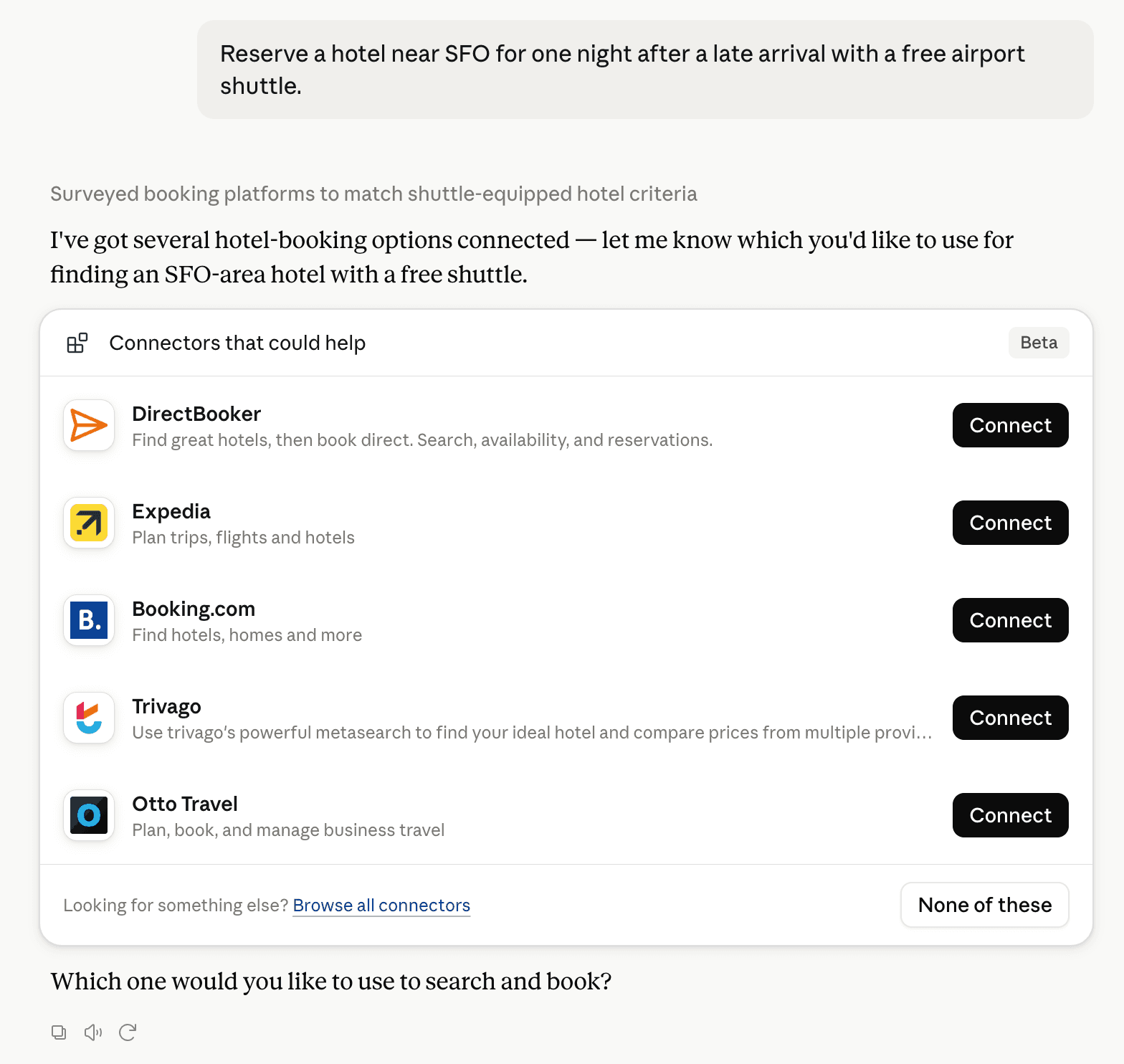
Claude can surface verified Connectors when they match a user’s Prompt.
How Claude Connector discovery works
Your Connector will compete to appear for users’ Prompts once Claude verifies it
Competitive lineup
8 tools agents can invoke

Anomaly AI Claude Connector FAQ
How the directory, categories and Discoverability Score work.
Read the methodologyHow do I improve Anomaly AI's Claude Connector discoverability?
The levers are the listing surface agents actually read: names, descriptions, keywords, tool metadata, and registry health. Which lever matters depends on where discovery breaks, which is what continuous measurement shows.
Where is this profile measured?
This profile uses the geography attached to the latest public registry snapshot: US. Locale tags are intentionally omitted.