
BricksID
Identify LEGO minifigs, sets, and parts from a photo, get BrickLink IDs and prices, and manage your collection and Whatnot listings.
 View in the Claude registry
- Brand
- Unknown
- Category
- Pending
- Primary Subcategory
- Pending
Integration details
Description
BricksID connects Claude to your BricksID account so you can identify LEGO items and keep track of what you own. Identify: send a photo of a minifig, set, or part and get ranked candidates with a confidence level (high, medium, or low) plus BrickLink IDs and prices when the catalog has them. Photos are not attached in chat. Claude creates a short-lived upload link you open on your phone or computer, then identifies the image you took. You can also pass a public image URL. Collection: list and query your collection, add items with condition, quantity, and what you paid, edit them, and remove them. Removed items stay recoverable on the BricksID inventory page for 30 days. Collector and Pro plans add a collection summary (counts, estimated value, breakdowns by theme, year, and condition) and structured queries. Export and sell: Collector and Pro plans can download the collection as CSV, Excel, or JSON. Pro plans can build a Whatnot Seller Hub CSV and mark items as uploaded. BricksID does not call Whatnot for you. Plans and limits: free accounts get a daily scan allowance and store 50 items. Collector and Pro raise the scan limit and collection size. Call get_account to see your tier, remaining scans, and collection cap. Sign in with your BricksID account (Google, Apple, or email) when Claude asks. Access uses OAuth, and you choose which permissions to allow. Identifications suggest the right item. Confirm the BrickLink ID when it matters.
- Integration type
- Connector
- Verification status
 Community connector
- Platform
- Claude
- Category
- Pending
- Primary Subcategory
- Pending
- Secondary Subcategories
- None listed
- Brand
- Unknown
- Access
- Account required
- First tracked
- 2026-10-01
- Tool count
- 13
- Geography
- US
The broad Category that contains the Primary Subcategory.
The Primary Subcategory used for this profile’s headline score.
Other Subcategories where the Integration is listed.
 Agent DiscoverabilityClaude Discoverability Score
Claude Connector discovery is coming soon
Community Connectors only appear in Claude’s registry.Once verified, organic discovery begins and we can calculate your score.Read more about Community Connector verification.
No spam. Unsubscribe any time.
No spam. Unsubscribe any time.
What discovery looks like
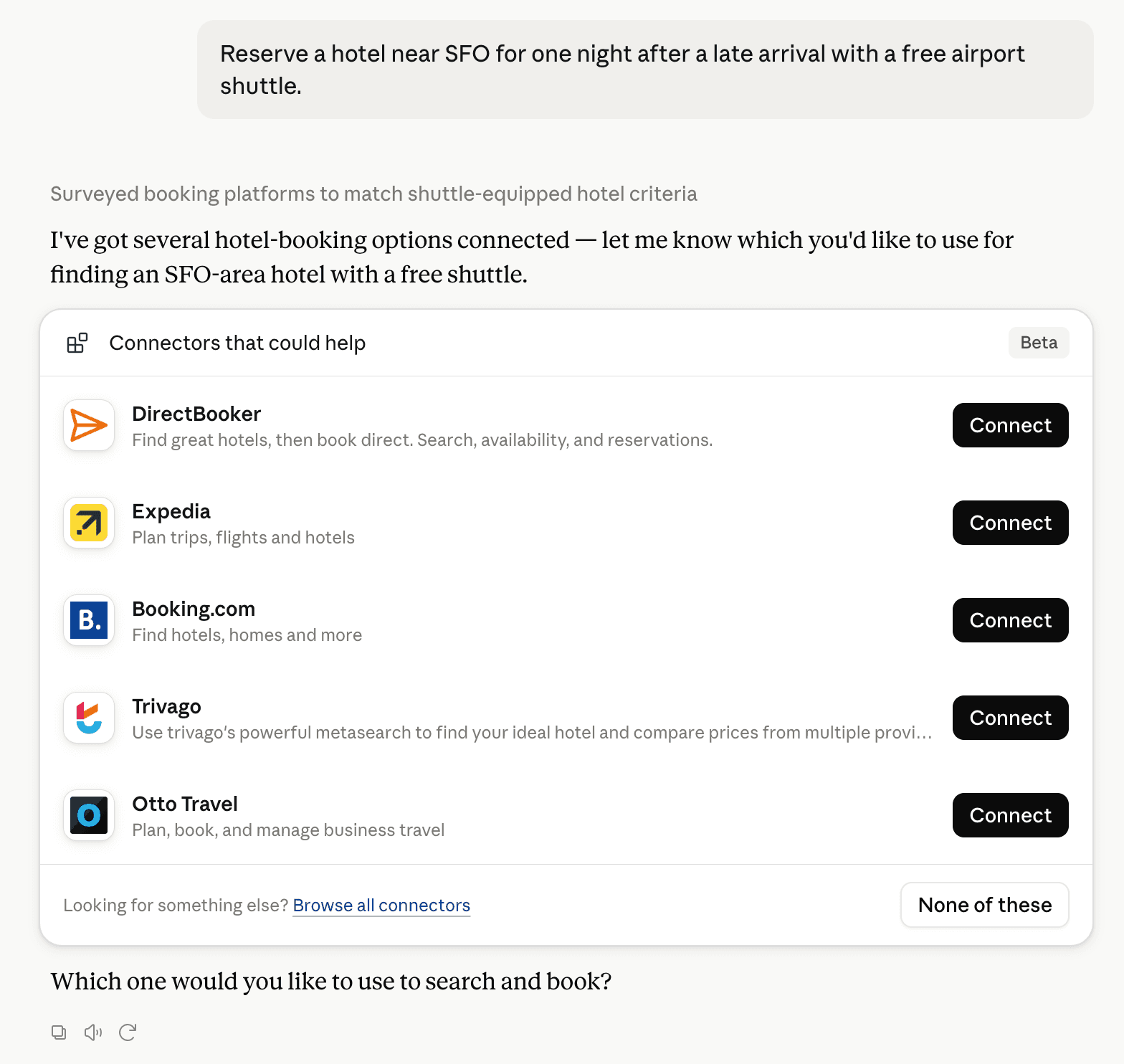
Claude can surface verified Connectors when they match a user’s Prompt.
How Claude Connector discovery works
Your Connector will compete to appear for users’ Prompts once Claude verifies it
Competitive lineup
13 tools agents can invoke

BricksID Claude Connector FAQ
How the directory, categories and Discoverability Score work.
Read the methodologyHow do I improve BricksID's Claude Connector discoverability?
The levers are the listing surface agents actually read: names, descriptions, keywords, tool metadata, and registry health. Which lever matters depends on where discovery breaks, which is what continuous measurement shows.
Where is this profile measured?
This profile uses the geography attached to the latest public registry snapshot: US. Locale tags are intentionally omitted.