
FYEO Security Scanner
A security scanner that reasons like a senior auditor. Ask Claude about your FYEO scans and findings, get fixes explained, and queue new scans, from the team behind 300+ Web3 audits.
 View in the Claude registry
- Brand
- Unknown
- Category
- Pending
- Primary Subcategory
- Pending
Integration details
Description
This connector brings your FYEO Scanner results into Claude, so you can check your code’s security without leaving the conversation. Why FYEO? The FYEO scanner reasons through your code the way a senior security auditor does: how the pieces interact, where trust breaks down, and how an attacker could actually exploit it. That means it can catch flaws unique to your code, not just repeats of known bugs. What you can do: - See your repositories, recent scans and credit balance - Read scan reports and findings ranked by severity and mapped to CWE, with the exact file and line - Have Claude explain the exploit path in plain language and walk you through the fix - Ask “Is this safe to ship?” before you merge or deploy - Queue or cancel full audits and pull request audits, and turn automatic PR scanning on or off - Redeem FYEO credit codes How scans work: By default, Claude can read your results, check your credits, redeem credit codes and turn PR scanning off. To let it queue or cancel scans and turn PR scanning on, switch on “Let connected AI apps queue and cancel scans and turn on PR scanning” under Account → API access. Before any scan runs, you see the exact price in credits, and a scan never costs more than that quote (valid 30 minutes). Failed scans are refunded automatically. PR scanning needs a repository connected through the FYEO GitHub App. Built for security: FYEO’s models are trained on real audit work and run on FYEO’s own infrastructure. You choose which repositories FYEO can access through GitHub, and source code is processed for the scan and never stored afterward. You can disconnect Claude at any time under Account → API access. Getting started: Sign in to FYEO with your GitHub account at scanner.fyeo.io. New accounts get 50 free credits, valid for 30 days, no card required. Choose which repositories FYEO can access, then add this connector to Claude and sign in with the same GitHub account to approve access.
- Integration type
- Connector
- Verification status
 Community connector
- Platform
- Claude
- Category
- Pending
- Primary Subcategory
- Pending
- Secondary Subcategories
- None listed
- Brand
- Unknown
- Access
- Account required
- First tracked
- 2026-10-28
- Tool count
- 12
- Market
- US
The broad Category that contains the Primary Subcategory.
The Primary Subcategory used for this profile’s headline score.
Other Subcategories where the Integration is listed.
 Agent DiscoverabilityClaude Discoverability Score
Claude Connector discovery is coming soon
Community Connectors only appear in Claude’s registry.Once verified, organic discovery begins and we can calculate your score.Read more about Community Connector verification.
No spam. Unsubscribe any time.
What discovery looks like
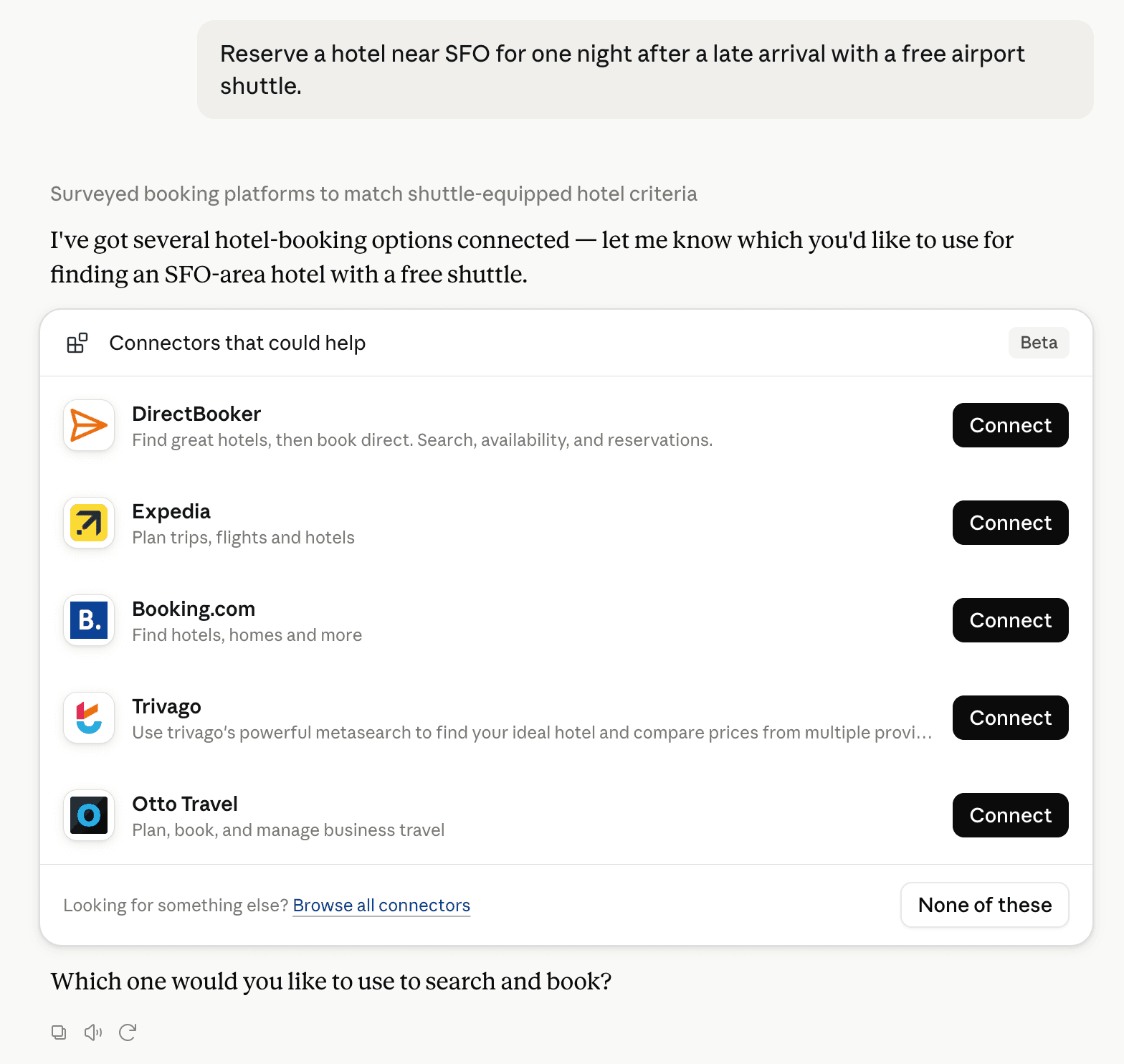
Claude can surface verified Connectors when they match a user’s Prompt.
How Claude Connector discovery works
Your Connector will compete to appear for users’ Prompts once Claude verifies it
Competitive lineup
12 tools agents can invoke

FYEO Security Scanner Claude Connector FAQ
How the directory, categories and Discoverability Score work.
Read the methodologyHow do I improve FYEO Security Scanner's Claude Connector discoverability?
The levers are the listing surface agents actually read: names, descriptions, keywords, tool metadata, and registry health. Which lever matters depends on where discovery breaks, which is what continuous measurement shows.
Where is this profile measured?
This profile uses the geography attached to the latest public registry snapshot: US. Locale tags are intentionally omitted.