
getstackrun
Oversee the AI agents you run through STACK. Check what they did, revoke their access and verify the audit log without leaving the conversation.
 View in the Claude registry
- Brand
- Unknown
- Category
- Pending
- Primary Subcategory
- Pending
Integration details
Description
STACK runs between AI agents and the systems they use. Each agent works under a short-lived Passport that states what it may do. STACK checks every call against that Passport, records suspicious behavior, can deny configured actions and writes each decision to a hash-chained audit log. This connector brings STACK's governance into the conversation. With it you can: - register an agent, and list your agents, their permissions and any that are blocked - grant or narrow an agent's access to a connected service. A new grant, or any widening, needs a human to approve it in the STACK Console; narrowing applies immediately - see active Passports and revoke one, every Passport for an agent, or all of them - open a Mission with a spend or action limit, complete or revoke it, and see what an agent did in it - decide flagged Passport checkouts waiting for review - read the audit log, verify its hash chain and export signed records - list security events, adjust detector and PII-redaction settings (loosening needs human approval) and scan text for prompt injection - manage notification rules, inbound webhooks, drop-offs and fleets - read your white-label partner tenants and Connect grants - post and browse public skill requests - check usage A revocation applies to the agent's next call through STACK and cascades to any Passports it delegated. Two tools reach outside STACK: verifying a connection makes one test call to the provider with the stored credential (never shown), and scanning for prompt injection sends flagged content to an LLM classifier on OpenRouter (Claude Haiku 4.5); STACK keeps the verdict and matched snippets, not the content. The connector does not connect or display credentials, issue Passports or run paid skills; those stay in the STACK Console, CLI and full MCP endpoint. Sign-in uses OAuth; a token issued to this connector is refused by the full endpoint. Requires a STACK account. Setup: https://getstack.run/docs/mcp-setup#directory
- Integration type
- Connector
- Verification status
 Community connector
- Platform
- Claude
- Category
- Pending
- Primary Subcategory
- Pending
- Secondary Subcategories
- None listed
- Brand
- Unknown
- Access
- Account required
- First tracked
- 2026-10-06
- Tool count
- 96
- Geography
- US
The broad Category that contains the Primary Subcategory.
The Primary Subcategory used for this profile’s headline score.
Other Subcategories where the Integration is listed.
 Agent DiscoverabilityClaude Discoverability Score
Claude Connector discovery is coming soon
Community Connectors only appear in Claude’s registry.Once verified, organic discovery begins and we can calculate your score.Read more about Community Connector verification.
No spam. Unsubscribe any time.
No spam. Unsubscribe any time.
What discovery looks like
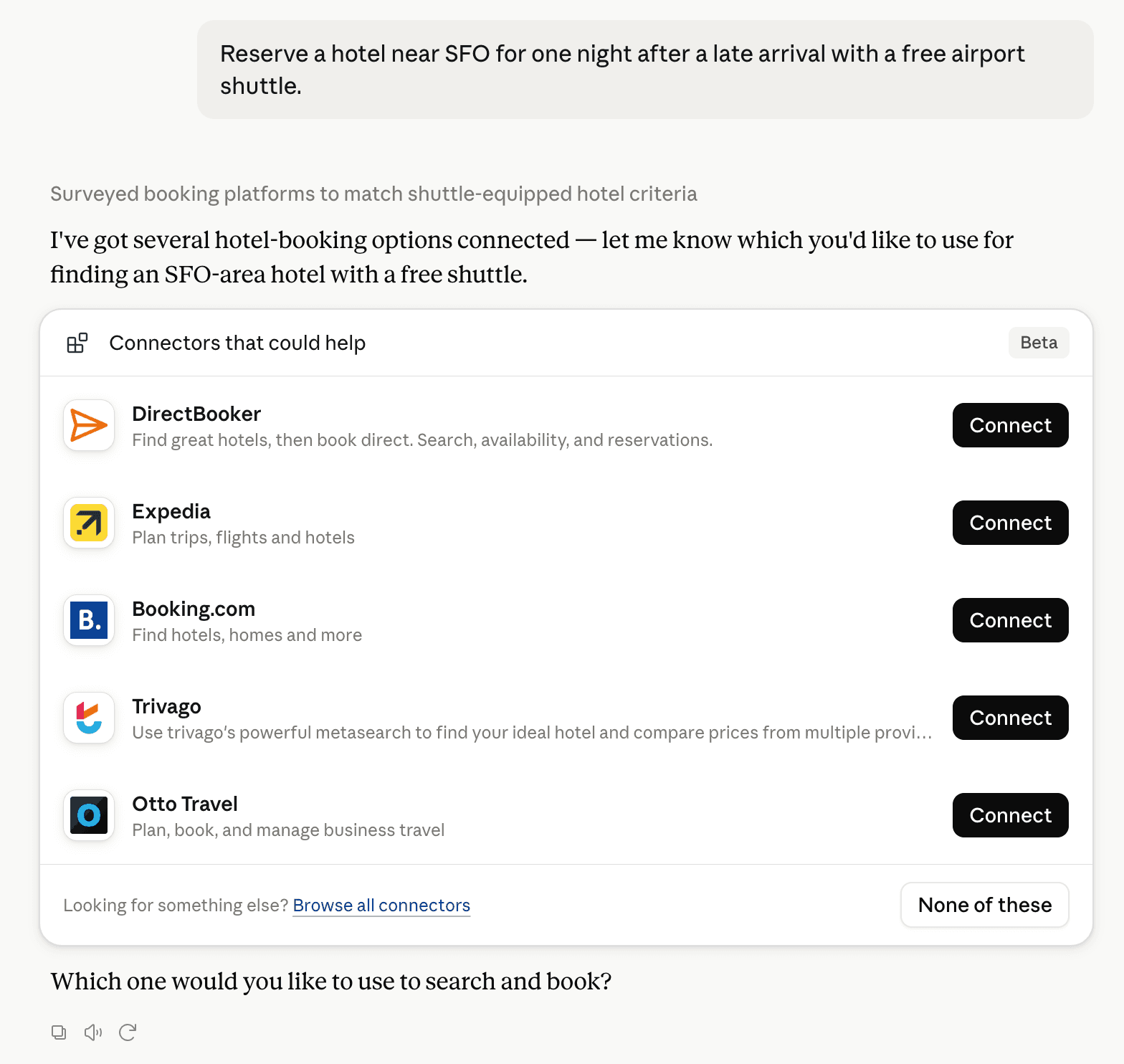
Claude can surface verified Connectors when they match a user’s Prompt.
How Claude Connector discovery works
Your Connector will compete to appear for users’ Prompts once Claude verifies it
Competitive lineup
96 tools agents can invoke

getstackrun Claude Connector FAQ
How the directory, categories and Discoverability Score work.
Read the methodologyHow do I improve getstackrun's Claude Connector discoverability?
The levers are the listing surface agents actually read: names, descriptions, keywords, tool metadata, and registry health. Which lever matters depends on where discovery breaks, which is what continuous measurement shows.
Where is this profile measured?
This profile uses the geography attached to the latest public registry snapshot: US. Locale tags are intentionally omitted.