Hinode
Your Hinode account in the conversation: attach a GPU machine, run the job, read the log, watch the spend.
- Category
- Pending
- Primary Subcategory
- Pending
 View in the Claude registry
Integration details
Description
Say what you need, and your assistant attaches the machine, runs the job, reads the log and tells you what it cost. Hinode rents you a Linux computer with a graphics card in it. You keep a workspace — your home folder, your files, your installed programs — and add machines with a whole GPU beside it when the work needs one. This connector hands your assistant the same account you sign into yourself. It reads what you would look at: prices, your workspaces and machines, jobs and their logs, installed applications, what you have spent this month, and Hinode's own documentation. It does what you would do: create, rename, pause, resume and delete a workspace; attach a machine of a chosen size, pause, resume or delete it; submit and cancel jobs; install applications; save a snapshot of your setup; set the monthly budget. It waits for results in the same conversation — a machine coming up, a job ending, an install finishing — and queues the next step to start when the current one succeeds. When a job ends, you get an email. Every price it quotes comes from Hinode at the moment it answers, never from the model's memory, and anything that starts a machine comes back with the hourly rate first. Deleting a machine or a workspace takes its name typed back. The assistant acts as you: it starts whatever you could start, and is refused whatever you would be refused. It shows up in your Hinode settings under Active devices, beside your own computers, and you sign it out from there. Machines pause themselves when nothing is running on them.
- Integration type
- Connector
- Verification status
 Community connector
- Platform
- Claude
- Category
- Pending
- Primary Subcategory
- Pending
- Secondary Subcategories
- None listed
- Brand
- Unknown
- Access
- Account required
- First tracked
- 2026-09-21
- Tool count
- 25
- Geography
- US
The broad Category that contains the Primary Subcategory.
The Primary Subcategory used for this profile’s headline score.
Other Subcategories where the Integration is listed.
Claude Discoverability Score
Claude Connector discovery is coming soon
Community Connectors only appear in Claude’s registry.Once verified, organic discovery begins and we can calculate your score.Read more about Community Connector verification.
No spam. Unsubscribe any time.
No spam. Unsubscribe any time.
What discovery looks like
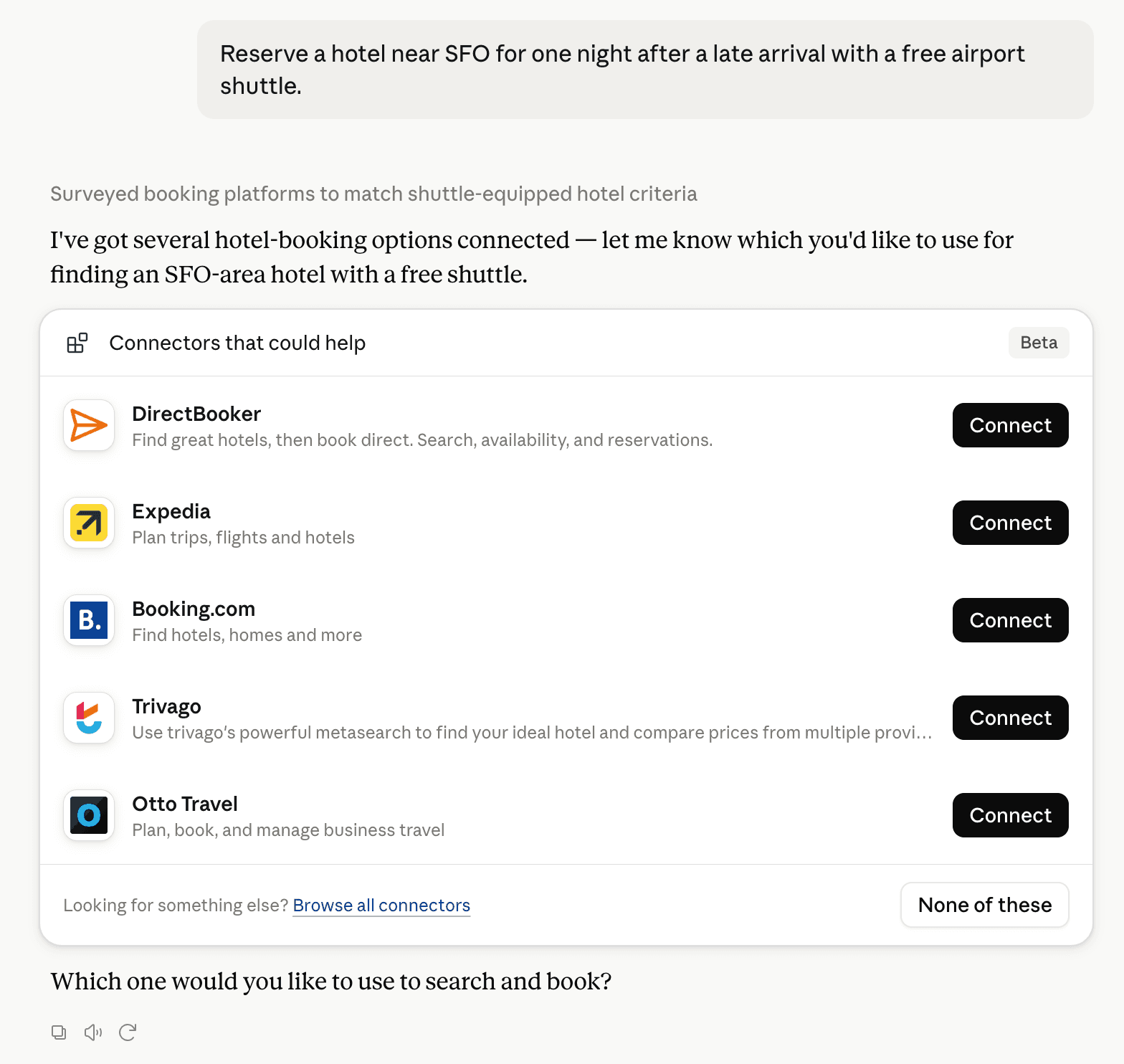
Claude can surface verified Connectors when they match a user’s Prompt.
How Claude Connector discovery works
Your Connector will compete to appear for users’ Prompts once Claude verifies it
Competitive lineup
25 tools agents can invoke
How do I improve a Community connector's discoverability?
The levers are the listing surface agents actually read: names, descriptions, keywords, tool metadata, and registry health. Which lever matters depends on where discovery breaks, which is what continuous measurement shows.
Where is this profile measured?
This profile uses the geography attached to the latest public registry snapshot: US. Locale tags are intentionally omitted.