
InviteKit Calendar Files
Create .ics calendar files and add-to-calendar links for single, repeating, and multi-session events, with time zones and daylight saving handled.
 View in the Claude registry
- Brand
- Unknown
- Category
- Pending
- Primary Subcategory
- Pending
Integration details
Description
InviteKit Calendar Files creates .ics calendar files and add-to-calendar links for events. It is used for webinars, client meetings, classes, launches, and course schedules. Describe the event in plain words. InviteKit builds a calendar file that imports into Apple Calendar, Google Calendar, Outlook, and other calendar apps, plus add-to-calendar links for Google Calendar, Outlook.com, Office 365, and Yahoo Calendar to paste into an email, newsletter, or event page. Time zones: give the local time and a city or IANA zone name. The file carries a full time zone definition, so attendees in other countries see their own local time, including in weeks when daylight saving time starts or ends. Times that are skipped or repeated when clocks change are explained. You can list attendees' cities to see their local times next to yours. Repeating events: daily, weekly on chosen weekdays, biweekly, monthly by date or by weekday (the second Tuesday, the last Friday, the last working day of the month), and yearly. A series can end after a number of times or on a date, and skip holidays or cancelled dates. Multi-session files: give a list of session dates (a course, training plan, fixtures, or conference agenda) and get one file that adds all sessions at once. Also supported: all-day and multi-day events, events that end after midnight, location, details, a meeting link, organizer name, and up to three reminders. Files follow RFC 5545. Example: "Make a calendar invite for 'Product launch webinar' on 2026-11-05 from 18:30 to 20:00 Warsaw time with a 30-minute reminder." Limitations: InviteKit makes files and links only. It does not email invitations, add attendees, track replies, or read or change your calendar. The Outlook.com, Office 365, and Yahoo links add only the first date of a repeating event; the .ics file and the Google Calendar link add the whole series. Reminders are kept in the .ics file; web links use each calendar's default reminders.
- Integration type
- Connector
- Verification status
 Community connector
- Platform
- Claude
- Category
- Pending
- Primary Subcategory
- Pending
- Secondary Subcategories
- None listed
- Brand
- Unknown
- Access
- No account required
- First tracked
- 2026-10-03
- Tool count
- 2
- Geography
- US
The broad Category that contains the Primary Subcategory.
The Primary Subcategory used for this profile’s headline score.
Other Subcategories where the Integration is listed.
 Agent DiscoverabilityClaude Discoverability Score
Claude Connector discovery is coming soon
Community Connectors only appear in Claude’s registry.Once verified, organic discovery begins and we can calculate your score.Read more about Community Connector verification.
No spam. Unsubscribe any time.
No spam. Unsubscribe any time.
What discovery looks like
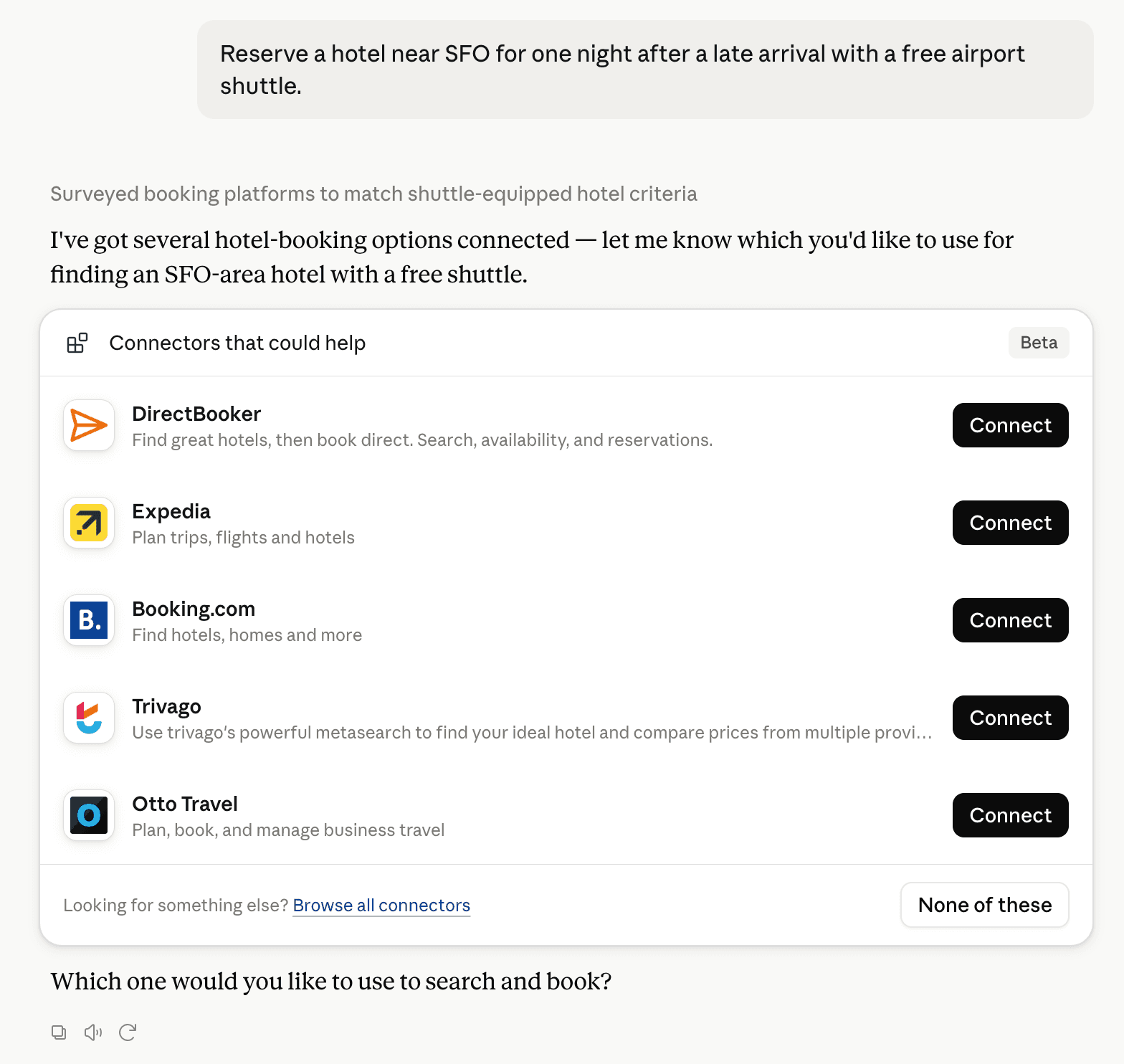
Claude can surface verified Connectors when they match a user’s Prompt.
How Claude Connector discovery works
Your Connector will compete to appear for users’ Prompts once Claude verifies it
Competitive lineup
2 tools agents can invoke

InviteKit Calendar Files Claude Connector FAQ
How the directory, categories and Discoverability Score work.
Read the methodologyHow do I improve InviteKit Calendar Files's Claude Connector discoverability?
The levers are the listing surface agents actually read: names, descriptions, keywords, tool metadata, and registry health. Which lever matters depends on where discovery breaks, which is what continuous measurement shows.
Where is this profile measured?
This profile uses the geography attached to the latest public registry snapshot: US. Locale tags are intentionally omitted.