
Mochi
Search and cite your meeting notes: decisions, follow-ups and who said what, from your own meetings and your team's shared folders.
 View in the Claude registry
- Brand
- Unknown
- Category
- Pending
- Primary Subcategory
- Pending
Integration details
Description
Mochi takes your meeting notes on the Mac and on your booking pages. This connector lets Claude read them, so you can ask about your meetings without leaving the conversation. Ask what was decided in last week's product sync, get briefed before a customer call, list the follow-ups you took on, or pull everything said about a project into one summary. Claude cites the meeting, the date and the people in it, and links to the note in Mochi. What Claude can read: your meeting notes and summaries, the notes in the shared folders of every team you belong to (a teammate's note says who wrote it), summaries of meetings booked through your Mochi pages and their transcripts while Mochi keeps them, and your upcoming meetings. Notes recorded with the Mochi Mac app keep their audio and transcript on your Mac. Every tool is read-only. Claude can't change, send or delete anything in Mochi. You approve the connection on Mochi's own consent screen and can disconnect it any time under Account settings, Connected apps.
- Integration type
- Connector
- Verification status
 Community connector
- Platform
- Claude
- Category
- Pending
- Primary Subcategory
- Pending
- Secondary Subcategories
- None listed
- Brand
- Unknown
- Access
- Account required
- First tracked
- 2026-09-30
- Tool count
- 9
- Geography
- US
The broad Category that contains the Primary Subcategory.
The Primary Subcategory used for this profile’s headline score.
Other Subcategories where the Integration is listed.
 Agent DiscoverabilityClaude Discoverability Score
Claude Connector discovery is coming soon
Community Connectors only appear in Claude’s registry.Once verified, organic discovery begins and we can calculate your score.Read more about Community Connector verification.
No spam. Unsubscribe any time.
No spam. Unsubscribe any time.
What discovery looks like
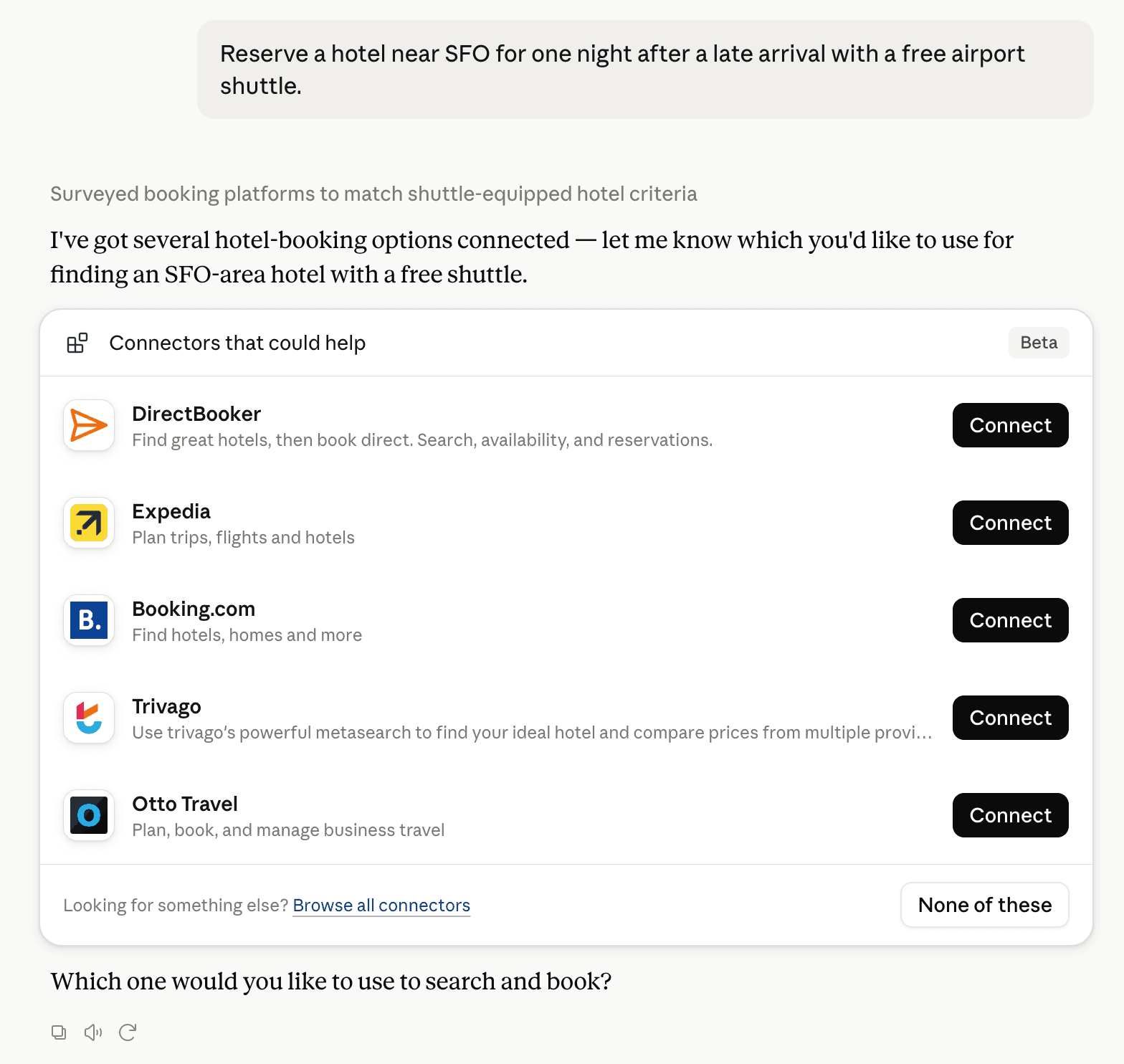
Claude can surface verified Connectors when they match a user’s Prompt.
How Claude Connector discovery works
Your Connector will compete to appear for users’ Prompts once Claude verifies it
Competitive lineup
9 tools agents can invoke

How do I improve a Community connector's discoverability?
The levers are the listing surface agents actually read: names, descriptions, keywords, tool metadata, and registry health. Which lever matters depends on where discovery breaks, which is what continuous measurement shows.
Where is this profile measured?
This profile uses the geography attached to the latest public registry snapshot: US. Locale tags are intentionally omitted.