
School Timetable Builder
Build a complete weekly timetable for a primary or lower-secondary school by chat: every class, teacher and room, respecting teacher availability, workload, double lessons and shared rooms
 View in the Claude registry
- Brand
- Unknown
- Category
- Pending
- Primary Subcategory
- Pending
Integration details
Description
School Timetable Builder creates a complete weekly timetable for a primary or lower-secondary school: one timetable per class and one per teacher, including rooms. Nothing to install or learn: describe your school in the chat, in your own language. Claude interviews you one topic at a time and checks the data with the service in seconds, for example whether there are enough qualified teachers and enough time in the week. The engine then calculates the whole timetable, usually in 5-8 minutes. Every rule is a firm rule: the timetable meets all of them, or you get a plain explanation of what clashes, and you decide what to change. Rules the engine handles: - Teacher availability: block any day or lesson, e.g. "not after lesson 4 on Fridays" or "teaches at another school on Mondays" - Blocked lessons for a class or a whole grade - Teacher workload: lessons per week, part-time, teachers working across age groups - No gaps: planning time at school is placed in each teacher's timetable, and by default teachers' days have no empty gaps - Fixed teachers for a class and subject - Double lessons and min/max lessons per day for each subject - Shared special rooms with limited capacity (sports hall, music room, workshops) - Classes taught at the same time (e.g. language groups across a grade, PE in pairs) - 5 days, 1-12 lessons a day, any lesson length, grades 0-10 You get the timetable as files in the chat (e.g. a spreadsheet with one sheet per class and one per teacher), plus a "School data" file to change a detail and run it again later. Not included: student-choice course timetables (high-school style), whole-day events, and soft "if possible" preferences that are weighed against each other. Privacy: Claude replaces teacher names with codes (T01, T02, ...) before anything is sent. The service never receives the names of teachers, pupils or the school, and deletes all data within 24 hours. No account needed
- Integration type
- Connector
- Verification status
 Community connector
- Platform
- Claude
- Category
- Pending
- Primary Subcategory
- Pending
- Secondary Subcategories
- None listed
- Brand
- Unknown
- Access
- No account required
- First tracked
- 2026-10-13
- Tool count
- 5
- Geography
- US
The broad Category that contains the Primary Subcategory.
The Primary Subcategory used for this profile’s headline score.
Other Subcategories where the Integration is listed.
 Agent DiscoverabilityClaude Discoverability Score
Claude Connector discovery is coming soon
Community Connectors only appear in Claude’s registry.Once verified, organic discovery begins and we can calculate your score.Read more about Community Connector verification.
No spam. Unsubscribe any time.
No spam. Unsubscribe any time.
What discovery looks like
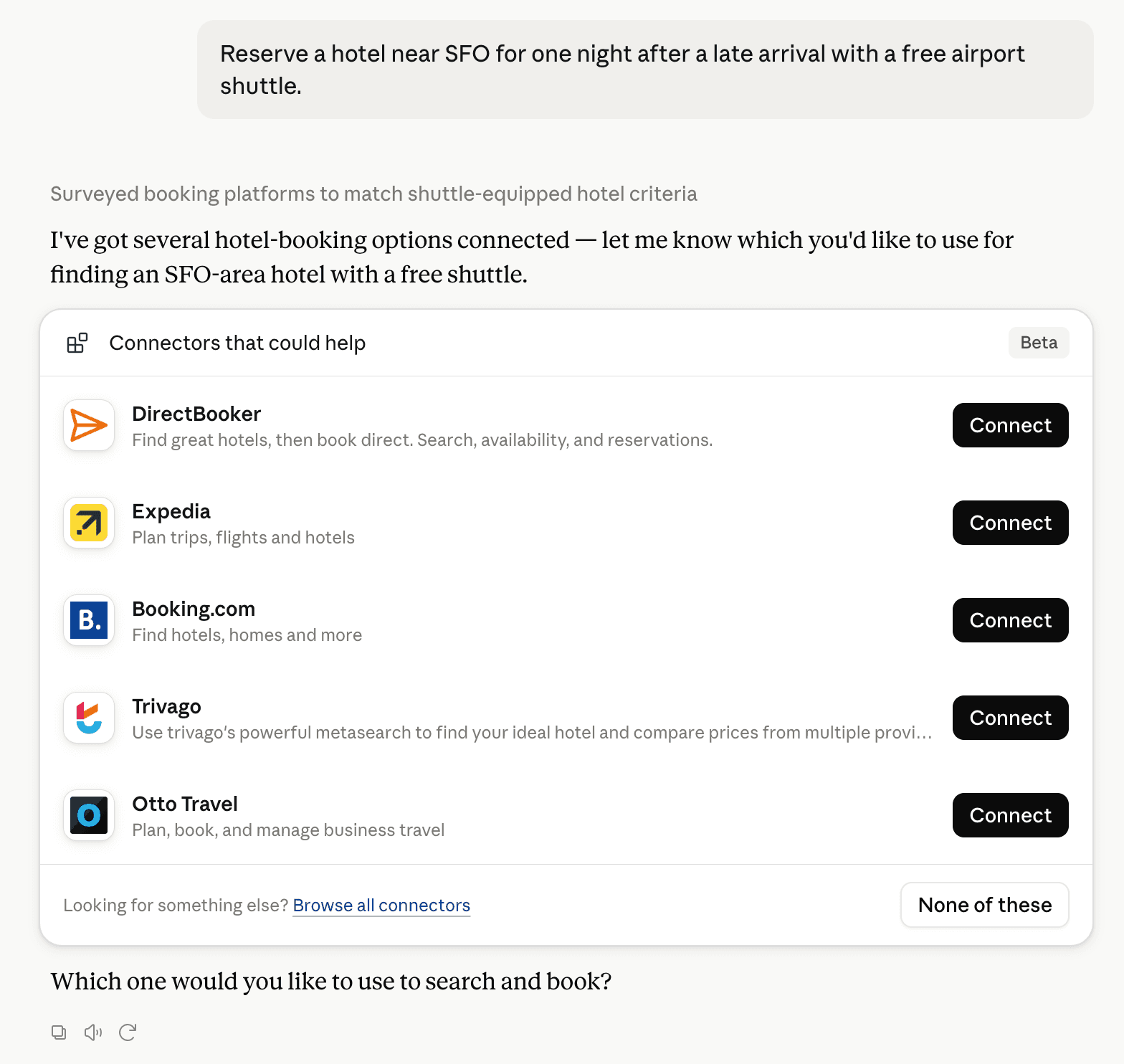
Claude can surface verified Connectors when they match a user’s Prompt.
How Claude Connector discovery works
Your Connector will compete to appear for users’ Prompts once Claude verifies it
Competitive lineup
5 tools agents can invoke

School Timetable Builder Claude Connector FAQ
How the directory, categories and Discoverability Score work.
Read the methodologyHow do I improve School Timetable Builder's Claude Connector discoverability?
The levers are the listing surface agents actually read: names, descriptions, keywords, tool metadata, and registry health. Which lever matters depends on where discovery breaks, which is what continuous measurement shows.
Where is this profile measured?
This profile uses the geography attached to the latest public registry snapshot: US. Locale tags are intentionally omitted.