
StockZip
Check stock, find items and record stock in, out and moves in your StockZip inventory, straight from chat.
 View in the Claude registry
- Brand
- Unknown
- Category
- Pending
- Primary Subcategory
- Pending
Integration details
Description
StockZip is simple inventory software for small shops, workshops and warehouses. This connector lets you ask Claude about your stock and update it in plain language. What you can do: - Find items by name or SKU and see their quantity, price, folder and status. - Get a quick overview: how many items you have, which are low on stock and which have run out (up to 10 of each listed by name). - See your folders and locations by name. - Check stock out to a person or job. - Add stock you have received or got back. (This adds to the quantity; it does not close an open checkout.) - Correct a quantity after a count. - Move an item to another folder or location. Changes are made under your own StockZip login, so your activity log shows your name. Claude asks you to confirm a change unless you have chosen to always allow that tool in Claude's settings. What you need: a StockZip account on the Pro or Ultra plan. You sign in with your normal StockZip login and approve access once. What Claude can do follows your role: staff with view-only access get the read tools only. To disconnect, remove the connector in Claude, or go to StockZip Settings, Integrations, Connected AI apps, and select Disconnect. Access ends within about an hour.
- Integration type
- Connector
- Verification status
 Community connector
- Platform
- Claude
- Category
- Pending
- Primary Subcategory
- Pending
- Secondary Subcategories
- None listed
- Brand
- Unknown
- Access
- Account required
- First tracked
- 2026-10-14
- Tool count
- 8
- Geography
- US
The broad Category that contains the Primary Subcategory.
The Primary Subcategory used for this profile’s headline score.
Other Subcategories where the Integration is listed.
 Agent DiscoverabilityClaude Discoverability Score
Claude Connector discovery is coming soon
Community Connectors only appear in Claude’s registry.Once verified, organic discovery begins and we can calculate your score.Read more about Community Connector verification.
No spam. Unsubscribe any time.
No spam. Unsubscribe any time.
What discovery looks like
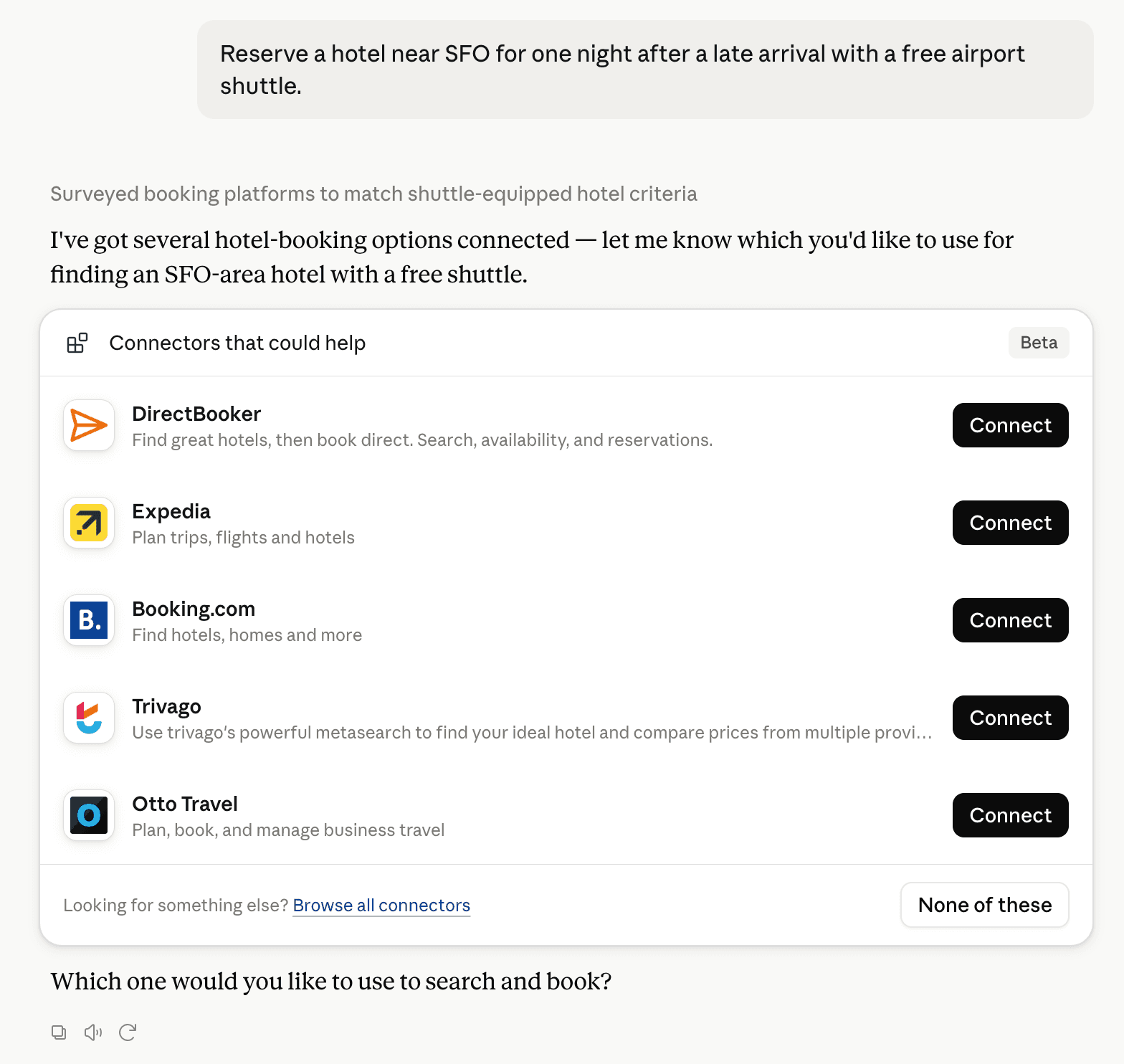
Claude can surface verified Connectors when they match a user’s Prompt.
How Claude Connector discovery works
Your Connector will compete to appear for users’ Prompts once Claude verifies it
Competitive lineup
8 tools agents can invoke

StockZip Claude Connector FAQ
How the directory, categories and Discoverability Score work.
Read the methodologyHow do I improve StockZip's Claude Connector discoverability?
The levers are the listing surface agents actually read: names, descriptions, keywords, tool metadata, and registry health. Which lever matters depends on where discovery breaks, which is what continuous measurement shows.
Where is this profile measured?
This profile uses the geography attached to the latest public registry snapshot: US. Locale tags are intentionally omitted.