
- Brand
- Conveo
- Category
- Data & Analytics
- Primary Subcategory
- Customer Feedback & Research Platforms
Integration details
Description
Conveo helps research, product and marketing teams understand their customers through interviews. Conveo's AI moderator interviews real participants over video, and this plugin connects ChatGPT to your Conveo workspace so you can plan studies and get answers from the interviews without leaving the conversation. What you can do: - Analyze interviews: ask what participants said about a topic and get an answer backed by cited quotes, tables and charts. - Find moments: search interview clips for what participants said about a keyword. - Design studies: create a new interview study with topic-guide sections and questions. Studies are created as drafts; nothing reaches participants until you launch it in Conveo. - Track fieldwork: see how many interviews are complete, in progress or screened out, and how your quotas are set up. - Reuse findings: browse the storylines and insights your team has already published. Requires a Conveo account. ChatGPT only sees the studies your account can already access, and Conveo never shares participants' contact details.
- Integration type
- Plugin
- Verification status
- Not applicable
- Platform
- ChatGPT
- Primary Subcategory
- Customer Feedback & Research Platforms
- Secondary Subcategories
- None listed
- Brand
- Conveo
- Access
- Account required
- First tracked
- 2026-10-16
- Tool count
- 116
- Geography
- US
The Primary Subcategory used for this profile’s headline score.
Other Subcategories where the Integration is listed.
 Agent Discoverability
 ChatGPT Plugin Discovery Score
Your score is coming
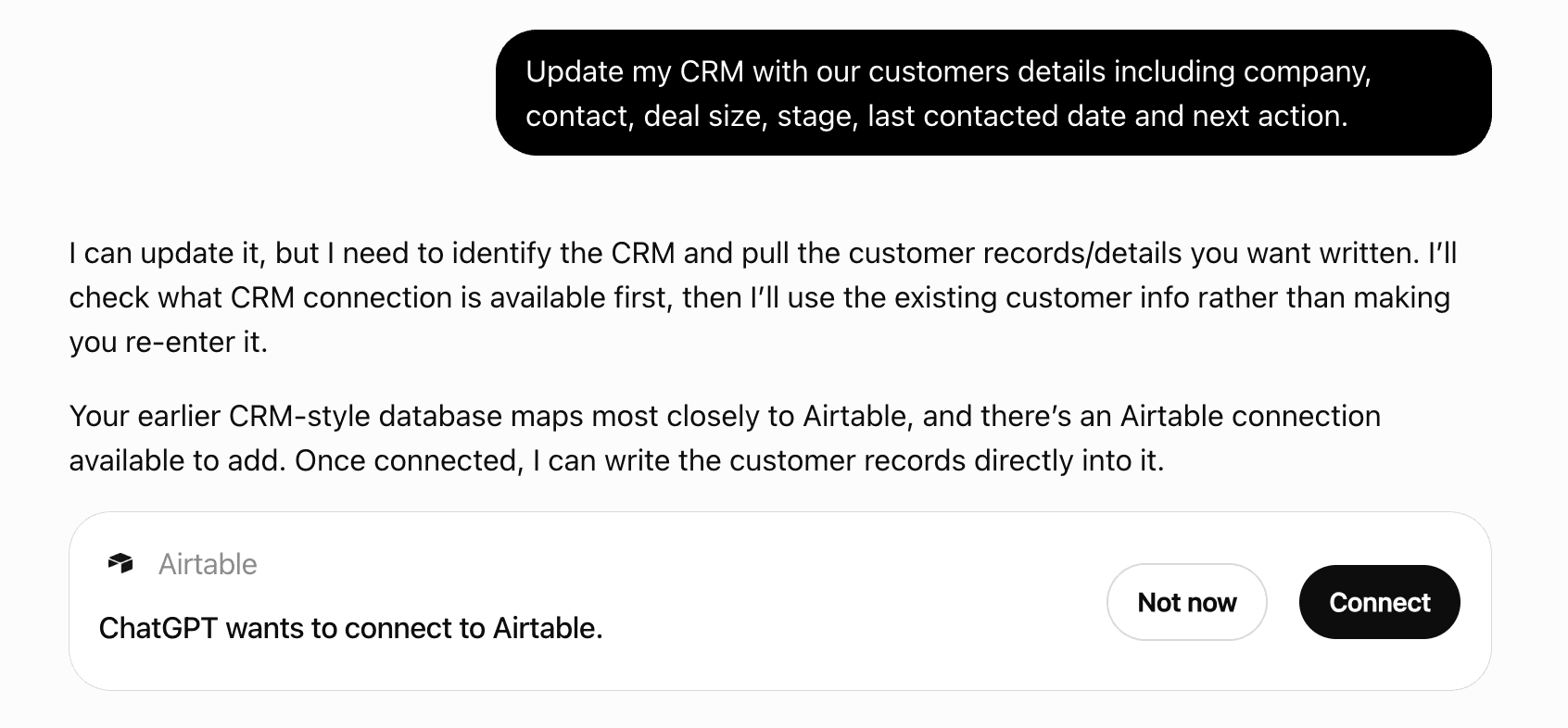
ChatGPT now suggests Plugins on its own when they match a user's request.Your Plugin Discovery Score measures how often yours appears, and it will show here as soon as it’s ready.
What discovery looks like
Get alerts for Conveo
Get updates when Conveo’s Discoverability Score or category rank changes.
Competing in ChatGPT Customer Feedback & Research Platforms
View Category116 tools agents can invoke
Add a media item (image, video, link, embed or PDF) or a text-only concept to an existing stimulus. If the stimulus is already attached to a live study, participants see the new asset straight away. Side effects: on a randomImageGroup stimulus with timed image hiding on, adding any non-image asset turns timed hiding off, overwriting that setting. An image added without a description is sent to an AI provider to generate one. A website embed URL is fetched by Conveo's servers to check whether it can be embedded. Use type 'none' for a text-only concept: the participant is shown no media, and the concept carries only parameter values that fill [[ placeholders ]] in the question text. That is the right type for a parameter-driven study — one concept per retailer, category, or brand name, with no image involved. 'none' takes no sourceId. Never substitute another type with an invented sourceId to stand in for a text-only concept: a made-up image URL does not fail loudly, it becomes a broken image shown to a real participant. Every other type requires a sourceId: for images it's a URL, for videos it's a YouTube URL, for hyperlinks it's a URL, for Figma/Canva embeds it's the embed URL. Add the concepts before calling set_parameter_keys: keys are stored per concept, so set_parameter_keys refuses on a stimulus that has none.
add_asset_to_stimulus
Add a hidden variable to the screener: a named value computed from earlier screener answers, never asked or shown to participants, that takes no question number. Later option routing, question and section routing, and quotas can read it like a screener answer. It is created as a single-value variable named "New variable" with one value "Value 1" and no rule. Rename it with update_question, rename or add values with update_question_option / add_question_option (the qualificationCategory of a value screens the participants who get it, as on any screener option), say when each value is assigned with set_option_routing, and catch everyone no value matches with set_everyone_else_value. Returns the new variable and its value IDs.
add_hidden_variable
Add a new item to a MaxDiff question's item pool. The item goes after the existing items, and existing items are not changed. The question must be of type 'maxDiff'. If the study has more than one language, an AI model machine-translates the label. The edit is refused while the study setup is locked, which happens automatically at launch. If the setup of a launched study has been unlocked, participants who reach this question see the new item straight away.
add_max_diff_item
Add a new question to a topic-guide section; existing questions are not changed (passing `order` only shifts later questions down). If the study is already live, participants who start after this call are asked the new question. Supports open-ended, multiple choice, MaxDiff, Van Westendorp (price-sensitivity), Gabor-Granger (adaptive pricing), rating (scale), and ranking (rank-order) questions. For multiple choice, provide options. For MaxDiff, set the maxDiff* fields and then add the item pool with add_max_diff_item. For Van Westendorp the question is created with a default USD currency and the four standard price-point wordings already seeded, so it is valid immediately (edit them later with update_question). For Gabor-Granger the question is created with a default USD currency, but the price range (min/max/increment) starts null — set it with set_gg_price_range before the question is complete. For rating, the question is created with no scale or items — set the scale with set_rating_scale and add the item pool with add_rating_item before the question is complete. A statement is a display-only step: it is created with no options, collects no answer, and its inquisitiveness is forced to 'none' whatever you pass — it requires the `statementSteps` feature flag and is rejected for organizations without it, and it is not legal in a screener section. Note: for MaxDiff the question is created first and the maxDiff settings are applied in follow-up steps, so a mid-way failure can leave the question created with only some settings applied — re-run update_question to finish configuring it.
add_question
Add a new answer option to the end of an existing multiple choice question; existing options are not changed. On a live study, participants who start after this call see the option, and on a screener a 'qualify' or 'disqualify' option changes who is recruited. On a hidden variable (role: variable in get_study) the option is a new value, assigned only once set_option_routing gives it a rule; its qualificationCategory screens the participants who get it, as on any screener option.
add_question_option
Add one clip to a quote reel. Pass exactly one of quoteId (a quote from search_clips) or messageId (a participant's whole answer from search_clips), and the position to insert it at. The reel re-renders after each change, which takes minutes. If someone else saves the reel while this runs, the change is refused: call get_quote_reel again and retry. Returns the reel as get_quote_reel would, with videoStatus "processing" while it re-renders; poll download_quote_reel for the finished video.
add_quote_reel_clip
Add an item to a ranking question's list. Items are appended in order. The question must be of type 'ranking'. Refused once a real participant has ranked the question — results only count orderings over the full item list, so a new item would drop every earlier respondent. A ranking question needs between 2 and 8 items with text before the study can launch — beyond 8 participants stop genuinely ordering the middle of the list, and MaxDiff is the instrument for larger item sets.
add_ranking_item
Add a new item to a rating question's item pool (e.g. 'Price' in 'Rate these attributes'); existing items are not changed. Items are appended in order. The label is machine-translated into the study's languages straight away, and on a live study participants who start after this call are asked to rate it. The question must be of type 'rating'.
add_rating_item
Add a research objective to a study. For legacy research-objective-based studies this is a topic-guide objective that holds questions (add via add_question). For section-based studies this is the analytical layer (title + description, no questions) — build that study's topic guide with add_section instead. Existing objectives are not changed, except that they shift position when order is given. On a legacy study that is already fielding (its setup was unlocked after launch), participants who start afterwards get the new objective. Each change also starts a background re-validation of the topic guide and re-syncs screeners with connected recruitment panels.
add_research_objective
Add a topic-guide section to a section-based study. Sections build the interview structure: they group questions (added via add_question) into topics. Only valid for section-based studies; for legacy research-objective-based studies, build the topic guide with add_research_objective instead. Existing sections are not changed, except that they shift position when order is given. If the study is already fielding (its setup was unlocked after launch), participants who start afterwards get the new section. Each change also starts a background re-validation of the topic guide and re-syncs screeners with connected recruitment panels.
add_section
Add (or reuse) a facet on a study. Facets are analytical dimensions used to slice interview results — e.g. 'tone_of_voice', 'preferred_brand'. If `questionId` is provided the facet is scoped to that question; otherwise it is a transcript-wide study-level facet. Dedup is case-insensitive on (studyId, source, name, questionId). When a matching facet already exists it is returned unchanged, and the other settings passed here are ignored. A newly created facet is sent to an AI provider to link it to the organization's shared facets. If `triggerExtraction` is true (all writable sources support it), an extraction job runs over existing completed interviews, and AI sources send transcripts or video to an AI provider. When the facet already exists, that re-run overwrites its current values: AI sources keep analyst-edited values, but a derived facet is rebuilt from scratch and loses them. Otherwise the facet is created without values.
add_facet_to_study
Attach a stimulus to a research objective. All questions in this objective will show the stimulus to participants. An objective holds one stimulus, so this replaces any stimulus already attached to it. Attaching a Figma, Canva or website embed also switches the study's screen-recording requirement from off to window. On a live study, the next participants see the change.
attach_stimulus_to_objective
Attach a stimulus to a specific question. The stimulus will be shown when this question is asked. A question holds one stimulus, so this replaces any stimulus already attached to it. Attaching a Figma, Canva or website embed also switches the study's screen-recording requirement from off to window. On a live study, the next participants see the change.
attach_stimulus_to_question
Attach a stimulus to a topic-guide section (Section.stimulusId). All questions in the section show the stimulus. This is the canonical concept-test wiring: a monadic section with a randomImageGroup stimulus, the question battery repeating per concept. Only valid for section-based studies; for legacy studies use attach_stimulus_to_objective. A section holds one stimulus, so this replaces any stimulus already attached to it. Attaching a Figma, Canva or website embed also switches the study's screen-recording requirement from off to window. On a live study, the next participants see the change.
attach_stimulus_to_section
Remove the eligibility rule from one asset of a randomized stimulus, making the asset drawable for everyone again. The rule is deleted, and on a live study this changes which concepts the next participants can be shown. Removing the last rule in a study reverts its randomized draws to legacy study-wide balancing, which happens up front instead of after the screener.
clear_asset_eligibility
Create a new saved analysis session (a Talk-to-Your-Data chat) over one or more studies you can read, and start preparing its dataset in the background. Every call creates a separate new session. It does not change any study, interview or participant data. Use the returned sessionId with query_study_data for multi-turn data analysis, or use list_analysis_sessions to resume an existing session instead of creating a duplicate.
create_analysis_session
Create a placeholder stimulus in a template study. Placeholder stimuli act as slots that users fill in with actual media when creating a study from the template. Only works for template studies.
create_placeholder_stimulus
Create a new quota group (segments with min/max/exact quotas) on a study. It only adds rows and never edits or removes existing quota groups. The group is created active, so on a study that is already recruiting it immediately changes who is admitted. When a participant finishes the screener, their answers are matched to the first segment, in order, whose expression is true (or to the no-match bucket). Once that segment's max or exact quota is full, the participant is screened out, and a panel recruit is returned to their panel as a screen-out. Each segment has a name, a Logic expression, and one or more quotas with an operator (min/max/exact) and value. Question conditions in a segment can only reference SCREENER questions. Every questionId must be a single/multiple choice or classified open-ended question in the screener section; main-interview questions and hidden questions are rejected. The schema accepts entryNumberCondition, facetSchemaEnumCondition and facetSchemaNumberCondition, but quota evaluation never supplies them, so a segment that depends on them never matches. Example: To recruit exactly 50 males and 50 females from a gender question: - Segment "Male": expression references the male option, quota { operator: "exact", value: 50 } - Segment "Female": expression references the female option, quota { operator: "exact", value: 50 } Segment expressions use the same Logic tree as question routing: { "type": "group", "combinator": "and" | "or", "rules": [ { "type": "condition", "questionId": "...", "operator": "isAnyOf" | "isNoneOf", "optionIds": ["..."] }, { "type": "classifierCategoryCondition", "questionId": "...", "operator": "isAnyOf" | "isNoneOf", "categoryIds": ["..."] }, { "type": "optionCountCondition", "questionId": "...", "countOperator": "eq" | "ne" | "gt" | "lt", "value": 2 }, { "type": "facetSchemaEnumCondition", "facetSchemaId": "...", "operator": "isAnyOf" | "isNoneOf", "values": ["..."] }, { "type": "facetSchemaNumberCondition", "facetSchemaId": "...", "operator": "eq" | "lt" | "lte" | "gt" | "gte", "value": 30 }, { "type": "entryNumberCondition", "operator": "eq" | "lt" | "lte" | "gt" | "gte", "value": 1 }, { "type": "stimulusAssetCondition", "stimulusId": "...", "operator": "isAnyOf" | "isNoneOf", "assetIds": ["..."] }, { "type": "group", "combinator": "...", "rules": [...] } ] } stimulusAssetCondition matches on the stimulus asset the randomized draw assigned to the interview, and can be used in any quota segment, but only when screener-directed allocation is enabled on the study and the stimulus is a randomized stimulus of this study (otherwise the call is refused). (Question routing accepts it too, but not on screener questions, because the draw has not run when the screener is asked; section routing rejects it.) Combine it with question conditions to quota a cell of "screener answer x assigned stimulus" — e.g. "shoppers who buy weekly AND were shown retailer A", quota { operator: "exact", value: 10 }. Interviews with no assignment for the stimulus yet count as not matching.
create_quota_group
Start building a NEW quote reel for a study around a theme. Picks matching participant clips and renders the reel in the background, which takes minutes: poll get_output_progress with kind "reel" until it is ready, then download_quote_reel for the video. Every call creates a separate reel, so never call it again to retry or to check on one already started. Requires edit access to the study, and the study needs at least one completed interview. Returns one of: - { status: "queued", id, kind, title, url } — generation started; poll get_output_progress with this id and kind - { status: "refused", kind, reason } — nothing was created. reason is "noScope" (no such study), "notAuthorized" (you cannot edit it) or "studyNotReady" (it has no completed interviews yet; completedInterviews is 0)
create_quote_reel
Start generating a NEW report for a study from a brief. Creates the report and runs generation in the background, which takes minutes: the report is not written when this returns, so poll get_output_progress with kind "report" until it is ready. Every call creates a separate report, so never call it again to retry or to check on one already started. Requires edit access to the study, and the study needs at least one completed interview. Returns one of: - { status: "queued", id, kind, title, url } — generation started; poll get_output_progress with this id and kind - { status: "refused", kind, reason } — nothing was created. reason is "noScope" (no such study), "notAuthorized" (you cannot edit it) or "studyNotReady" (it has no completed interviews yet; completedInterviews is 0)
create_report
Create a stimulus (media to show participants) in a study. After creating, use add_asset_to_stimulus to add the actual media, then attach_stimulus_to_objective or attach_stimulus_to_question to connect it.
create_stimulus
Create a new Conveo study. Returns the study ID and slug. Only adds new rows and never changes existing studies, but it does fire any workflow automations your organization has set to run when a study is created. After creating, use add_section and add_question to build the topic guide, and optionally add_research_objective for the analytical layer.
create_study
Create a new template study. Templates are reusable study blueprints that can be used to create new studies. Returns the template study ID and slug. Only adds new rows and never changes existing studies, but it does fire any workflow automations your organization has set to run when a study is created. After creating, use add_section and add_question to build the topic guide, add_research_objective for the analytical layer, and create_placeholder_stimulus to add placeholder stimuli.
create_template_study
Delete an item from a MaxDiff question. The item can be restored from the study's version history until real (non-test) participants have been interviewed, but the other changes described below cannot be recovered. An item that a real (non-test) participant has already answered cannot be deleted. Otherwise the delete also removes the item from the MaxDiff tasks of every test or unanswered interview, unlinks any follow-up probe messages that referenced it, resets the question's exposure balancing, and renumbers the remaining items. The edit is refused while the study setup is locked, which happens automatically at launch. If the setup of a launched study has been unlocked, participants stop seeing the item straight away.
delete_max_diff_item
Remove the rule from one option. On an asked screener question the option is then shown to every participant; on a hidden variable the value is then never assigned. The rule is deleted: restore an earlier version from the study's version history (possible only until real (non-test) participants have been interviewed) or set it again with set_option_routing. On a live study the change applies to participants straight away.
delete_option_routing
Delete a question from its topic-guide section (its research objective, in legacy studies). The question can be restored from the study's version history until real (non-test) participants have been interviewed (a rating question comes back without its scale and items); detached answers and deleted facets, charts, signals and summaries cannot be recovered. On a live study, participants who start after the call are no longer asked it. Also refused while a quota group's conditions depend on the question. Refused while the study setup is locked. When real participants have already answered the question, the call returns the impact (answers detached, facets, charts, signals and summaries deleted) and requires confirmDeleteAnsweredQuestion: true to proceed. To stop asking a question without destroying anything, call set_question_hidden with hidden=true instead.
delete_question
Delete an option from a multiple choice question. It also deletes every participant answer that picked the option, which cannot be recovered, plus any pricing currency rules tied to it. The option and its currency rules can be restored from the study's version history until real (non-test) participants have been interviewed. Nothing checks for real answers or confirms first. On a live study, participants who start after this call no longer see the option.
delete_question_option
Remove the routing (display) rule from a question, so it is asked of every participant. The rule is deleted. To get it back, restore an earlier version from the study's version history (possible only until real (non-test) participants have been interviewed) or set it again with set_question_routing. On a study that is already live, participants who were being routed past this question start being asked it straight away.
delete_question_routing
Delete a quota group from a study, together with all its segments and quotas and the segment-assignment facet (and its per-interview values) derived from it. None of this can be recovered. On a study that is already recruiting, the group's limits stop applying immediately, so participants it would have screened out are admitted.
delete_quota_group
Delete an item from a ranking question. Refused once a real participant has ranked the question — deleting an item then would rewrite orderings that have already been collected. Remaining items close the gap in their order.
delete_ranking_item
Permanently delete an item from a rating question's item pool; the remaining items are renumbered. Refused when a real participant has rated this item or any item added after it, because deleting it would shift those items' export columns. On a live study, participants who start after this call are no longer asked to rate it.
delete_rating_item
Delete a research objective. It (and, for legacy studies, its questions) can be restored from the study's version history until real (non-test) participants have been interviewed. For legacy studies this also deletes every question in it. The call is refused once any participant has answered one of those questions; hide them with set_question_hidden instead. For section-based studies the analytical objective has no questions to remove. On a legacy study that is already fielding (its setup was unlocked after launch), participants who start afterwards are no longer asked these questions. Each change also starts a background re-validation of the topic guide and re-syncs screeners with connected recruitment panels.
delete_research_objective
Delete a topic-guide section of a section-based study, together with every question in it. The section and its questions can be restored from the study's version history until real (non-test) participants have been interviewed, except the scale and items of any rating question in it, which cannot be recovered. Only user-created sections can be deleted (not intro/outro). The call is refused once any participant has answered one of the section's questions; use set_section_hidden to stop asking it instead. If the study is already fielding (its setup was unlocked after launch), participants who start afterwards are no longer asked these questions. Each change also starts a background re-validation of the topic guide and re-syncs screeners with connected recruitment panels. For legacy studies, use delete_research_objective.
delete_section
Remove the routing (display) rule from a section, so every participant reaches it. The rule is deleted. To get it back, restore an earlier version from the study's version history (possible only until real (non-test) participants have been interviewed) or set it again with set_section_routing. Questions inside keep their own routing rules. On a study that is already live, participants who were being routed past this section start reaching it straight away. Rejected if removing the gate introduces or worsens diary routing problems in those questions.
delete_section_routing
Remove the termination rule from a question, so answering it never ends the interview.
delete_termination_rule
Get a temporary download link for a quote reel video that has already been rendered. A quote reel is a compilation of several quote clips. This tool only reads: it does not render, re-render or change the reel, and if the reel has no video yet it returns an error. When the reel is ready it returns a signed MP4 download URL that expires after 15 minutes. Returns one of: - { status: "ready", downloadUrl, title } — video is ready, use the downloadUrl to download the MP4 file - { status: "processing", progress } — video is still being rendered - { status: "failed" } — video rendering failed
download_quote_reel
Edit a report in the background with the report's own assistant: change a section, rewrite a passage, add or remove content. Describe the change in plain words, naming the section it applies to and what must stay as it is. The edit runs into a DRAFT: the published report is unchanged until publish_report, so it is safe to try an edit and check the result first. Takes minutes. Returns { status: "editing", id, turnId, url }: poll get_output_progress with kind "document", id = the reportId and that turnId until it is "ready", read the diff, then publish_report (or edit again). A report needs a published version before it can be edited. Typing in the report's assistant in Conveo while this runs cancels it. Refusals: { status: "refused", reason } with reason "notFound", "notAuthorized", or "billingBlocked" (the report's studies bill to different accounts; someone has to pick one in the report's assistant in Conveo first).
edit_report
Get metadata about an analysis session without running a query. Returns study titles, interview counts, available facets (demographics, themes, etc.), and dataset readiness. Use this to understand what data is available before querying, or to populate dashboards and reports with study context.
get_analysis_session
Retrieve the conversation history of a TTYD analysis session. Returns all user questions and assistant responses with their text content, plus any charts, tables, and participant quotes from each response. Use this to review previous analyses, create reports from past conversations, or extract insights without re-running queries.
get_analysis_session_messages
Check whether a report or quote reel has finished generating. Report and reel generation run in the background and take minutes, so poll this instead of asking the researcher to reload the page; a gap of 15-30 seconds between calls is plenty. This tool only reads: it never starts, restarts or changes a generation. Returns { status, id, kind, title, url, failureReason }, where status is one of: - "queued" | "building" — still generating, call again later - "ready" — finished - "failed" — generation failed; failureReason says why - "notFound" — no such output, or you cannot read it (only id and kind are returned) url opens the output in Conveo, or is null when there is nothing to open yet. A report has a url as soon as it exists, so the researcher can watch it generate; a reel has one once it has rendered, unless it has no page this account can open (a Foundation client's study reel). For kind "document" (a background edit from edit_report), status is "editing" while that edit runs, then "ready" with diff: { before, after, truncated } (the published text and the draft, each cut at 200,000 characters, truncated saying whether either was) — or diff null when the draft matches what is published — or "failed". It needs the turnId edit_report returned. Nothing is live until publish_report.
get_output_progress
Get the parameter set for a stimulus, including all items with their values and asset associations.
get_parameter_set
Get the routing (display) logic for a question — the condition that must be TRUE for the question to be asked. If no routing is set, it returns a message saying so instead of an expression, which means the question is always asked.
get_question_routing
List all quota groups for a study, including their segments and quotas.
get_quota_groups
Get a quote reel's clips in order, with what the reel-editing tools (add_quote_reel_clip, remove_quote_reel_clip, move_quote_reel_clip, trim_quote_reel_clip, set_quote_reel_clip_hidden, rename_quote_reel) need to change them: each clip's clipId, its text, the interview it comes from, whether it is hidden, and its cut (startMs/endMs, milliseconds into the interview recording; isTrimmed when someone set the cut by hand). Also returns the reel's title, link (url, null when the reel has no page this account can open, as for a Foundation client) and videoStatus ("processing" while it renders). This tool only reads.
get_quote_reel
Get recruitment health data for a study: interview counts by status, incidence rate, screener question breakdown (which options disqualify most), disqualification reasons, and quota group targets. Use this to diagnose slow recruitment, identify problematic screeners, or review quota configuration. Note: quota groups return target configuration (operator/value) but not current fill counts.
get_recruitment_overview
Get the routing (display) logic for a section — the condition that must be TRUE for any of its questions to be asked. If no routing is set, it returns a message saying so instead of an expression, which means every participant reaches the section.
get_section_routing
Fetch one chart or table this analysis session produced, by the ID returned from list_session_artifacts. Returns its full data, not just the summary.
get_session_artifact
Check the status of a snippet video extraction. Call this after prepare_snippet_download returns status "processing". This tool only reads: it never starts or restarts a render. When the video is ready it returns a signed download URL that expires after 15 minutes. Returns one of: - { status: "ready", downloadUrl, quoteId } — video is ready, use the downloadUrl to download the MP4 file - { status: "processing", quoteId, progress } — still extracting, progress is 0-100 - { status: "failed", quoteId } — extraction failed
get_snippet_download_status
Get details of a study. The topic guide is in `sections` for section-based studies (use `isSectionBased` to tell) or in `researchObjectives` for legacy studies; for section-based studies `researchObjectives` is the analytical layer. Also returns questions, stimuli, welcome page, and template details (if applicable). Grid screener items expose `screenerMinValue` and `screenerMaxValue`; they use rating items and scale points, not multiple-choice options. Gabor-Granger questions additionally expose `psmCurrencyCode` (shared with Van Westendorp), `ggMinPrice`/`ggMaxPrice`/`ggIncrement` (null until set via set_gg_price_range), and a derived `ggTierCount` (null until the range is complete). Randomized stimuli expose their screener-directed allocation setup: `assetRules` (per-asset eligibility expressions, set via set_asset_eligibility) and `balanceWithinStimulusId` (set via set_stimulus_balance_within), `balanceSegmentGroupId` and `balanceScreenerQuestionIds` (set via set_stimulus_screener_balance). Only one balance source is set at a time. `screenerDirectedAllocationEnabled` is the study-level gate over that setup — while it is false, set_asset_eligibility, set_stimulus_balance_within, and set_stimulus_screener_balance refuse and the draw ignores any rules that already exist. Only a Conveo admin can turn it on (study advanced settings), so check it here before building a screener-directed configuration. `responseLimit` is the study's completed-interview cap (set via set_response_limit), null when uncapped. Each question has a `role`: `asked`, or `variable` for a hidden variable in the screener (never asked or shown to participants, no question number; its options are its values, assigned from earlier screener answers). Each option has a `rule` (a Logic expression, null when none): on an asked screener question the option is shown only to participants it matches (set via set_option_routing); on a hidden variable it is the condition under which that value is assigned. `isEveryoneElse: true` marks a hidden variable's "Everyone else" value: it has no rule and is assigned to every participant no other value of that variable matches.
get_study
Get the termination rule on a question — the condition that, when TRUE the moment this question is answered, ends the interview, plus whether it ends it as a completion or as a screen-out. Returns null if there is no rule, meaning answering this question never ends the interview.
get_termination_rule
 Recommended guideHow to get your ChatGPT Plugin suggestedFollow the practical steps agents use to find, shortlist, and choose your Plugin.Read guide
Conveo ChatGPT Plugin FAQ
How the directory, categories and Discoverability Score work.
Read the methodologyHow do I improve Conveo's ChatGPT Plugin discoverability?
The levers are the listing surface agents actually read: names, descriptions, keywords, tool metadata, and registry health. Which lever matters depends on where discovery breaks, which is what continuous measurement shows.
What are Conveo alternatives on ChatGPT?
As of 2026-10-17, Conveo competes with Appbot, AppReviewBot, Canny, Centraliza, Clootrack, Dovetail, empirio.ai, Employee Surveys & eNPS and 32 more in ChatGPT Customer Feedback & Research Platforms, ranked by public Discoverability Score.
Where is this profile measured?
This profile uses the geography attached to the latest public registry snapshot: US. Locale tags are intentionally omitted.