
- Brand
- Unknown
- Category
- Pending
- Primary Subcategory
- Private Markets, Deals & Expert Networks
Integration details
Description
Find and prioritize companies showing signs of M&A activity, capital raising, or financial distress with Fintent’s predictive signals. Built for private equity, investment banking, and deal sourcing teams, Fintent brings company scores, historical trends, and deal-maker research activity into your conversations. With Fintent, you can: • Check M&A, CapRaise, Distress, and Deal-Maker scores for individual companies or lists of company domains. • Review saved screeners to identify new signals, rising activity, and companies worth a closer look. • Explore up to 12 months of weekly signal history to understand when activity started and how it has changed. • See the research topics behind signals and the private equity, investment banking, venture capital, and law firms researching a company. • Create screeners from company lists, add companies, and remove companies you no longer want to track. • Export screeners and their historical signals to Excel. Use Fintent to prepare for company conversations, review target lists, monitor potential opportunities, and prioritize outreach. Requires a Fintent account.
- Integration type
- Plugin
- Verification status
- Not applicable
- Platform
- ChatGPT
- Category
- Pending
- Primary Subcategory
- Private Markets, Deals & Expert Networks
- Secondary Subcategories
- None listed
- Brand
- Unknown
- Access
- Account required
- First tracked
- 2026-10-13
- Tool count
- 34
- Geography
- US
The broad Category that contains the Primary Subcategory.
The Primary Subcategory used for this profile’s headline score.
Other Subcategories where the Integration is listed.
 Agent Discoverability
 ChatGPT Plugin Discovery Score
Your score is coming
ChatGPT now suggests Plugins on its own when they match a user's request.Your Plugin Discovery Score measures how often yours appears, and it will show here as soon as it’s ready.
What discovery looks like
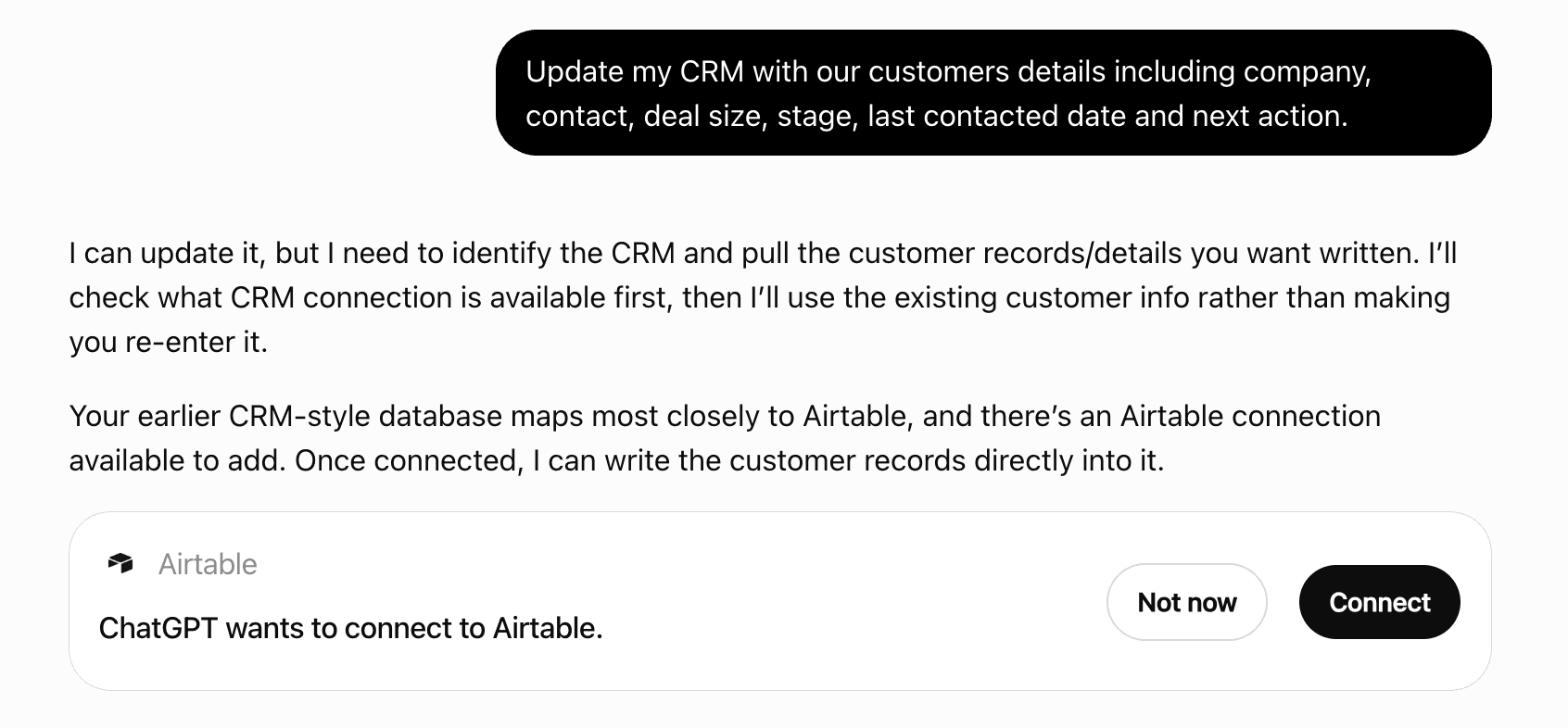
Get alerts for Fintent.ai
Get updates when Fintent.ai’s Discoverability Score or category rank changes.
Competing in ChatGPT Private Markets, Deals & Expert Networks
View Category34 tools agents can invoke
Add website domains to a List. Already-listed domains count in `already_tracked`.
add_companies_to_list
Add companies to an existing Fintent screener. Get the screener_id from list_screeners first. Takes website domains, not company names; companies are matched against Fintent's index by domain. Companies already in the screener are counted in `already_tracked` and cost nothing. Unmatched domains come back in `companies_not_found`. Counts against the organization's tracked-company allowance.
add_companies_to_screener
Check Fintent API health and current usage quotas. Use this when the user asks about their API limits or usage, or to verify remaining capacity before a large batch request. Returns used vs. limit for three quotas: weekly unique companies (distinct domains Fintent holds a company for, looked up per week), tracked companies (screener memberships across all screeners: a company in two screeners counts twice) and monthly deletions (memberships removed per month, including every company in a deleted screener). Exports are not metered.
check_api_quota
Check on an export started by export_screener_history. status is 'running', 'completed' or 'failed'. When completed the response carries download_url, filename, row_count and expires_in_minutes (minutes left on the link); once the file has been downloaded or the link has lapsed, `expired` is true and no link is returned. When failed it carries an `error` text. A 'running' job is still building; exports typically complete within a few seconds.
get_export_status
Create a List from website domains, e.g. a list of companies the user pasted or uploaded to exclude from a company search. Free: Lists sit outside the plan's tracked-company allowance. Domains Fintent holds no company for are reported in `companies_not_found`. For more than 500 domains, create it with the first batch and add the rest with add_companies_to_list.
create_list
Create a new Fintent screener and optionally seed it with companies. Use this when the user wants to start tracking a set of companies — "make me a screener for these targets", "track this list". Companies are matched against Fintent's index by domain. Domains we hold no company for are reported back in `companies_not_found` and are not added; the screener is still created. Companies beyond the organization's plan are reported in `companies_over_quota`. Counts against the organization's tracked-company allowance; check_api_quota reports the remaining headroom.
create_screener
Create a Sector Trends report from Lists and saved searches, split into the sub-sectors the user confirmed, and start building it. Each company is placed in the sub-sector it fits best. Companies that fit none go to 'Other', and sizeable clusters within Other are added as extra sub-sectors automatically, so leaving a sub-sector out moves its companies to Other or a new group rather than into the remaining sub-sectors. Building takes a few minutes: the report is not in list_sector_trends_reports until it is ready. get_sector_trends with the returned report_id and wait=true holds each call until the report is built, so its results can be reported in the same conversation turn. The creator is also emailed when it is ready. `url` opens the report in Fintent, where it fills in as it builds. Counts against the organization's report limit.
create_sector_trends_report
Delete a company search. Screeners, Lists and saved searches made from it are kept.
delete_company_search
Delete a List. Free: no deletion allowance is used.
delete_list
Delete a saved search.
delete_saved_search
Delete an entire Fintent screener and stop tracking every company in it. Deletion is permanent, and every company the screener held counts against the organization's monthly deletion allowance, unless it is a premade screener (is_premade in list_screeners), which is free to delete. list_screeners provides the screener_id along with the screener's name and total_companies.
delete_screener
Build an Excel file of every company a company search found (the full deduplicated list, not only the companies shown in tool results), the same workbook as a Fintent Search download with a Subsector column first, plus a Subsectors sheet with each sub-sector's description and counts. A file assembled from tool results holds only the companies shown there, not the full list. Counts against the organization's monthly search downloads. Returns a job_id at once; poll get_export_status with it for the download link (usually ready within seconds).
export_company_search
Build an Excel workbook of a screener's companies and up to 12 months of their weekly signal history, and return a link the user can download. Use this when the user wants the data as a file (download a screener, get the history as a spreadsheet, export to Excel). Renders the entire screener server-side in one job, which is more efficient than paginating get_screener_signal_history for bulk exports. One row per company per signal type per week, with the topics and deal-maker firms for each week. Companies with no signal in the window still get a row, so the workbook lists the whole screener. Returns immediately with a job_id; the build runs in the background. get_export_status reports progress for that id and carries the download_url once the status is 'completed'.
export_screener_history
Open a company search: its exclusions, each sub-sector's filters and match counts, and one page of the merged results. Companies found in several sub-sectors appear once, listing every one in `subsectors`. Each row has domain, company_name, industry, employee_range, location and a short `about`. total_companies and has_more drive paging.
get_company_search
Returns the Fintent account this connection is signed in as: a stable account id, the user's name and email, and the organization name.
get_connected_account
Page through the website domains a List holds, newest first.
get_list
Check on suggest_report_subsectors. status is 'running', 'completed' (with `subsectors`) or 'failed'. The suggested sub-sectors are a starting point for create_sector_trends_report, which takes the final list.
get_report_subsector_suggestions
Open a saved search and run it: its filters (keywords, industries, employee range, states; `other_filters` names any further ones set on the Search page) and one page of the companies it matches now. A search the user AI-verified in the app returns only its verified companies (ai_verified is true).
get_saved_search
Week-by-week signal history for companies tracked in the user's Fintent screeners. Use this when the user wants the weekly shape of a signal for a few specific tracked companies, such as when deal-maker attention started. Returns week-by-week detail. Current values and 3/6-month values are available from get_screener_signals in a single call, and a whole screener's history is available as a workbook from export_screener_history, which renders it server-side in one job. Same weekly point shape as get_signal_history, plus `company_name` and the screener each company belongs to. A company tracked in two screeners appears once per screener. Unlike get_screener_signals, this returns every company in the screener, including ones with no signal at all (empty `history`), so it also lists a screener's full membership and maps a tracked company's name to its domain; months_back=1 keeps that cheap. Paginated over (company, screener) pairs, default 50. The per_page ceiling scales with months_back, from 200 on a 1-month window to about 70 across a full year, and the applied value is echoed back as pagination.max_per_page. Response size grows with months_back and the number of companies (roughly 288 tokens per company per year), so narrowing by screener_name or a shorter window yields a complete result in fewer pages. Weekly scores are each signal's own weekly value, before the 4-week decay and the Deal-Maker share that the current `score` applies, so M&A, CapRaise and Distress weeks differ from the current values. topic_1..topic_3 are the article types the company is reading; deal_maker_1..deal_maker_3 are the middle-market PEs, IBs, VCs or law firms researching it. Signal definitions: https://fintent.ai/predictive-signals/
get_screener_signal_history
Retrieve financial intent signals for companies the user is already tracking in their Fintent screeners (watchlists). Use this when the user wants to review signals across their saved company lists, find high-scoring companies in their pipeline, or filter their tracked companies by signal strength. Supports filtering by screener name, signal type, and minimum score thresholds. Each row includes both `company_name` (display name) and `domain_name` (the identifier accepted by add/remove). Every signal carries `score_last_3mo` and `score_last_6mo` next to the current `score`, so short-term trend (which tracked companies are heating up or cooling off) is available from this call without weekly history. Only companies with at least one non-zero signal are returned. Filters apply per signal: a company is returned when at least one of its signals (of `signal_type`, when given) meets every minimum score given, and only those signals are listed. Minimums compare the rounded values shown. Companies are ranked highest first by their strongest `sort_by` value (the current score by default) across the returned signal types, so page 1 with a small per_page is the top N. Results are paginated (default 100, max 150 per page, capped to bound response size); the page parameter selects further rows. Scores run 0-100, higher = stronger. `score` is the strongest weekly score of the last 4 weeks, discounted 10% per week of age. `score_last_3mo` and `score_last_6mo` cover the 9 and 22 weeks before those 4: the sum of the weekly scores divided by 3.46 and 8.46 (about 2.6x the weekly mean, quiet weeks counting as 0), capped at 100. They measure activity, not an average of `score`, and 0 means none in that window. A signal is listed while any of the three is above 0, so `score` 0 with a non-zero 3/6-month value marks activity that has stopped. M&A Score and CapRaise Score include 20% of the matching Deal-Maker score; Distress Score includes 20% of Deal-Maker Score (M&A). `rating` (low / medium / high) is the rating of the newest weekly point in those 4 weeks, the one the app's Signals tab shows, and `rating_week` is that week's start; it rates that week's own score, so it can read higher than a `score` that has decayed since. `signal_definitions`, when present, gives each returned signal type's definition once for the whole response. Trend flags appear only when true: new_signal (activity in the last 4 weeks after none in the ~9 months before), signal_increase / signal_decrease (`score` at least 5 points above / below the 6-month value, compared without the Deal-Maker share; unset while the 6-month value is 0). topic_1..topic_3 are the article types the company is reading; deal_maker_1..deal_maker_3 are the middle-market PEs, IBs, VCs or law firms researching it. Signal definitions: https://fintent.ai/predictive-signals/
get_screener_signals
Retrieve time-series intent signal data and an AI-written narrative for one Sector Trends report. Use this when the user wants to: - see how a market is trending over time ("how is the power grid sector doing?") - compare cohort behavior to the broader market ("is M&A heating up in my portfolio?") - identify which sub-sectors are hot or cooling - read the AI commentary on a report Two views, picked via the 'view' arg: - sector (default) — quarterly time series, one row per quarter. Each row has `dt` (YYYY-MM-DD, first day of quarter), `mnaPropensity` and `crsPropensity` (composite indices), each with a `mnaMode`/`crsMode` (blended | score_only | dealmaker_only | insufficient) and a `subIndices` breakdown. M&A Propensity = 0.6·(Deal-Maker M&A ≥25 index) + 0.4·(M&A ≥70 index); CapRaise Propensity is the analogue. An index of 1.00 = the cohort matches the fixed US-market baseline (Fintent's ~495k-company universe of US companies with 26-1000 employees, minus the cohort's own members — the same baseline for every report); 1.5 → 50% more in-play than the market; 0.6 → 40% less. `null` = undefined (no signal that quarter). The response `summary` carries `mnaPropensityCurrent`/`crsPropensityCurrent`, 4-quarter momentum slopes (`mnaMomentum4q`/`crsMomentum4q`) — both computed over COMPLETE quarters only — and cohort coverage (`domainsInScope` = cohort companies in the universe, the population the index is built on). - subsector — `subsectors`: one row per sub-sector that has an index, largest first, with `subSector`, `companies`, `lowSignal` (fewer than `minSubsectorCompanies` companies, so noisier) and the same current/momentum fields as the sector `summary`. `omittedWithoutIndex` counts sub-sectors too small to index. Passing `subsector` returns that one sub-sector's quarterly series instead (`data` rows shaped like the sector view, plus its `summary`). Only available for reports with at least 3,000 companies. The sector view and the sub-sector list include an `insight` field: a 200–400 token Markdown narrative for that view, written by AI. status='ready' → content populated; 'pending' / 'failed' / 'missing' → content is null. The narrative typically leads with the single most important takeaway and cites specific index values, dates, and external context (regulations, funding events, etc). Every response carries `url`, the report's page in Fintent. Get a valid report_id from list_sector_trends_reports first.
get_sector_trends
Retrieve up to 12 months of historical intent signals for companies by website domain. Use this when the user asks how a signal has moved over time — whether M&A interest is building or fading, when deal-maker attention started, what a company's score looked like six months ago, or how two companies' trajectories compare. Each company carries its `company_name`. Returns one point per signal type per week, newest week first across all signal types: week_start, week_end, score (0-100), rating, and the topics driving that week. Weeks with no signal are absent rather than zero-filled — most companies signal in only a handful of weeks per year, so a sparse series is normal and not a sign of missing data. The current score and its 3/6-month values are available from lookup_intent_signals in a single call; this tool returns the shape of the trend. Each company Fintent recognizes counts toward the organization's weekly unique-company allowance, shared with lookup_intent_signals and counted once per company per week. Domains Fintent holds no company for are listed in `companies_not_found` and are not counted. Signal types for this organization (exact, case-sensitive): "M&A Score", "Deal-Maker Score (M&A)", "Distress Score", "CapRaise Score", "Deal-Maker Score (CapRaise)". Deal-Maker Score has distinct variants ("Deal-Maker Score (M&A)", "Deal-Maker Score (CapRaise)"); "Deal-Maker Score" alone is not a valid signal type. Weekly scores are each signal's own weekly value, before the 4-week decay and the Deal-Maker share that the current `score` applies, so M&A, CapRaise and Distress weeks differ from the current values. topic_1..topic_3 are the article types the company is reading; deal_maker_1..deal_maker_3 are the middle-market PEs, IBs, VCs or law firms researching it. Signal definitions: https://fintent.ai/predictive-signals/
get_signal_history
List the organization's saved company searches, most recently updated first: search_id, name, sub-sector names, created_by, created_at, updated_at. Use it to pick up a search from an earlier conversation.
list_company_searches
List the organization's Lists: plain company lists (e.g. current clients, a do-not-contact list) that are free and not tracked for signals. Use one to exclude its companies from a company search. Returns list_id, name, total_companies, created_at. Screeners are separate: see list_screeners.
list_lists
List the organization's saved searches (filter sets saved on Fintent's Search page or from a company search): saved_search_id, name, the prompt it came from, total_companies, created_by, updated_at.
list_saved_searches
List the user's Fintent screeners (watchlists of companies they track). Use this to answer "what am I tracking?", or to get a screener_id before adding companies to, removing companies from, or deleting a screener. Returns one row per screener: screener_id, name, total_companies, is_premade, created_at. is_premade marks a screener Fintent set up with the organization; deleting it or removing its companies is free. Deleted screeners are not returned.
list_screeners
List the user's Sector Trends reports (also called market reports or sector reports). A Sector Trends report is a saved tracking object for how financial intent signals — M&A activity, deal-maker interest, capital raise, distress — evolve over time for a user-defined list of companies, automatically sliced into AI-derived sub-sectors. Use this when the user wants to: - browse their reports ("what reports do I have?", "show me my sector trends") - find a specific report by name ("the power grid report", "the SaaS one from last quarter") - get a report_id to pass to get_sector_trends Returns one row per report: id, name, total_companies (cohort size), subsector_count (sub-sectors the cohort is split into; names come from get_sector_trends with view='subsector'), status, subsector_status ('pending' while sub-sectors are still being computed, then 'ready', 'failed' or 'unsupported'), created_at, url (the report's page in Fintent). Only reports with status='ready' are returned; in-progress or failed reports are hidden.
list_sector_trends_reports
Look up Fintent financial intent signals for companies by their website domain names. Use this when the user wants to check M&A likelihood, capital raise activity, distress indicators, or deal-maker signals for specific companies. Returns the company's display name, scores (0-100) and a low / medium / high rating for each signal type with their 3-month and 6-month values, and up to 3 topic keywords explaining what's driving the signal. Each row includes both `company_name` (display name) and `domain_name` (the identifier accepted by the screener tools). Domains are normalized (scheme, `www.` and paths removed). Each company Fintent recognizes counts toward the organization's weekly unique-company allowance, once per company per week. Domains Fintent holds no company for are listed in `companies_not_found` and are not counted. Signal types for this organization (exact, case-sensitive): "M&A Score", "Deal-Maker Score (M&A)", "Distress Score", "CapRaise Score", "Deal-Maker Score (CapRaise)". Deal-Maker Score has distinct variants ("Deal-Maker Score (M&A)", "Deal-Maker Score (CapRaise)"); "Deal-Maker Score" alone is not a valid signal type. Scores run 0-100, higher = stronger. `score` is the strongest weekly score of the last 4 weeks, discounted 10% per week of age. `score_last_3mo` and `score_last_6mo` cover the 9 and 22 weeks before those 4: the sum of the weekly scores divided by 3.46 and 8.46 (about 2.6x the weekly mean, quiet weeks counting as 0), capped at 100. They measure activity, not an average of `score`, and 0 means none in that window. A signal is listed while any of the three is above 0, so `score` 0 with a non-zero 3/6-month value marks activity that has stopped. M&A Score and CapRaise Score include 20% of the matching Deal-Maker score; Distress Score includes 20% of Deal-Maker Score (M&A). `rating` (low / medium / high) is the rating of the newest weekly point in those 4 weeks, the one the app's Signals tab shows, and `rating_week` is that week's start; it rates that week's own score, so it can read higher than a `score` that has decayed since. `signal_definitions`, when present, gives each returned signal type's definition once for the whole response. Trend flags appear only when true: new_signal (activity in the last 4 weeks after none in the ~9 months before), signal_increase / signal_decrease (`score` at least 5 points above / below the 6-month value, compared without the Deal-Maker share; unset while the 6-month value is 0). topic_1..topic_3 are the article types the company is reading; deal_maker_1..deal_maker_3 are the middle-market PEs, IBs, VCs or law firms researching it. Signal definitions: https://fintent.ai/predictive-signals/
lookup_intent_signals
Remove website domains from a List. Free: no deletion allowance is used.
remove_companies_from_list
Remove companies from a Fintent screener. Removals are permanent and count against the organization's monthly deletion allowance, except from a premade screener (is_premade in list_screeners), where they are free. Takes website domains, not company names. The domain of a tracked company is listed with its `company_name` by get_screener_signal_history on that screener (months_back=1), which includes companies with no current signal; get_screener_signals omits those. Every removed company is charged against the allowance (none from a premade screener); `deletions_remaining` in the response is what is left of it. Domains not in the screener are reported back and cost nothing.
remove_companies_from_screener
Rename a saved search.
rename_saved_search
Save every company a search found as a new screener or a new List. - screener: Fintent tracks their intent signals. Counts against the organization's tracked-company allowance; companies beyond it are reported in `companies_over_quota` (check_api_quota shows headroom). - list: a plain company list, free, e.g. to exclude from later searches. The company search itself is not shown in the Fintent app; saving it this way is what puts its companies there.
save_company_search
Save one sub-sector of a company search, with the search's exclusions, as a saved search the user can open on Fintent's Search page or use as a Sector Trends report source.
save_segment_as_saved_search
Start a company search: find US companies that fit a description, split into narrow sub-sectors searched one by one. Creates the search with its name and exclusions and returns its search_id; search_company_segments then runs the sub-sectors. Discovery only: no intent signals or scores, and no quota is used. The search itself is kept for the connector (list_company_searches reopens it from another chat) but is not shown in the Fintent app; its companies reach the app through save_company_search (a screener or List) or save_segment_as_saved_search.
start_company_search
 Recommended guideHow to get your ChatGPT Plugin suggestedFollow the practical steps agents use to find, shortlist, and choose your Plugin.Read guide
Fintent.ai ChatGPT Plugin FAQ
How the directory, categories and Discoverability Score work.
Read the methodologyHow do I improve Fintent.ai's ChatGPT Plugin discoverability?
The levers are the listing surface agents actually read: names, descriptions, keywords, tool metadata, and registry health. Which lever matters depends on where discovery breaks, which is what continuous measurement shows.
What are Fintent.ai alternatives on ChatGPT?
As of 2026-10-13, Fintent.ai competes with CapitalDart, CB Insights, Cookiedeal, Dakota Marketplace, Datasite, Evertrace, GLG, Guidepoint and 13 more in ChatGPT Private Markets, Deals & Expert Networks, ranked by public Discoverability Score.
Where is this profile measured?
This profile uses the geography attached to the latest public registry snapshot: US. Locale tags are intentionally omitted.