
 View in the Claude registry
- Brand
- Kai
- Category
- Productivity
- Primary Subcategory
- Email Clients & Inbox Assistants
Integration details
Description
Kai is an AI executive assistant. This connector gives your assistant access to your Kai account and to the Google and Microsoft accounts connected to it, so you can run your day by asking. Once connected, your assistant can: - Calendar: read your schedule and create, reschedule or cancel events across Google Calendar and Outlook Calendar. - Email: search your inbox, read full threads, draft replies, and send or forward email from your own Gmail or Outlook address. - Email from Kai: send a message from Kai's address ([email protected]), with you as Reply-To, to at most 10 recipients. By default it can only send to your own addresses; you can widen or block that in Kai under Settings > Kai > Permissions. - Texting: send you a message on the phone, WhatsApp or Telegram line you linked in Kai. - Tasks: see, create, update and complete tasks, and manage your tags. - Meetings: read your meeting recaps, summaries and action items, and full transcripts when asked. - Notifications: read, create and resolve the AI notifications in your Kai triage inbox. - Workflows: see your Kai Workflows, their schedules and plans (read-only). - Booking link: read your booking link and change its hours, meeting lengths and other defaults. - Places and commute: look up places and travel times. These lookups send the search query, origin and destination to Google Maps. Connecting grants all of the above across every account connected to Kai. Kai is built and operated by Morgen and runs on Morgen's infrastructure (api.morgen.so). It's live at hirekai.ai.
- Integration type
- Connector
- Verification status
 Community connector
- Platform
- Claude
- Primary Subcategory
- Email Clients & Inbox Assistants
- Secondary Subcategories
- None listed
- Brand
- Kai
- Access
- Account required
- First tracked
- 2026-09-16
- Tool count
- 38
- Geography
- US
The Primary Subcategory used for this profile’s headline score.
Other Subcategories where the Integration is listed.
 Agent DiscoverabilityClaude Discoverability Score
Claude Connector discovery is coming soon
Community Connectors only appear in Claude’s registry.Once verified, organic discovery begins and we can calculate your score.Read more about Community Connector verification.
No spam. Unsubscribe any time.
No spam. Unsubscribe any time.
What discovery looks like
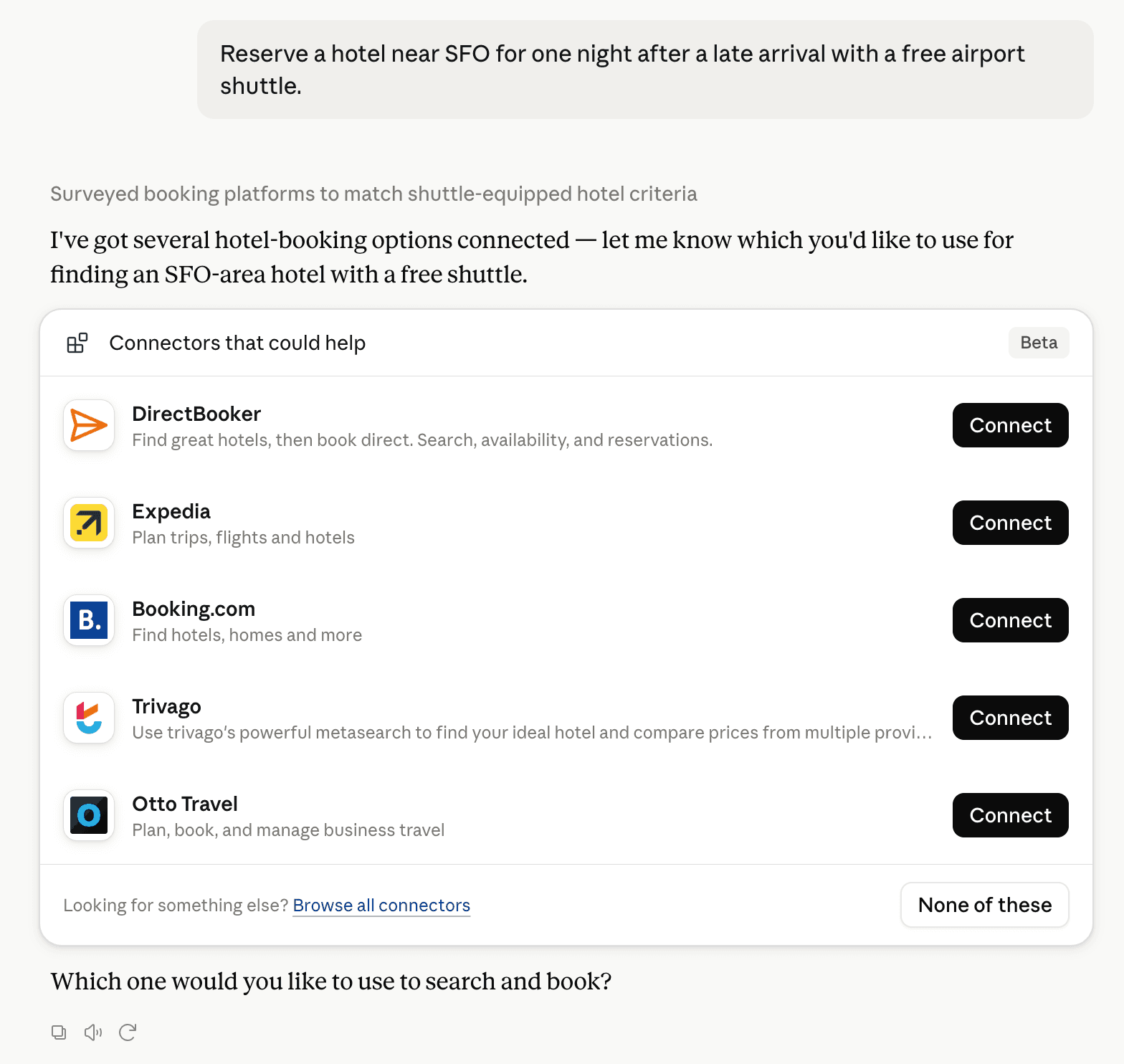
Claude can surface verified Connectors when they match a user’s Prompt.
How Claude Connector discovery works
Your Connector will compete to appear for users’ Prompts once Claude verifies it
Competing in Claude Email Clients & Inbox Assistants
View Category38 tools agents can invoke

Kai Claude Connector FAQ
How the directory, categories and Discoverability Score work.
Read the methodologyHow do I improve Kai's Claude Connector discoverability?
The levers are the listing surface agents actually read: names, descriptions, keywords, tool metadata, and registry health. Which lever matters depends on where discovery breaks, which is what continuous measurement shows.
What are Kai alternatives on Claude?
As of 2026-10-10, Kai competes with Microsoft 365, Gmail, Superhuman Mail, Google Calendar, Fastmail, Glean, Circleback, Fyxer and 18 more in Claude Email Clients & Inbox Assistants, ranked by public Discoverability Score.
Where is this profile measured?
This profile uses the geography attached to the latest public registry snapshot: US. Locale tags are intentionally omitted.