
Tunc Art
Private links for files your AI assistants make. Save reports, PDFs, images and spreadsheets from Claude and other assistants, and open them later with a sign-in or a password you set.
 View in the Claude registry
- Brand
- TUNC
- Category
- AI
- Primary Subcategory
- Cloud File Storage
Integration details
Description
Tunc Art keeps the files your AI assistants make and gives each one a short private link. When you ask, an assistant saves a report, PDF, image, spreadsheet or other file, up to 250 MiB, and hands you the link. Later, an assistant can find your files by title, type or date and open them: text as text, pictures as images, PDFs as page images, and Word, PowerPoint and spreadsheet files as text. A link is an address, not a key. You can open the file, and so can people you share it with through a Tunc workspace, after they sign in. To share outside your account, you set a password on the file's page. An assistant cannot. Connect any assistant that supports remote MCP connectors (Claude and others), an A2A agent, or your own code. Files are kept 30 days on free storage and 365 days with paid storage, and each file shows its end date. When storage is full, the oldest files are removed first and the account lists what was removed. What you can do: - Share a finished report or chart as one link. - Keep the files your agents make in one place, across chats and apps. - Find and reopen earlier files by title, type or date. How it works: three tools. art_write saves a file (small files directly, larger ones through a secure upload URL) and returns its link; art_read lists your files and opens one; art_delete removes a file when you ask, and its link stops working at once. In the browser, images, video, audio, PDFs and web pages (sandboxed, so scripts never run) open in the page; text, Markdown, JSON, CSV and code show as plain text; other files show a download button. Downloads return the exact bytes. Never sold, and never used to train AI models unless you opt in. Free to start: 1 GB of storage shared with Tunc Orb and Tunc Hub.
- Integration type
- Connector
- Verification status
 Community connector
- Platform
- Claude
- Primary Subcategory
- Cloud File Storage
- Secondary Subcategories
- None listed
- Brand
- TUNC
- Access
- Account required
- First tracked
- 2026-10-30
- Tool count
- 3
- Market
- US
The Primary Subcategory used for this profile’s headline score.
Other Subcategories where the Integration is listed.
 Agent DiscoverabilityClaude Discoverability Score
Claude Connector discovery is coming soon
Community Connectors only appear in Claude’s registry.Once verified, organic discovery begins and we can calculate your score.Read more about Community Connector verification.
No spam. Unsubscribe any time.
What discovery looks like
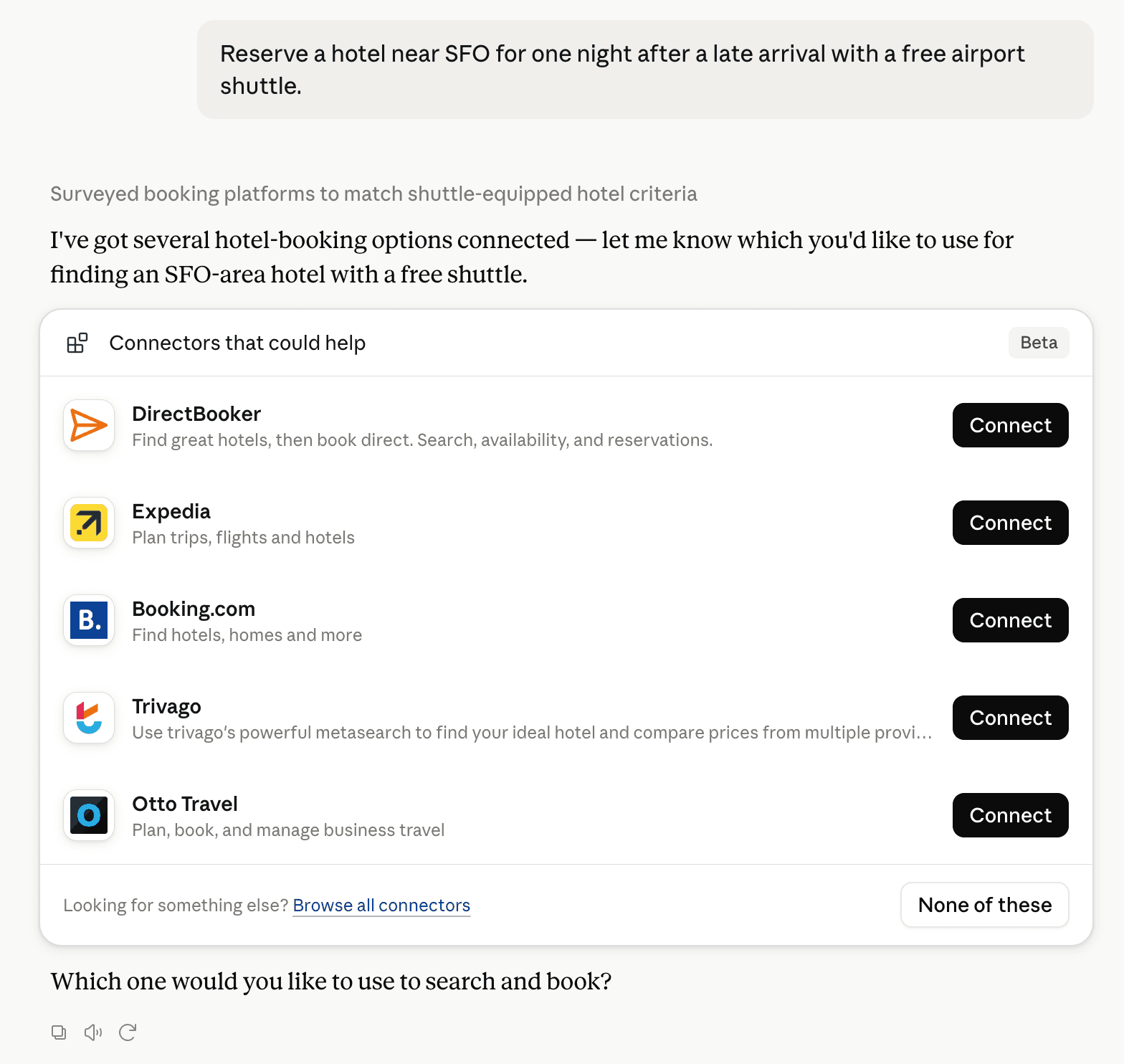
Claude can surface verified Connectors when they match a user’s Prompt.
How Claude Connector discovery works
Your Connector will compete to appear for users’ Prompts once Claude verifies it
Competing in Claude Cloud File Storage
View Category3 tools agents can invoke

Tunc Art Claude Connector FAQ
How the directory, categories and Discoverability Score work.
Read the methodologyHow do I improve Tunc Art's Claude Connector discoverability?
The levers are the listing surface agents actually read: names, descriptions, keywords, tool metadata, and registry health. Which lever matters depends on where discovery breaks, which is what continuous measurement shows.
What are Tunc Art alternatives on Claude?
As of 2026-10-31, Tunc Art competes with Google Drive, Microsoft 365, Box, Files.com, NetDocuments, PaperOffice, Dropbox, Ideals and 17 more in Claude Cloud File Storage, ranked by public Discoverability Score.
Where is this profile measured?
This profile uses the geography attached to the latest public registry snapshot: US. Locale tags are intentionally omitted.