
SaveHQ
Save links to a visual board you share with friends, then find, count and organize your saves by asking Claude.
 View in the Claude registry
- Brand
- SaveHQ
- Category
- Consumer & Lifestyle
- Primary Subcategory
- Notes & Personal Knowledge Bases
Integration details
Description
SaveHQ is a free, visual board for everything you save. Send links from Instagram, TikTok, your group chats or your AI assistant, and share the board with friends. Connect SaveHQ and Claude can: - Save links to your board: restaurants, reels, TikToks, articles, places, products. Add a note, or file them into a list such as "Places to go". Links already on your board are skipped, so it's safe to send a whole list again. - Save a note with no link, or a photo, video or file. - Search your saves by meaning and keywords, like "ramen in SF" or "that documentary about Hong Kong". - Count your saves: "How many restaurants in San Francisco have I saved?" or "What did I save last week?" - Open one save in full, with its note, comments, extra links and files. - Organize your board: create, rename, merge or delete categories; move, edit, pin, comment on, make private or public, or delete saves; update your profile and profile photo. - Get your board link to open or send to a friend. Before anything is deleted or merged, made public, or changed on your profile, SaveHQ sends Claude a preview to show you first, and makes the change only when Claude confirms it. Every change can be undone, and deleted saves come back for 7 days. You sign in with your SaveHQ account and approve the connection on SaveHQ's own screen. There's no key to copy. The connector only sees your own saves. It can't delete your account, change your sign-in or post anywhere outside SaveHQ. You need a free SaveHQ account (savehq.app/signup). Once you have one, you can also save by sending links in a DM on Instagram, WhatsApp, Telegram or text.
- Integration type
- Connector
- Verification status
 Community connector
- Platform
- Claude
- Primary Subcategory
- Notes & Personal Knowledge Bases
- Secondary Subcategories
- None listed
- Brand
- SaveHQ
- Access
- Account required
- First tracked
- 2026-10-11
- Tool count
- 35
- Geography
- US
The Primary Subcategory used for this profile’s headline score.
Other Subcategories where the Integration is listed.
 Agent DiscoverabilityClaude Discoverability Score
Claude Connector discovery is coming soon
Community Connectors only appear in Claude’s registry.Once verified, organic discovery begins and we can calculate your score.Read more about Community Connector verification.
No spam. Unsubscribe any time.
No spam. Unsubscribe any time.
What discovery looks like
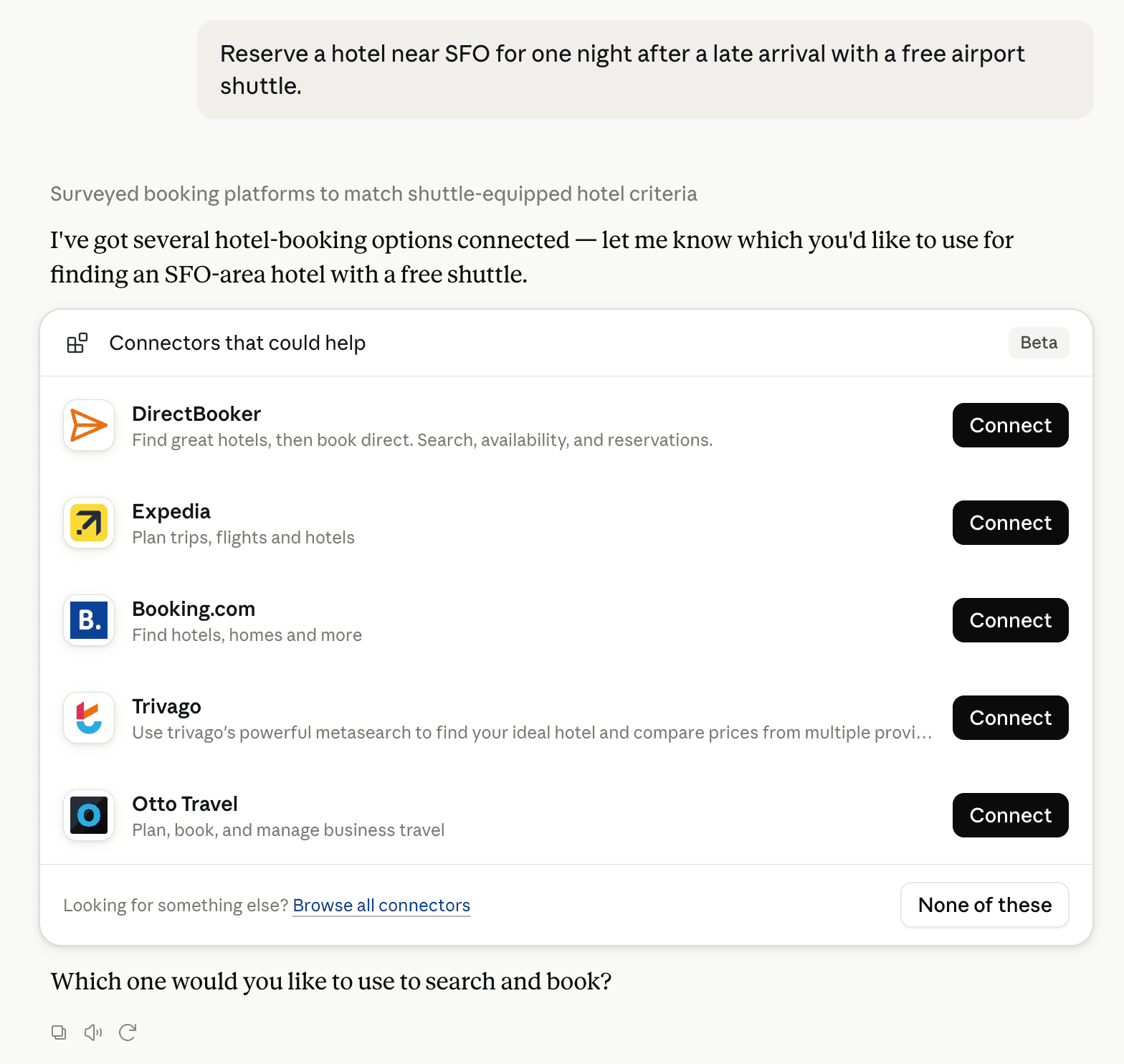
Claude can surface verified Connectors when they match a user’s Prompt.
How Claude Connector discovery works
Your Connector will compete to appear for users’ Prompts once Claude verifies it
Competing in Claude Notes & Personal Knowledge Bases
View Category35 tools agents can invoke

SaveHQ Claude Connector FAQ
How the directory, categories and Discoverability Score work.
Read the methodologyHow do I improve SaveHQ's Claude Connector discoverability?
The levers are the listing surface agents actually read: names, descriptions, keywords, tool metadata, and registry health. Which lever matters depends on where discovery breaks, which is what continuous measurement shows.
What are SaveHQ alternatives on Claude?
As of 2026-10-12, SaveHQ competes with Notion, Mem, Wispr Flow, Goodnotes, Readwise, Roam Research, Craft, MeisterTask and 39 more in Claude Notes & Personal Knowledge Bases, ranked by public Discoverability Score.
Where is this profile measured?
This profile uses the geography attached to the latest public registry snapshot: US. Locale tags are intentionally omitted.