
SparkReceipt
Find, organize and fix your receipts, invoices and bank statements in SparkReceipt, upload new ones for scanning, and publish them to your accounting software, all from Claude.
 View in the Claude registry
- Brand
- SparkReceipt
- Category
- Finance
- Primary Subcategory
- Accounting & Bookkeeping
Integration details
Description
SparkReceipt scans receipts, invoices and bank statements and turns them into bookkeeping data. This connector gives Claude access to your SparkReceipt account, so you can ask in plain language and Claude does the clicking for you. What you can ask Claude to do: - Find and review documents: "List my expenses from July over 100 euros" or "Show me documents missing a Category." - Organize in bulk: add Tags, set Categories, Merchants and payment methods, fill in AI Fields, and resolve duplicates. - Upload a receipt, invoice or bank statement for scanning. It runs through the same OCR and AI extraction as an upload from the app and uses one scan from your quota. - Reconcile: match bank statement lines to your receipts and accept or reject suggested matches. - Set up your books: create Categories, tax rates, saved searches and automations. - Report and hand off: build exports, summarize spending, and publish documents to QuickBooks, Xero or the other accounting integrations you have connected. - Log trips for mileage and keep your Schedule C mapping up to date. Claude works as you. It sees only the accounts you choose when you connect and can never do more than your role allows. You pick the permissions on SparkReceipt's own sign-in page: - Read your data - Create and update data - Irreversible actions, such as permanent deletes. This one is never pre-selected. Each level is granted separately, and tools you haven't allowed are hidden from Claude. If you belong to several accounts, you can connect all of them or only the ones you pick. Every action Claude takes shows up in the activity log under Settings → MCP in the web app, and you can disconnect from the same page at any time. Sign-in uses OAuth. Claude never sees your SparkReceipt password. You need a SparkReceipt account to connect. Sign up free at sparkreceipt.com.
- Integration type
- Connector
- Verification status
 Community connector
- Platform
- Claude
- Primary Subcategory
- Accounting & Bookkeeping
- Secondary Subcategories
- None listed
- Brand
- SparkReceipt
- Access
- Account required
- First tracked
- 2026-10-13
- Tool count
- 111
- Geography
- US
The Primary Subcategory used for this profile’s headline score.
Other Subcategories where the Integration is listed.
 Agent DiscoverabilityClaude Discoverability Score
Claude Connector discovery is coming soon
Community Connectors only appear in Claude’s registry.Once verified, organic discovery begins and we can calculate your score.Read more about Community Connector verification.
No spam. Unsubscribe any time.
What discovery looks like
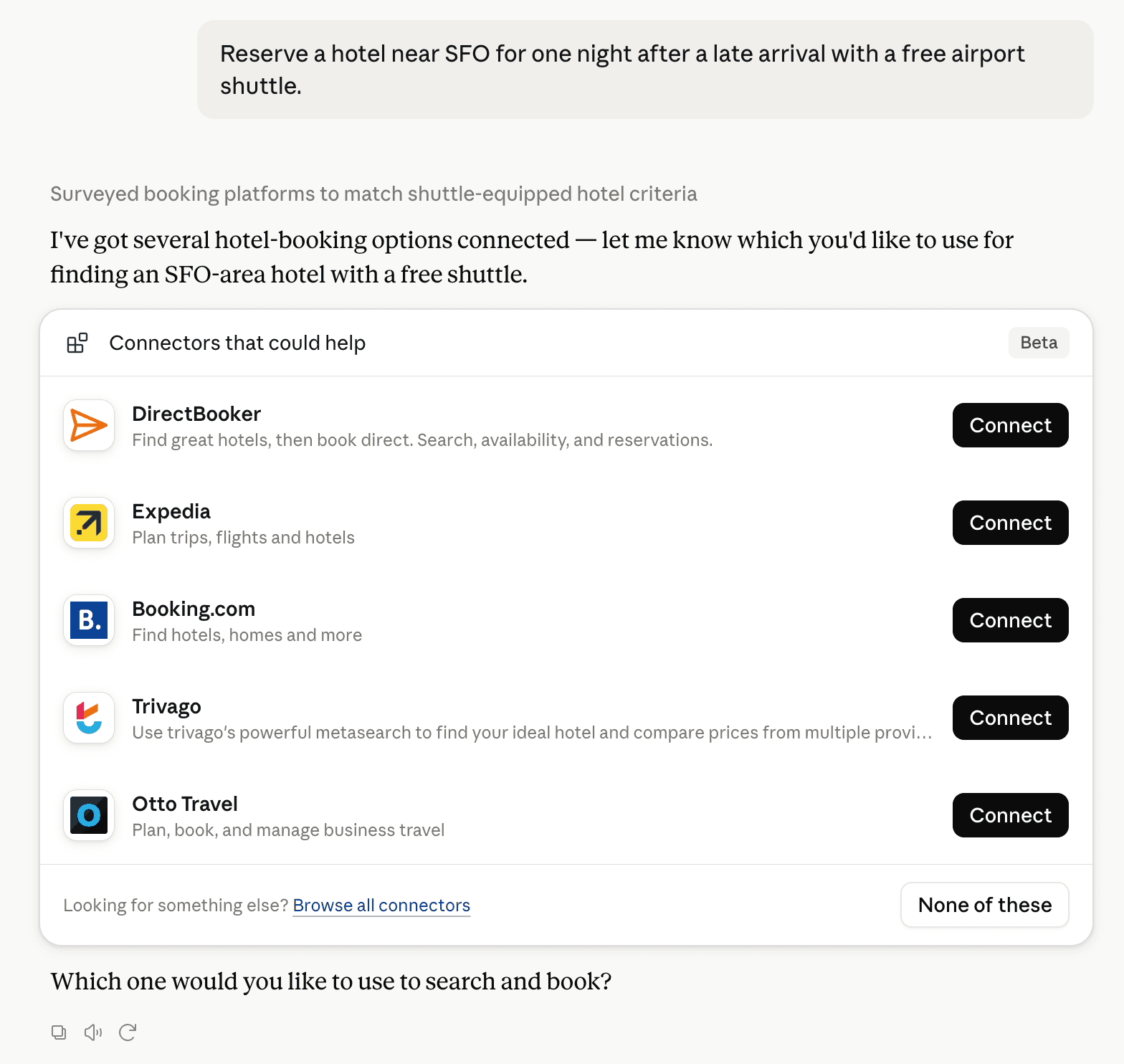
Claude can surface verified Connectors when they match a user’s Prompt.
How Claude Connector discovery works
Your Connector will compete to appear for users’ Prompts once Claude verifies it
Competing in Claude Accounting & Bookkeeping
View Category111 tools agents can invoke

SparkReceipt Claude Connector FAQ
How the directory, categories and Discoverability Score work.
Read the methodologyHow do I improve SparkReceipt's Claude Connector discoverability?
The levers are the listing surface agents actually read: names, descriptions, keywords, tool metadata, and registry health. Which lever matters depends on where discovery breaks, which is what continuous measurement shows.
What are SparkReceipt alternatives on Claude?
As of 2026-10-26, SparkReceipt competes with Intuit QuickBooks, Zoho Books, FreshBooks, Xero, Rillet, Payhawk, Tabs, Expensify and 119 more in Claude Accounting & Bookkeeping, ranked by public Discoverability Score.
Where is this profile measured?
This profile uses the geography attached to the latest public registry snapshot: US. Locale tags are intentionally omitted.