
Reorder Owl
Know what to reorder, how much and when, from your QuickBooks Online, Zoho, Odoo, Acumatica, Unleashed or inFlow data: Reorder Owl builds your buy list and creates the purchase orders you ask for.
 View in the Claude registry
- Brand
- Reorder Owl
- Category
- Operations
- Primary Subcategory
- ERP & Operations Resource Tools
Integration details
Description
Know what to reorder, how much and when, from your QuickBooks Online, Zoho Inventory, Zoho Books, Odoo, Acumatica, Unleashed or inFlow data, and create the purchase orders you ask for, right inside Claude. Reorder Owl is a purchasing assistant for small and mid-sized businesses: it reads your items, stock, sales and purchase orders and builds your buy list from live data. If you build your buy list by hand, pasting inventory exports into Claude, Reorder Owl makes it from your live data when you ask "Make me a buy list for this week." It forecasts demand for each item from its sales history, seasonal demand included, compares it with stock on hand and on order and the vendor's lead time, and recommends an order quantity, so you catch items running low before they become stockouts and avoid overstock. What you can do: - Get a buy list for one or several vendors, a warehouse, a product folder or every vendor. - See which items are running low or will run out in the next 30 days. - Ask why an item's quantity was suggested: forecast, safety stock, lead time, sales history and incoming purchase orders. - Open the dashboard: the full purchasing spreadsheet with filters, sorting, search, totals, an Excel download and Create PO. - Review open purchase orders by vendor or PO number. - Create a purchase order from the recommendations, or a one-off order, when you ask. - Save purchasing rules (a seasonal forecast, custom forecast methods, item minimums and maximums) and schedule emailed reorder reports. Connects automatically with: QuickBooks Online, Zoho Inventory, Zoho Books, Odoo, Acumatica, Unleashed and inFlow. To get started, add Reorder Owl, sign in with Google, Microsoft or your email, and connect your system yourself in about a minute. For businesses in the United States and Canada. Each company's data is visible only to the people signed in to that company's account. Reorder Owl never pays invoices, moves money, emails vendors or sends purchase orders to them.
- Integration type
- Connector
- Verification status
 Community connector
- Platform
- Claude
- Primary Subcategory
- ERP & Operations Resource Tools
- Secondary Subcategories
- None listed
- Brand
- Reorder Owl
- Access
- Account required
- First tracked
- 2026-10-21
- Tool count
- 20
- Market
- US
The Primary Subcategory used for this profile’s headline score.
Other Subcategories where the Integration is listed.
 Agent DiscoverabilityClaude Discoverability Score
Claude Connector discovery is coming soon
Community Connectors only appear in Claude’s registry.Once verified, organic discovery begins and we can calculate your score.Read more about Community Connector verification.
No spam. Unsubscribe any time.
What discovery looks like
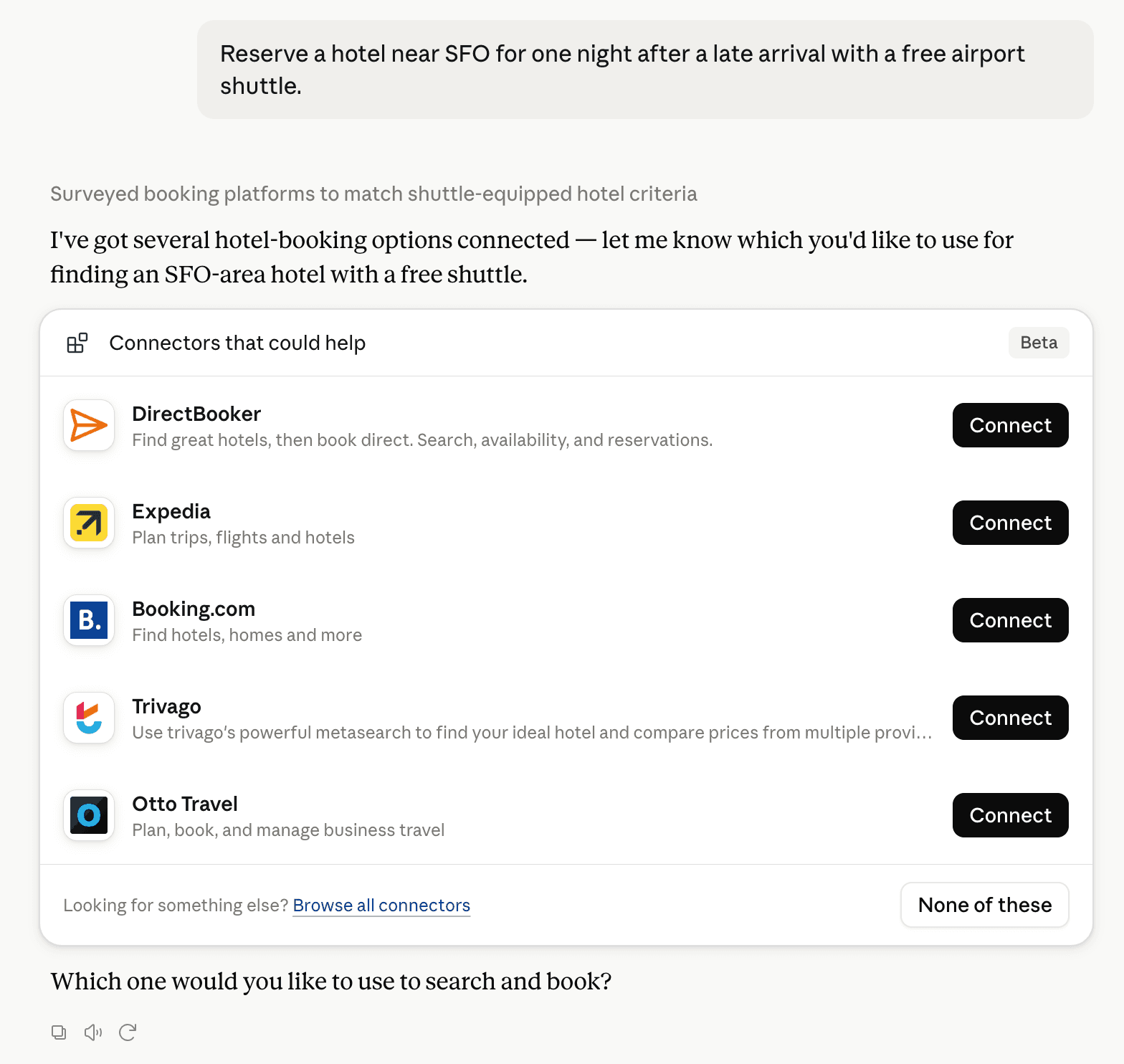
Claude can surface verified Connectors when they match a user’s Prompt.
How Claude Connector discovery works
Your Connector will compete to appear for users’ Prompts once Claude verifies it
Competing in Claude ERP & Operations Resource Tools
View Category

20 tools agents can invoke

Reorder Owl Claude Connector FAQ
How the directory, categories and Discoverability Score work.
Read the methodologyHow do I improve Reorder Owl's Claude Connector discoverability?
The levers are the listing surface agents actually read: names, descriptions, keywords, tool metadata, and registry health. Which lever matters depends on where discovery breaks, which is what continuous measurement shows.
What are Reorder Owl alternatives on Claude?
As of 2026-11-01, Reorder Owl competes with 4truck, agri-mcp.tcit.cl, all manager, ANAV, Approveit, ARCNM, AspirePro, Assembled and 184 more in Claude ERP & Operations Resource Tools, ranked by public Discoverability Score.
Where is this profile measured?
This profile uses the geography attached to the latest public registry snapshot: US. Locale tags are intentionally omitted.